
Minecraft Dungeons II Xbox Play Anywhere support is confirmed for the Xbox version of the sequel. For eligible digital ownership, that means the Xbox ecosystem can cover both Xbox Series X|S and Windows PC rather than forcing you to buy a separate Microsoft Store copy for each device.
That convenience should not be stretched into a claim about every platform. Steam, PlayStation 5, Nintendo Switch and Nintendo Switch 2 are separate storefront ecosystems. Xbox Play Anywhere is specifically about Microsoft’s Xbox and Windows route, while crossplay is the feature that lets supported platforms play together online.
How Minecraft Dungeons II Xbox Play Anywhere works
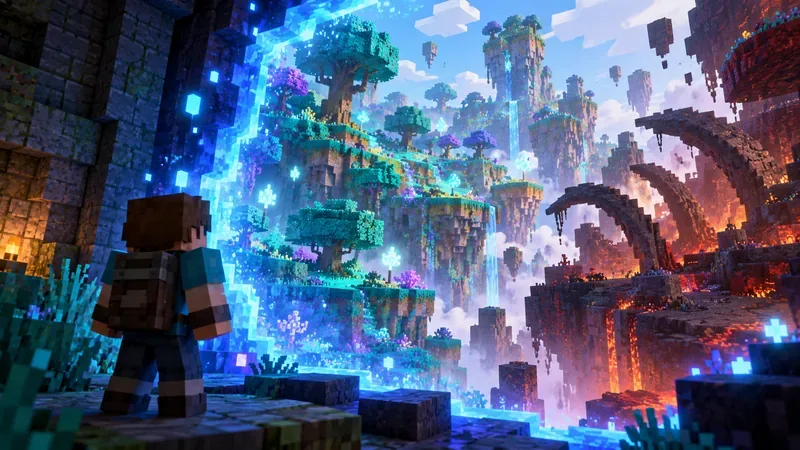
Minecraft Dungeons II Xbox Play Anywhere Image Mojang Studios.
| Detail | What is confirmed |
|---|---|
| Xbox hardware | Xbox Series X|S |
| PC route | Windows PC through the Xbox/Microsoft ecosystem |
| Digital ownership | Eligible purchase can be used across Xbox and Windows PC |
| Game Pass | The game is also a day-one Game Pass title |
| Not the same as | Buying once on Xbox and receiving Steam, PlayStation or Nintendo copies |
The simplest use of Minecraft Dungeons II Xbox Play Anywhere is moving between a Series console and a Windows PC while staying inside the same Microsoft/Xbox ownership ecosystem. It is particularly handy for households where the TV and PC are used at different times.
Xbox also lists cloud saves for its version, which supports the same-device-family convenience. That still does not establish universal cross-progression across every storefront, so do not assume a Steam or Switch save automatically becomes the same character you use on Xbox.
Play Anywhere vs crossplay
Crossplay answers “can we play together?” Xbox Play Anywhere answers “where can this eligible Xbox digital ownership be used?” They solve different problems. A friend on PlayStation can be part of a cross-platform online party without receiving your Xbox license.
Keeping those features separate makes Minecraft Dungeons II Xbox Play Anywhere much easier to plan around. Use Play Anywhere for your own Xbox/PC access, and use the game’s multiplayer systems when the question is who can join your session.
How Game Pass fits in
Minecraft Dungeons II is announced as a day-one Game Pass release. If your tier and region include the game, that subscription can give you access without buying Standard immediately. The same Xbox ecosystem is also where Play Anywhere is relevant for supported access between console and Windows PC.
Subscription access is not permanent ownership, though. If the catalogue or your subscription changes later, an outright purchase and a Game Pass entitlement are not the same thing even if both launch the same game today.
What Play Anywhere does not promise
It does not give you a free Steam key, PS5 license or Nintendo copy. It also should not be used as proof of full cross-platform save transfer unless Mojang or the individual storefront confirms that feature separately.
For Minecraft Dungeons II Xbox Play Anywhere, the safe boundary is Xbox Series X|S plus Windows PC in the Xbox ecosystem. Anything beyond that needs its own first-party confirmation.
Best setup if you plan to switch devices
Use one Microsoft account consistently, especially if you also care about account-linked cosmetics such as the Hero Cape or Twisted Cape. Confirm the game appears in your Xbox library on both devices before launch night, and make sure the PC is using the Xbox/Microsoft version rather than assuming a Steam installation is the same license.
Those checks turn Minecraft Dungeons II Xbox Play Anywhere into what it is meant to be: a low-friction way to move between Xbox and Windows PC, not a maze of duplicate purchases and mismatched accounts.
More Minecraft Dungeons II guides
For the current platform and Play Anywhere listing behind Minecraft Dungeons II Xbox Play Anywhere, use the official Xbox game page.





