
How to Host Card Games in TCG Card Shop Simulator starts with Play Tables and the Manage Event app on your phone. Customers rent table time, complete games and pay the hourly event rate, creating a second income stream alongside retail. Version 1.0 adds a separate twist: you can now personally challenge waiting NPC customers to playable Tetramon matches.
Normal table games and full tournaments are related but not identical systems. You can make money from ordinary customer games without organising a tournament bracket every day.
How to Set Up Card Games
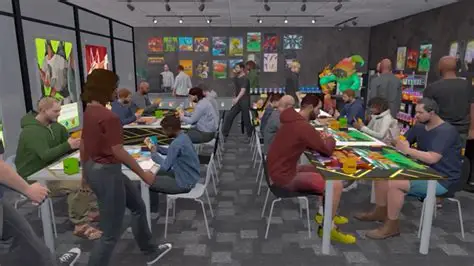
- Buy at least one Play Table through the furniture system.
- Place it with enough room for customers to reach both chairs.
- Open the phone and select Manage Event, or interact with an empty table where supported.
- Choose the event format you want to run.
- Open the shop and let customers occupy the tables.
- Watch whether the event fee, table usage and lost retail space are producing worthwhile income.
How Play Table Income Works
Customers pay for the time they spend playing rather than buying a single ticket and instantly leaving. That makes tables a form of passive income while you work elsewhere in the shop.
Games can continue after the shop closes, and customers may still purchase products before they finally leave. A good play area therefore contributes both direct table income and the atmosphere of a functioning card store.
Do Events Cost Money to Run?
Yes. Event formats have a daily cost, taken before opening, while players generate revenue through the hourly rate. Higher event formats can be more valuable, but you should compare the daily event cost with how consistently your tables are actually occupied.
Do not choose an expensive event just because it has unlocked if half of your chairs sit empty all day.
How Do You Unlock More Event Formats?
Additional events are tied to participation progress. Running tables regularly increases the number of customers who have played, which opens access to more formats over time.
That makes early Play Tables useful even before your layout becomes large enough for a dedicated play room.
What Is Different About Tournaments?
The tournament system is a more organised layer with participant requirements, prizes, fees and numbered tables. Version 1.0 also lets your own character join a tournament you organised and compete for its prizes.
We already have a separate How to Host Tournaments guide, so use that for bracket-specific setup rather than treating every ordinary table game as a tournament.
How to Play Tetramon Yourself
Once the Workbench and a legal 50-card deck are available, look for a single NPC customer waiting at a play table. Approach them and use the displayed interaction input to start a Tetramon match.
A normal duel is intended to take around three to five minutes, and the rest of the shop keeps operating during the game. Staff therefore become especially useful if you want to play without returning to an empty shelf and a checkout queue.
Our Tetramon rules guide covers the card-game side from the first mulligan to the Guardian thresholds.
How Many Tables Should You Place?
Enough to stay busy without sacrificing the retail floor that pays for the rest of the business. Every table uses a surprisingly large footprint once chair access and customer paths are included.
Start with a small play area, watch actual occupancy, then add more when players are consistently waiting or when you have expanded floor space that would otherwise be underused.
How to Host Card Games in TCG Card Shop Simulator – Can Tables Help Shop Level?
Yes. Completed customer games contribute to shop XP, so a healthy play area can advance progression as well as earn money. It is one reason a balanced store can level efficiently without relying only on checkout transactions.
The shop-level guide combines table XP with sales, pack opening and ordering.
Can Real Players Join the Tables?
No. Version 1.0 remains a single-player game. The new playable Tetramon system is against NPC customers, and OPNeon says online Tetramon multiplayer is not planned in the near future.
The official Tetramon guide explains the new playable side, while OPNeon’s Steam notes confirm how player matches are started at the shop tables.
Related How to Host Card Games in TCG Card Shop Simulator guides
How to Host Card Games in TCG Card Shop Simulator





