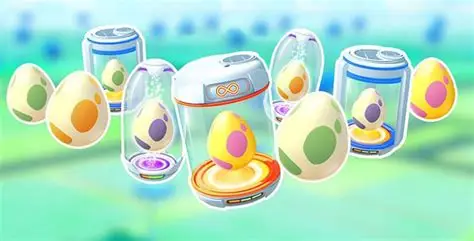
Delete Eggs in Pokémon GO is not a normal option: Trainers cannot manually discard standard Pokémon Eggs from storage. If an unwanted 2 km, 5 km, 7 km, 10 km or 12 km Egg is occupying a slot, the reliable way to remove it is to place it in an Incubator, walk the required distance and hatch it.
There is no Egg delete button
Open the Egg screen and you will not find the Transfer or trash controls used for Pokémon and Bag items.
Niantic designed Eggs as items that must be hatched.
That means trying to delete Eggs in Pokémon GO through the normal storage menu will not work, even when you want to make room for an event Egg.
Support should not be treated as an Egg-clearing service either.
Hatch unwanted Eggs to clear space
Use your infinite orange Incubator on Eggs you do not want.
Short-distance Eggs are the fastest way to create a free slot without spending premium Incubators.
If you urgently need to delete Eggs in Pokémon GO in the practical sense of freeing storage, hatch the shortest available Egg first and make sure Adventure Sync is enabled so everyday walking counts.
The Egg disappears automatically when it hatches.
Be careful before spinning PokéStops
When a normal Egg slot is free, spinning a PokéStop or Gym can award another Egg.
If you are trying to create space for a particular event source, do not immediately fill that slot with a random stop Egg.
You cannot delete Eggs in Pokémon GO afterward to undo that spin.
For 7 km Gift Eggs or other source-specific pools, manage storage before opening or spinning the source you care about.
Gift Eggs need an open slot
7 km Eggs are commonly obtained through Gifts when the current game rules and event pool allow them.
If your storage is already full, you cannot simply open a Gift, receive the Egg you want and remove another one later.
The inability to delete Eggs in Pokémon GO makes planning the order important: hatch first, then collect from the desired source.
Check the active event because Gift Egg pools change.
What about 12 km Eggs?
Strange Eggs earned from Team GO Rocket can interact with bonus Egg storage.
Those extra slots reduce some storage frustration, but they do not create a manual discard feature.
Once the Egg is yours, the way to clear it is still hatching.
If you repeatedly battle Rocket Leaders while trying to manage storage, remember that you cannot delete Eggs in Pokémon GO simply because the hatch pool is not useful to you.
Daily Adventure Eggs are separate
The Daily Adventure Egg for level 15+ Trainers does not count toward normal Egg storage and comes with its own Incubator.
It needs only 1 km to hatch and awards 10,000 XP.
You can only have one at a time.
The Daily Adventure Egg therefore does not need the usual delete Eggs in Pokémon GO workaround because it occupies its own system rather than blocking a normal Egg slot.
Super Incubators are optional
A Super Incubator can reduce the walking requirement for normal Eggs and clear storage faster.
Do not feel forced to spend coins purely because there is no delete button.
The unlimited Incubator eventually clears every standard Egg for free.
Use premium Incubators when the faster hatch is genuinely worth it, especially during strong hatch events, rather than treating them as a mandatory fee to delete Eggs in Pokémon GO.
Can storage upgrades help?
Increasing Pokémon storage or Item Bag space does not increase normal Egg storage in the same way.
Egg capacity follows its own rules.
That makes hatching and collection timing the real storage tools, not buying a huge Item Bag.
Best way to avoid unwanted Eggs
Before an event, hatch enough existing Eggs to create open slots. Then avoid spinning sources that award the wrong Egg type until you have collected the ones you want.
You still cannot delete Eggs in Pokémon GO, but careful timing prevents most of the frustration. Keep the infinite Incubator running, use Adventure Sync for passive distance and treat every open Egg slot as something to protect until you reach the correct source.
Official site: Pokémon GO