Crimson Desert DLC saves cannot be loaded into a version of the game that does not have Charting the Unknown installed. Pearl Abyss introduced this restriction alongside Update 2.04.00, and it also applies to cross-save transfers. If a save worked on one platform but won’t open on another, check the DLC installation and patch version before changing your linked accounts.
Cross-save works through a shared Pearl Abyss ID and a manually updated cloud slot. If your progress isn’t appearing on another device, check the DLC installation and game version, the account linked to your Pearl Abyss ID and whether you uploaded your latest progress to the cross-save slot.
Why Crimson Desert DLC saves won’t load
Crimson Desert DLC saves created with Charting the Unknown installed require that expansion on the destination. An installation containing only the base game cannot load that save, even if both copies are patched. Confirm the DLC is installed on the second platform before attempting a transfer.
If you started Charting the Unknown on PlayStation and later open the base game on Steam, for example, the DLC-created save won’t work there until that installation includes Charting the Unknown as well. You also need compatible game versions. Pearl Abyss’s general cross-save rules say a save created on a newer build cannot load on a platform that hasn’t received that update.
How to set up cross-save correctly
For Crimson Desert DLC saves to appear on another supported platform, first open the game’s Save Game menu, then choose Cross-Save Settings in the bottom-right corner. Follow the displayed link or QR code to the Pearl Abyss cross-save page and sign in with your platform account.
Link your platform accounts to the same Pearl Abyss ID. Return to the game and select Refresh, then use the cross-save slot in the Save Game menu to upload your progress. On your second platform, sign in with the corresponding linked account and load from the shared cross-save slot.
Cross-save is not an automatic cloud backup that constantly updates in the background. There is one shared cross-save slot per Pearl Abyss ID, and you must save to it manually before leaving the first platform. If you skipped that step, the destination may show older progress even when account linking is correct.
Do Crimson Desert DLC saves require the DLC on both platforms?
Paid content does not transfer as a purchase between platforms. If you buy Charting the Unknown on one storefront, you also need the expansion on the other platform to load a save created with it installed. Owning the base game on both devices isn’t enough for this particular save.
Update both installations before moving progress. A save made on a newer version cannot load on a platform that hasn’t received that patch. On Mac, check the game’s installed version as well as the DLC entitlement.
Crimson Desert DLC saves: missing or outdated cross-save slot
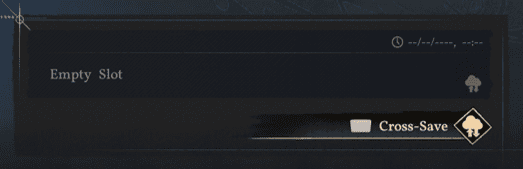
If your Crimson Desert DLC saves are missing from the shared slot, start on the platform where you last played. Confirm you saved to the actual cross-save slot rather than a local slot, then ensure the upload completed while connected to the internet.
Next check both platform accounts are linked to the same Pearl Abyss ID and press Refresh in Cross-Save Settings. The service needs an internet connection for linking, uploads and downloads. Restart the game on the second platform if the slot still doesn’t appear.
Avoid unlinking accounts as a troubleshooting shortcut. Pearl Abyss warns that unlinking the last remaining linked platform account permanently deletes the cloud cross-save data. Preserve a local copy of your progress before making account changes.
Can you return to a save without the DLC?
The rule for Crimson Desert DLC saves depends on when the save was created and which game version tries to load it. A save created while Charting the Unknown is installed needs a version with the expansion. An older base-game save isn’t automatically changed just because a newer DLC save exists in another slot.
Keep your older local saves intact while testing. If the DLC-created save refuses to load elsewhere, resolve the installation and update mismatch rather than deleting the file. If you plan to alternate between platforms frequently, save manually to the shared slot before closing the first game and confirm the second installation is ready for the DLC.
Quick checks before transferring your progress
For Crimson Desert DLC saves, check the DLC on both installations, update both games, link the platform accounts to one Pearl Abyss ID, manually upload the newest save and select Refresh on the destination. If the slot is empty, restart the game while connected to the internet.
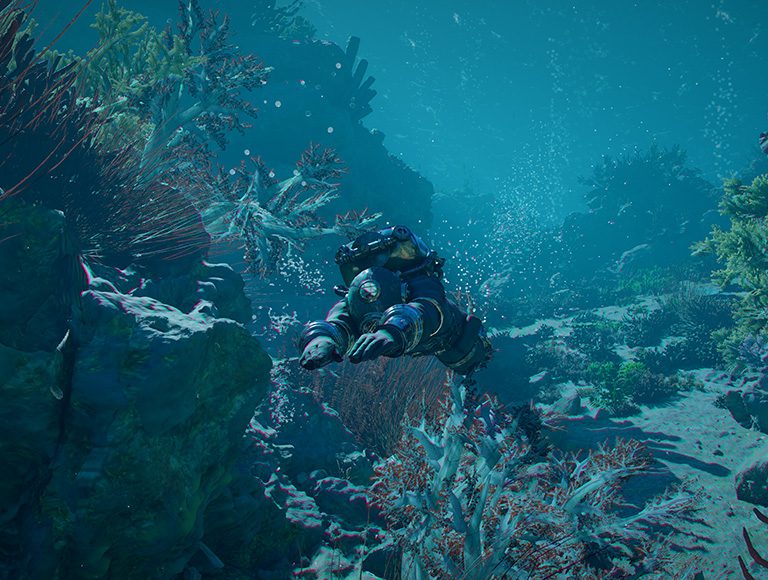
Once the loading problem is resolved, you can return to the new A Wider World ocean quest, Garden of Trials and other activities from our Charting the Unknown DLC overview.
Related Guides
Official source: Pearl Abyss Update 2.04.00 patch notes.