
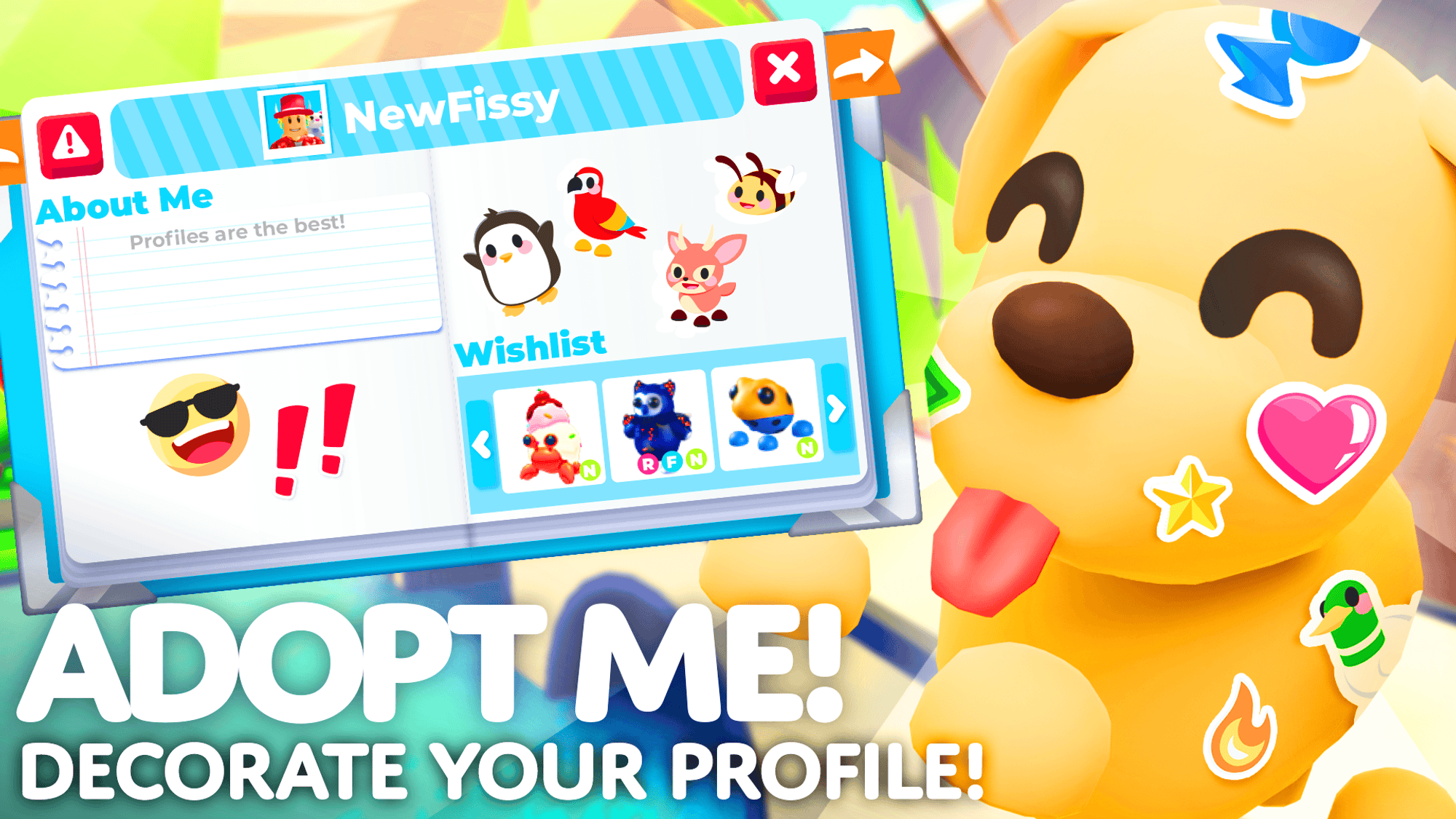
Adopt Me wishlist lets you put dream pets, vehicles and other items on a page that other players can inspect. Open your Profile by clicking your avatar or the book icon on the right, add a Wishlist section, then choose the items you want from the Journal.
That page helps friends and possible trading partners understand what you’re looking for. It doesn’t place a trade offer or give you the selected pets; it’s a list of wishes. Here’s how to edit it and check someone else’s list while trading.
How to make an Adopt Me wishlist
Open the Profile editor using your avatar or the book on the side of the screen. Add the Wishlist section, then browse the Journal and select the pets, vehicles or items you hope to obtain. Arrange the section on the page where you want others to see it.
Your Adopt Me wishlist can include things you don’t own. That is different from a Collection section, which shows items from your Backpack. The distinction is useful if another player is looking at your profile before offering a trade.
How to add or change dream pets
Choose the Wishlist section in the editor and use the Journal to find the specific pets you want. If you’ve already obtained a pet, update your page so friends aren’t offering one you no longer need. You can include vehicles and other items too, not just animals.
The Adopt Me wishlist won’t automatically match you to a server where that pet is for sale. Its job is to show other players what you’d be happy to discuss in a trade, not to search a marketplace.
How to see another player’s wishlist
You can inspect another player’s Profile directly or use the Profile button inside the trading window. Uplift Games added that trading button in June 2024. Friends’ Profiles can also be opened through the Friends list, where you can ask to trade.
Seeing someone’s Adopt Me wishlist helps you understand their interests, but doesn’t mean they’ll accept anything you offer. A real trade still needs both players to approve the items shown in the confirmation screen.
Wishlist vs Collection and Display
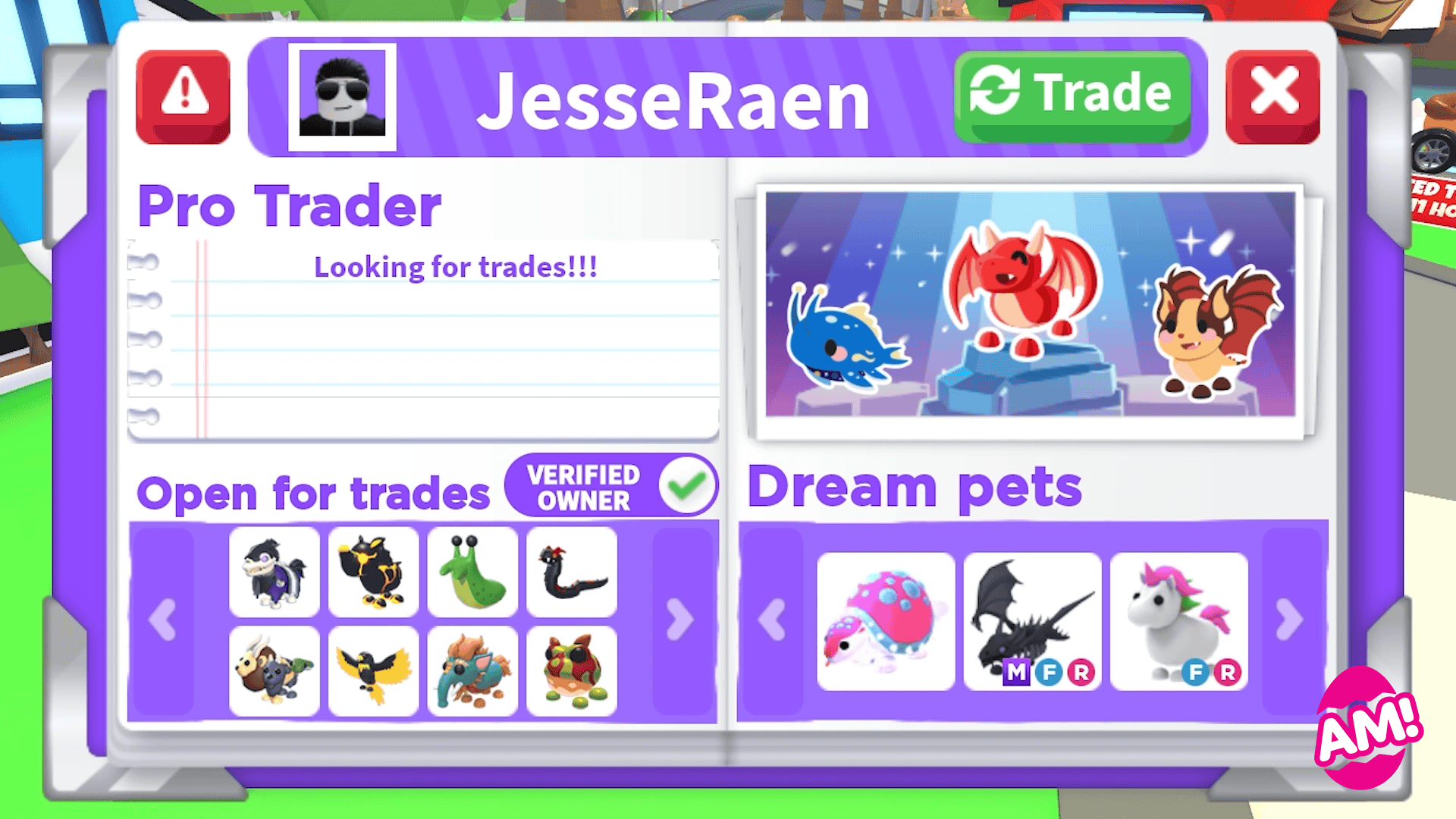
| Profile section | What it means |
|---|---|
| Wishlist | Items you’re hoping to collect |
| Collection | Pets and items you own |
| Display | A favourite pet with a decorative background |
| About Me | Your interests or introduction |
Collection can show Fly, Ride, Neon and Mega Neon details. Other players see a Verified Owner stamp there, which isn’t the same thing as putting a pet name on a wishlist. For an animal you love but won’t trade, you can show it in Collection with a Not For Trade choice.
Can you save multiple profile layouts?
Yes. The May 2026 update added saved Profiles, allowing you to switch between different layouts rather than rebuilding your pages. The maximum page count also increased to seven in January 2026. That gives you room for a trading-focused page and another for favourites.
Your Adopt Me wishlist can be part of one saved Profile, while your other layout focuses on roleplaying or pet displays. Keep the wishlist you show traders current so it reflects which pets you’re still searching for.
Why is a pet missing from the page?
Make sure you are editing Wishlist if it’s a pet you want, or Collection if it’s one you own. For an owned pet, check Backpack Storage too. Uplift Games fixed several Profile display issues involving stored pets and pet wear during 2026.
The Adopt Me wishlist is a useful conversation starter. To advertise a specific exchange across servers, use the Trading Hub instead of assuming the wishlist creates a listing.
Related Guides
Official sources: Uplift Games, Profiles; Profile Improvements; Saved Profiles.





