
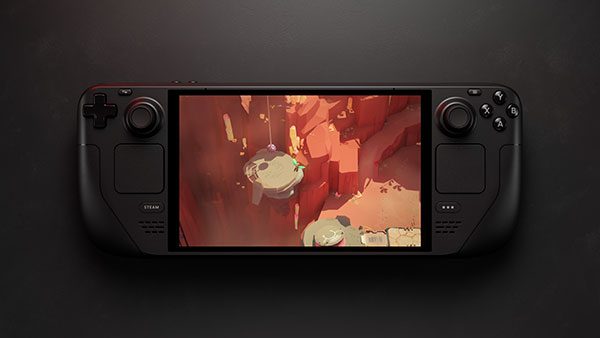
SteamOS 3.9 Desktop Mode uses KDE Plasma 6.7.3, replacing Plasma 6.4.3, following Valve’s stable SteamOS 3.9.5 release on 23 October 2026. The same update refreshes the Arch Linux base and rebases the kernel on Linux 7.2.
If you use your Steam Deck for browsing, file management or a monitor-and-keyboard setup, the update gives that side of the handheld a newer desktop. Gaming Mode is still there, just as it was before.
SteamOS 3.9 Desktop Mode: what’s new in KDE Plasma?
Valve’s patch notes confirm the move from KDE Plasma 6.4.3 to 6.7.3. Plasma provides the desktop’s taskbar, application launcher, windows and settings. SteamOS 3.9 Desktop Mode is a version upgrade to the desktop itself, rather than an advertised FPS or battery-life boost. Valve has also listed specific fixes that are more useful to know about.
You can now enable the Desktop Mode lock screen yourself, although it remains off by default. Valve also fixed RDP sign-in with system users, along with a bug where changing the time zone could prevent switching to Desktop Mode until the machine restarted.
SteamOS 3.9 Desktop Mode and Linux 7.2 changes
The SteamOS 3.9 Desktop Mode changes sit on an updated Arch Linux base and a kernel rebased on Linux 7.2. Those system components also run beneath Gaming Mode. You don’t need to install the kernel or KDE separately; both arrive with the SteamOS update.
- Wi-Fi: hidden networks should no longer fail to connect on the first attempt.
- Reconnect after sleep: Valve improved
wpa_supplicantand made it the default Wi-Fi backend for new installations. Existing installations can keep usingiwd, so the backend won’t necessarily change when you update. - External displays: a fix addresses frame limits producing lower-than-requested frame rates on certain monitors.
- Desktop locking: manually enabling the Plasma lock screen is now permitted, with the setting off by default.
- Remote access: Valve fixed RDP login with system users where remote desktop access is configured.
- System components: several packages and scripts gained holo- names, with aliases retained for former steamos- commands where appropriate.
Developers get improved graphics acceleration when running SteamOS in a virtual machine, an updated RenderDoc and restored Android binder IPC support. These are underlying system changes, not extra settings most Deck owners need to touch. Our SteamOS 3.9.5 patch notes guide explains the wider Steam Deck, Steam Machine and handheld fixes.
How to open SteamOS 3.9 Desktop Mode on Steam Deck
Desktop Mode is part of the SteamOS installation. You do not need to dual-boot Windows or install a separate Linux operating system to reach it. Valve’s support instructions give this route from Gaming Mode:
- Press the STEAM button.
- Choose Power.
- Select Switch to Desktop and confirm if asked.
- Wait for KDE Plasma to appear.
- When finished, use the Return to Gaming Mode shortcut on the desktop.
Valve’s desktop controls use the right trackpad as a mouse, R2 to left-click and L2 to right-click. You can also connect a mouse and keyboard, or press STEAM + X for the on-screen keyboard while Steam is running.
How to check the SteamOS 3.9 Desktop Mode version
To see which SteamOS build is installed, return to Gaming Mode and open Settings > System. SteamOS 3.9.5 is the stable release dated 23 October, although newer stable versions may appear later. From the KDE desktop itself, the Info Center app’s About this System area shows the reported Plasma version, which should be 6.7.3 once this update is installed.
The Steam application and SteamOS have separate update channels. If you’re following Steam Client Beta channel settings or the friend notification fixes, those guides cover the Steam application rather than the KDE Plasma desktop upgrade.
Is SteamOS 3.9 Desktop Mode different from Gaming Mode?
Yes, although both are part of the same operating system. Gaming Mode is designed around browsing and launching games with built-in controls. Desktop Mode provides a conventional windowed Linux workspace, useful for browsing, file management, software tools and monitor-based setups. Switching between them does not erase installed games or change your SteamOS update channel.
Your existing Steam games and Proton compatibility don’t change simply because you switch to the desktop. If a game stops launching after an OS update, our Steam Deck game won’t launch guide is more relevant than assuming KDE itself is the cause.
Does SteamOS 3.9 add working hibernation?
Not on Steam Deck. Valve lists preliminary hibernation work in SteamOS 3.9 but explicitly says it is not enabled on the handheld because of a driver bug. Sleep remains separate. The Steam Deck hibernation guide covers what the operating system can and cannot do in this release.
Should you install the SteamOS 3.9 Desktop Mode update?
If you use Desktop Mode regularly, the SteamOS 3.9 Desktop Mode upgrade is worth installing for Plasma 6.7.3 and the listed fixes. On your Deck, open Settings > System in Gaming Mode and check for updates with the Stable channel selected. There’s no need to join Beta or Preview.
These changes arrived in SteamOS 3.9.5, not the older SteamOS 3.8.28 update. If your Deck has trouble booting after an update, see the Steam Deck stuck on logo guide rather than attempting undocumented Linux repair commands.
Official developer source: Valve SteamOS 3.9 stable release notes, 23 October 2026.





