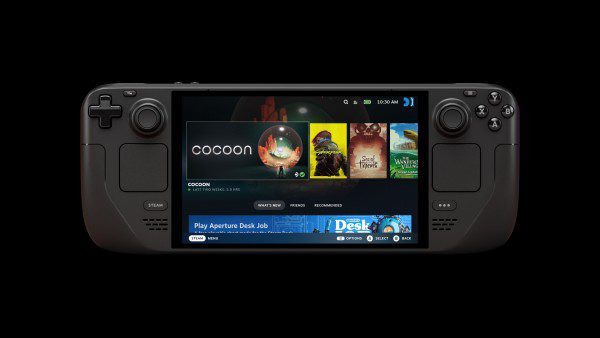
Steam Deck Friend Notifications received three specific fixes in Valve’s October 28, 2026 Preview/Beta client update. The changes address disappearing game-start alerts, sounds that ignore your preferences and personal notification settings that aren’t applied correctly.
There’s also a more responsive Quick Access Menu and a redesigned updater in Desktop Mode. To get these changes, check your Deck’s update channel before changing any notification controls.
Steam Deck Friend Notifications: October 28 bug fixes
Steam could lose a game-start pop-up when several friends began playing within ten seconds. The beta fixes that timing bug. It also makes online and game-start sounds follow the selected Show Notification Toasts and Play a sound when a notification toast is displayed options.
Steam also honours individual friend preferences over global notification choices again. The same fix applies to the controller-focused interface, where Steam sometimes ignored your personal choices.
How to install the Steam Deck Preview or Beta update
Press the Steam button, open Settings > System > Beta Participation, choose Beta under System Update Channel, then restart when prompted. The Deck switches to that update channel.
You can return to Stable in the same menu. The Deck’s SteamOS update channel is separate from the Client Beta Participation setting in desktop Steam on Windows.
Steam Deck Friend Notifications: online versus game alerts
An online alert appears when a friend signs in. A game-start alert tells you they’ve launched a title. Each has its own notification choice.
Open Settings > Notifications on the Deck and find the friend-activity controls. Set whether those events show a banner, play a sound or stay quiet. You can keep the pop-up and silence the sound.
Steam Deck Friend Notifications for game launches aren’t multiplayer invitations. Invites and chat messages are separate events; the October 28 timing fix addresses ordinary game-start activity.
Steam Deck Friend Notifications for one person
In Desktop Mode, open Friends & Chat, right-click your friend’s name and choose Manage > Notifications. Untick Use my default notification settings to set that person’s online and game-start alerts separately.
Individual choices take priority over your general preferences. If Steam has ignored an exception for one person, the October 28 Preview/Beta client repairs that behaviour in Big Picture Mode.
Quick Access Menu improvements
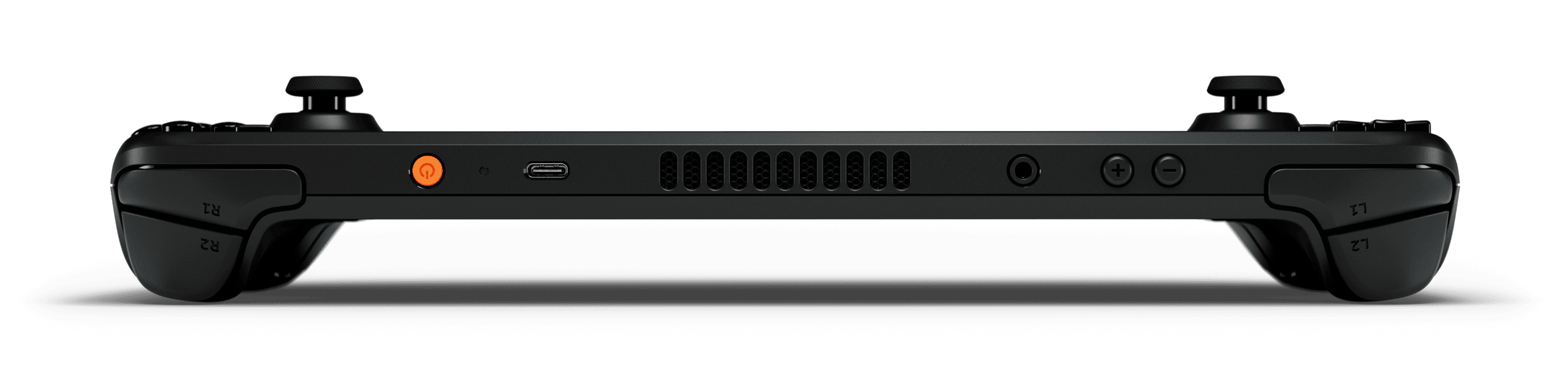
Press the three-dot button on the right side of the Deck to open Quick Access. Valve’s update improves how that menu responds when you move through its controls.
In Desktop Mode, the Steam updater now has a refreshed layout.
Steam Deck Friend Notifications on LCD and OLED
The Steam Deck Preview/Beta announcement applies to the Steam client and doesn’t split the notification changes into different LCD and OLED releases. Check the update channel on either model.
If Steam Deck Friend Notifications still aren’t behaving as expected, check the selected update channel and the relevant toast, sound and individual friend settings.
What should you check first?
For disappearing game-launch messages, check the ten-second bug fix. For an alert that appears without its expected sound, check both the toast and sound options. When a particular friend’s settings don’t apply, review that person’s custom preferences.
The October 28 beta addresses the specific dropped-alert, sound and override bugs. Keep your chosen notification settings and use the update’s Quick Access improvements without touching your game installs.
Related Guides
Official source: Valve Steam Deck October 28 Preview/Beta announcement.