
Prime Gaming GOG codes are used to redeem three of Amazon’s October 2026 PC rewards: DOOM, Conarium and WarBreeds. Claiming the code through Amazon Luna and adding the game to your GOG account are two separate steps. You need to complete both before the game appears in your GOG library.
Amazon supplies Prime Gaming GOG codes through its Free Games with Prime offers. GOG handles the redemption and download, either through its website or GOG Galaxy. Here’s how to finish the process, check for a missing game and avoid losing an unredeemed code when an offer ends.
Prime Gaming GOG codes: October 2026 games
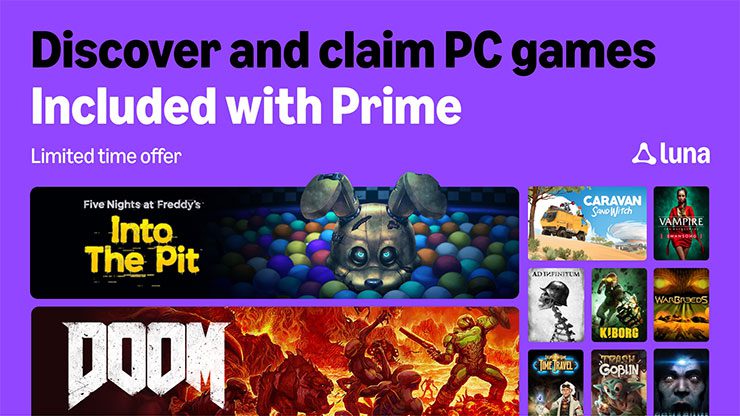
Amazon added DOOM on October 1, followed by Conarium and WarBreeds on October 8. All three are listed as GOG rewards rather than Steam or Epic Games Store copies. These dates are the start of each Amazon offer. Each card for Prime Gaming GOG codes shows the relevant claim deadline and any separate key redemption period.
How to claim Prime Gaming GOG codes on Amazon
To claim Prime Gaming GOG codes, open luna.amazon.com/claims and sign into the Amazon account with an eligible Prime membership. Select DOOM, Conarium or WarBreeds and open the reward card. Follow its claim instructions to receive the GOG code. Copy it carefully, then sign into the GOG account that should own the game.
After claiming, open My Collection to check the code and its delivery status. Copy it directly rather than typing it from a screenshot. Check the individual offer for any code expiry; don’t assume an unredeemed key can be used indefinitely.
How to redeem Prime Gaming GOG codes on GOG.com
Go to www.gog.com/redeem, sign in and paste the code from your Amazon claim. Review the game shown by the redemption screen, then confirm it. The game should be added to that GOG account’s library. Verify the account before entering the key if you use different email addresses for gaming.
Prime Gaming GOG codes are not Steam keys. The Prime reward is delivered through GOG, so download the game from your GOG library after redemption. You can use GOG’s browser download options or the GOG Galaxy desktop client to install it on your PC.
Redeeming GOG codes in GOG Galaxy
GOG Galaxy offers a second official method. Open the client and choose + Add games & Friends, then Redeem GOG code. Paste the key, finish the prompts and check the game in your library. GOG recommends changing between the browser and Galaxy redemption routes if one is having trouble.
If Galaxy gets stuck during redemption, close the window and try again. You can also switch to gog.com/redeem in a browser. Check the code character by character, particularly if you’ve accidentally copied spaces along with it.
GOG codes redeemed but game missing?
Redeemed Prime Gaming GOG codes add the selected game to your GOG library once the redemption succeeds. If you cannot see DOOM or either of the October 8 games, check that you finished redemption rather than only copying the code from Amazon. Then confirm you are signed into the GOG account used during redemption.
If you redeemed one of the Prime Gaming GOG codes but cannot see the game, sign into your GOG library on the website first. GOG provides a games-list refresh option; restart Galaxy afterwards. When the game shows online but not in the client, the problem is the library display rather than your Amazon claim.
Claim deadlines and expired GOG codes
Amazon’s claim date and the deadline for redeeming a GOG code are two different dates. October 1 and October 8 mark when these Prime offers began, not when the codes stop working. Prime Gaming GOG codes may have different deadlines for claiming on Amazon and redeeming on GOG; check the individual reward card. Check it before leaving an unredeemed key in your account.
If a key is rejected, check the characters and the deadline shown with the Amazon offer. Try the browser and GOG Galaxy methods before contacting support. Keep the Amazon claim details available so you can provide the game title and code if needed.
Do you keep GOG games after Prime cancellation?
Once you’ve redeemed your GOG codes, the games stay in your GOG library even after Prime ends. The important part is completing the redemption before the code expires. Ending a Prime membership does not automatically remove a game already added to your GOG library, although it stops new Prime-only claims.
For the October Prime Gaming GOG codes, finish both the Amazon claim and the GOG redemption. Then you can install DOOM, Conarium or WarBreeds from the GOG library you chose, rather than trying to download them from Amazon.
Official source: Amazon Luna October PC games announcement.





