Xbox Remote Play 1440p became available with the public Xbox system update on 28 October 2026. Xbox Series X and Series S can stream games from your own console at up to 1440p, with higher video bitrates on compatible devices. You don’t need Game Pass to use Remote Play itself.
To get the new picture quality, update your Series X|S, set the console’s display resolution to 1440p or 4K UHD, and start Remote Play on a supported device. The Auto streaming option chooses the best resolution and bitrate your receiving device and network can handle.
How to enable Xbox Remote Play 1440p
- On your Xbox Series X or Series S, open Settings, System, Updates and install the October 2026 console update if it is available.
- Go to Settings, General, TV & display options.
- Set Display resolution to 1440p or 4K UHD, where supported by your display.
- Make sure Remote features are enabled under Settings, Devices & connections, Remote features.
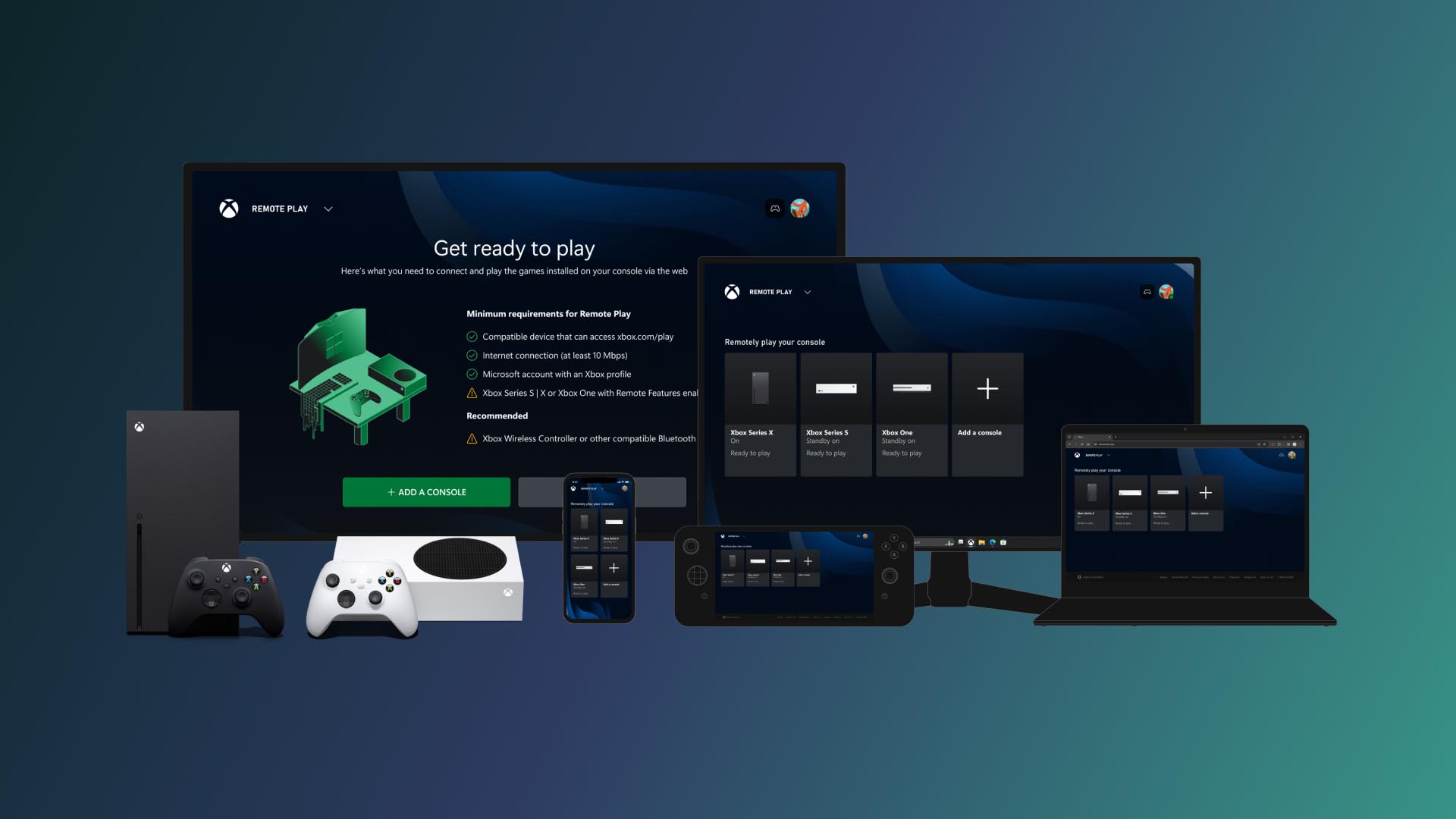
- On a supported receiving device, open the Remote Play experience, including xbox.com/remoteplay in a supported browser, and connect to your console.
- Use Auto streaming quality if available to let the device and network negotiate the highest supported setting.
The Xbox Remote Play 1440p change belongs to Remote Play, which streams your installed games from the console you own. It does not turn Xbox Cloud Gaming into a local console stream, and it doesn’t alter the cloud-hour allowance of your Game Pass plan.
What does the Xbox Remote Play 1440p setting actually do?
Microsoft says Remote Play on Series X|S supports both up to 1440p resolution and increased bitrates. Resolution controls the number of pixels in the video stream, while bitrate affects how much video information can be carried. Together, they can produce a sharper picture on a compatible screen.
If your quality preference is Auto, Xbox selects the best resolution and bitrate supported by the current receiving device and connection. During the rollout, some clients do not show a separate Remote Play quality selection. Microsoft says Auto can still pick a higher quality even when the displayed preference looks unchanged. Your stream can therefore improve even if the quality menu looks unchanged.
Which Xbox consoles support the upgrade?
Xbox Series X and Series S are the confirmed console models for the 1440p Remote Play upgrade. Xbox One consoles can still provide Remote Play, but the October announcement does not extend the new 1440p capability to Xbox One. Xbox One still supports Remote Play, but the higher-resolution mode belongs to Series X|S.
The Xbox Remote Play 1440p maximum also depends on your receiving device. Microsoft describes Remote Play access on supported browsers across PCs, phones and other hardware, with compatibility varying by device. A phone and a 1440p PC monitor won’t necessarily show the same detail.
Does Xbox Remote Play 1440p work on phones and Windows PCs?
Xbox Remote Play is available through xbox.com/remoteplay on devices with a supported web browser. Microsoft has described access through PCs, phones, tablets and some other connected screens. On mobile, the browser-based Remote Play route replaced direct access through the Xbox mobile app, so use the website when setting up a new session.
Browser support varies, so test the receiving device before assuming it can display the maximum stream. The upgrade is confirmed on the console side for Series X|S, while each receiving device still has its own supported video capabilities. Check your screen resolution and the client’s available quality controls. Our 1080p troubleshooting guide explains the checks.
Why Xbox Remote Play 1440p may look unchanged after updating
A 1440p capable console can still negotiate a lower stream when the receiving device or network cannot maintain the higher setting. Start with the Xbox display resolution, confirm the October update build 10.0.26100.9647, and check the receiving device’s available screen resolution and browser compatibility.
Xbox Remote Play 1440p depends on device capability as well as a stable network, rather than one magic speed-test result. If the screen’s own pixel count is below 1440p, you may not see the benefit of a higher-resolution feed. Microsoft recommends Auto specifically to adapt to what the device can support.
Does Xbox Remote Play 1440p require Xbox Game Pass?
No. Remote Play uses the Xbox console you already own, and Microsoft says it is available without an additional subscription. You still need the console itself, suitable internet connectivity and access to the games installed on it.
Xbox Cloud Gaming is different: games run on Microsoft’s servers and depend on cloud entitlements and November’s separate streaming allowances. Read our Remote Play versus Cloud Gaming guide for subscription, library and resolution differences.
Related Guides
Official source: Microsoft Xbox Wire: improved Remote Play on Xbox Series X|S.