
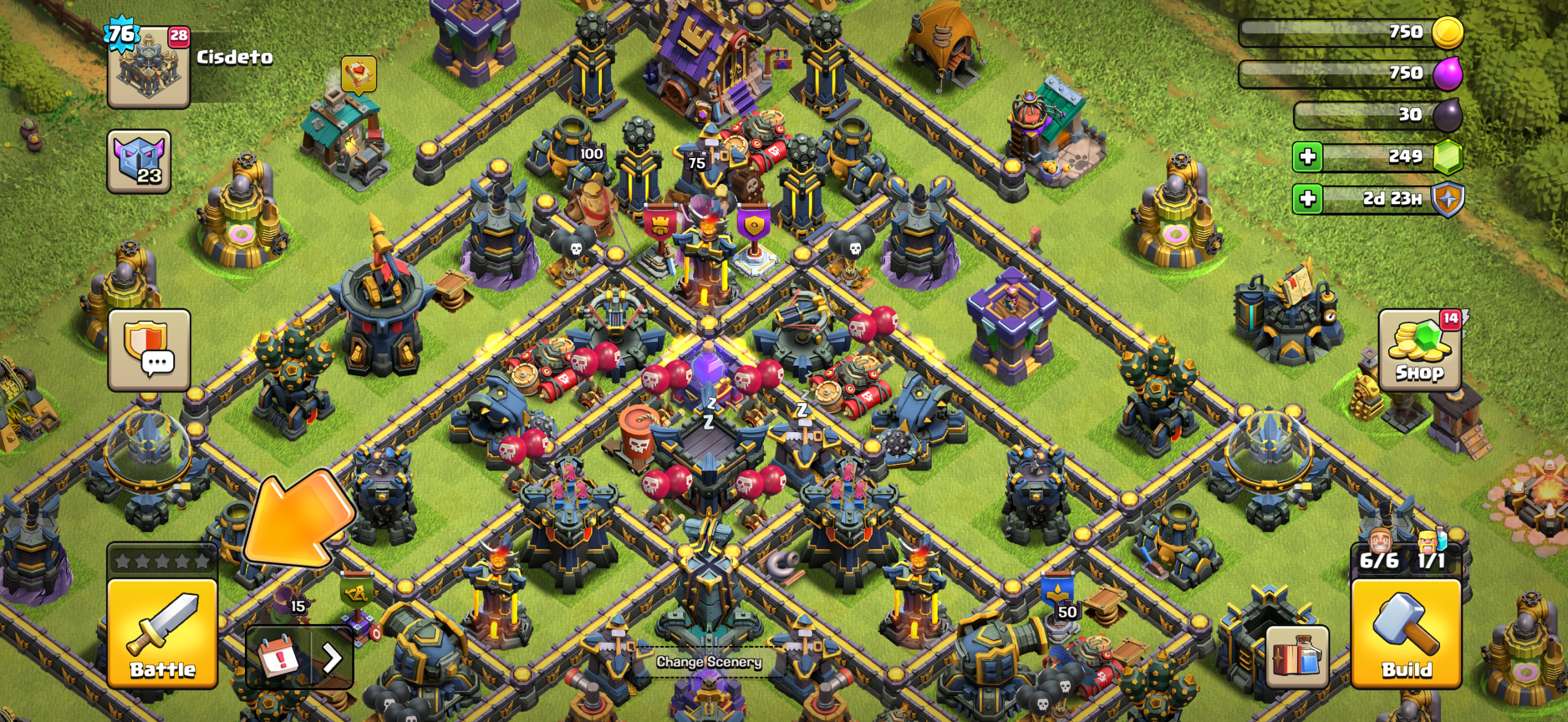
Clash of Clans New UI moved several familiar buttons in the October 2026 interface rework, but the XP bar, Battle Log and Settings have not been removed. The XP bar is now inside your Profile, the Battle Log sits inside the Battle button, and Settings are inside the player Profile in the top-left corner.
The same update also moved Army editing into Battle, upgrade systems into the new Build menu and the Inbox into the event tray. If the village screen suddenly feels unfamiliar, most of the old functions are still there; they have been grouped around Battle, Build, Profile and Events instead of sitting as separate buttons around the edge.
Clash of Clans New UI: where the missing buttons moved
| What you’re looking for | Where it is now |
|---|---|
| XP bar | Profile |
| Battle Log | Battle button |
| Settings | Profile |
| Supercell ID / account switching | Profile → Settings |
| Edit Army | Battle button |
| Edit Layout | Open Build menu; button appears bottom-right |
| New buildings | Build → Buildings & Heroes |
| Laboratory upgrades | Build → Army Upgrades |
| Hero Equipment | Build → Hero Equipment |
| Hero Pets | Build → Hero Pets |
| Town Hall level | Profile |
| Inbox | Event tray |
| Magic Items | Dedicated Magic Items button |
| Shield | Beside resources |
This is the quickest map for the Clash of Clans New UI. Supercell says almost nothing was actually removed; the rework mainly changed where functions live and grouped related actions together.
Where is the XP bar in the new Clash of Clans UI?
The XP bar moved into your Profile. Tap the Profile button in the top-left of the village screen to see it alongside your other personal stats. Supercell confirmed this again on October 15 after players reported that the XP bar appeared to be missing.
So if the Clash of Clans New UI no longer shows your XP progress across the main village HUD, that is intentional. Your XP has not been reset or deleted; only the on-screen location changed.
Where is the Battle Log?
Open the Battle button in the bottom-left. The Battle Log, Edit Army and the normal battle menu now share that area in the Clash of Clans New UI.
The Battle button also changes when something needs your attention. A flaming sword appears when Revenge is available, while an eye icon indicates a live replay. Those states also appear on the Battle Log button after you open the Battle menu.
Where are Settings and Supercell ID?
Settings moved inside the Profile button in the top-left. For Supercell ID and account switching, open Profile → Settings. This adds an extra tap compared with the old layout.
Supercell has already acknowledged that frequent account switchers are feeling that extra step. Easier profile switching is one of the areas the team says it is reviewing after feedback on the Clash of Clans New UI.
Where is Edit Army?
Edit Army is now inside the Battle button. Supercell grouped it there because army review and editing happen immediately before attacking, especially now that training times are gone.
If muscle memory keeps sending you to the old Army screen, open Battle instead. The Clash of Clans New UI treats Battle as the home for preparing an army, checking the Battle Log and starting an attack.
Where is the Layout Editor?
Open the new Build menu. While that menu is open, the Edit Layout button appears conditionally in the bottom-right corner of the screen.
The button is no longer permanently visible on the village screen. That is one of the changes Supercell has specifically mentioned in its post-launch feedback response, because reaching Layout Editor now takes an extra step.
How the new Build menu works
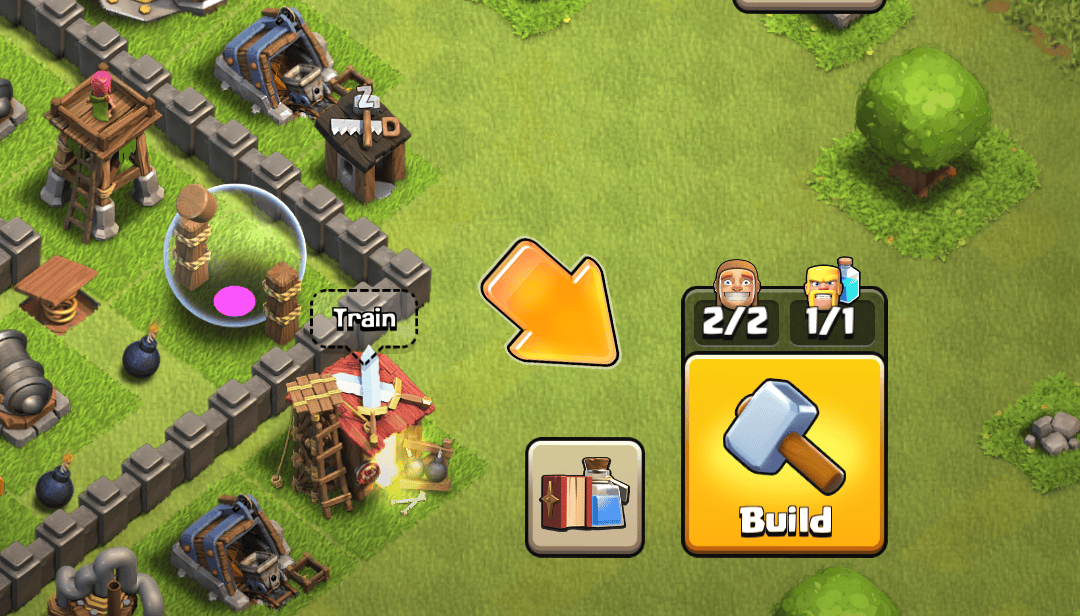
The Build side of the Clash of Clans New UI is split into four tabs: Buildings & Heroes, Army Upgrades, Hero Equipment and Hero Pets. Systems that previously required tapping the Laboratory, Blacksmith or Pet House can now be reached from this one menu.
Buildings & Heroes also contains new buildings, which were moved out of the Shop. Upgrades can be filtered and sorted by cost, and tapping an upgrade card pans the village camera to the relevant building before opening the upgrade confirmation.
Where are Inbox, Events and Gold Pass?
The Inbox and Event Hub are pinned inside the event tray. The tray opens when you first load the village and can be collapsed with the arrow beside it. The Gold Pass remains a separate dedicated button rather than being folded into that tray.
Supercell’s original interface breakdown also described Settings and Inbox as moving through Profile, but its final location map lists Inbox in the event tray, always pinned. If you are looking for messages in the live Clash of Clans New UI, the event tray is the location to use.
Where did the Clan War button go?
The Clan Wars button is now conditional in the Clash of Clans New UI. Before a war begins, open Clan Chat and use the Clan Wars card. While matchmaking is searching for an opponent, that card remains the entry point.
Once a war starts, a dedicated Clan War button returns to the main screen for everyone in the clan, including members who are not participating in that war. Clan War League uses a similar conditional approach around sign-ups and active war periods.
Can you switch back to the old UI?
No. Supercell says there is no option to restore the old interface. The Clash of Clans New UI is the new base layout, although the team wants to explore more HUD customisation in the future.
Scaling options, quicker actions and more control over the HUD are among the ideas being investigated. Supercell has not announced a release date for those changes, and its October 15 response says it is still collecting feedback on the new Home Village screen.
Known new UI problems
Some problems are bugs rather than relocated buttons. Supercell says Battle Log scrolling can briefly stop responding, the War Map Edit Army button can take a moment to appear, event tray items can spread across two rows, and some devices or languages can show overlapping text or small labels.
The Shop also briefly showed a false “FREE” notification after the update. Supercell says that was a bug and has already released a maintenance fix, so a Shop alert should not be treated as proof that a free item is waiting unless the Shop actually contains one.
Where to find Clan Games in the Clash of Clans New UI
The Clash of Clans New UI hasn’t moved Clan Games into the Battle Log. From October 22 to 28, open the Strongman’s Caravan beside your Home Village to see challenges. You need Town Hall 6 or higher and a clan to participate. Choose a task, press Start and finish its objective before the timer expires.
If the Caravan seems missing, first check that you’re in Home Village, the October Clan Games window is active and your Town Hall meets the entry requirement. Rewards don’t appear the moment the clan unlocks a tier: claim selections open when the event ends on October 28. Supercell allows seven days to collect them. For the Clash of Clans New UI, the important navigation point is still the Caravan, not the Battle menu or Profile.
The Clash of Clans New UI also changes how players navigate to seasonal content. The Portal Challenge walkthrough is useful once you’ve found the battle controls, but its event objectives are separate from the regular Battle Log.
Related Guides
Supercell provides the full button map in its official interface rework breakdown and confirms the XP bar move in its October 15 Home Village feedback update.





