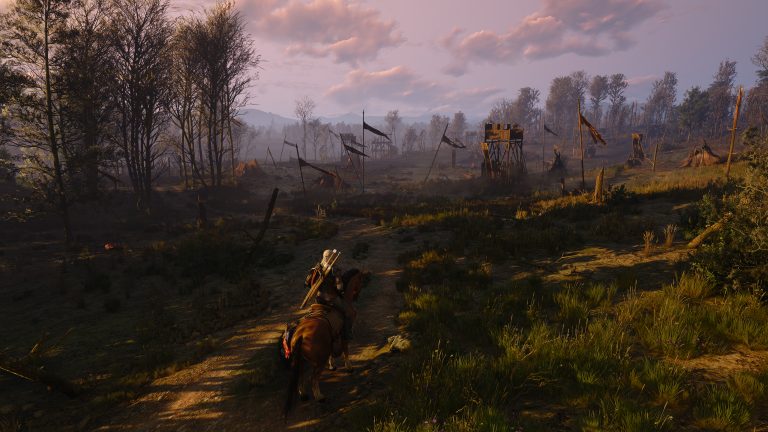
Witcher 3 Remastered Classic 1.32 fix arrives with Hotfix 5.00c after the Remastered launch temporarily broke the option to start the old Classic 1.32 PC version. If you deliberately use the legacy build for mods, save compatibility or the original rendering setup, update Remastered first rather than assuming CD Projekt Red removed Classic access.
The official notes say 5.00c fixes an issue where it was not possible to launch Classic 1.32. That makes the current solution straightforward: install the hotfix, restart your storefront client and reselect the Classic branch or launch option you were using before the Remastered update.
Witcher 3 Remastered Classic 1.32 fix: what changed
The Witcher 3 Remastered Classic 1.32 fix restores the ability to launch version 1.32. It does not turn Remastered into Classic and it does not automatically migrate a Remastered save backwards. The two builds remain different environments, so treat the correction as restored access rather than a rollback of the new game.
Players who never intentionally selected Classic do not need to change anything. Remastered remains the current version. This fix matters most to PC users who specifically rely on the older executable.

Witcher 3 Remastered Classic 1.32 fix: how to launch it
Start by confirming your PC storefront has finished updating The Witcher 3. Close the game completely, restart the launcher and allow file verification or patch installation to finish. Then use the same Classic or legacy-version selector offered by your storefront.
The exact menu differs between Steam, GOG and other PC clients, but the Witcher 3 Remastered Classic 1.32 fix is at game level. If the old branch is selected but the client still starts Remastered, switch back to the current build once, close the launcher, then reselect Classic 1.32 so the client refreshes its branch state.
Do you need to uninstall Remastered?
No. CD Projekt Red has not instructed players to remove Remastered in order to use Classic. Hotfix 5.00c specifically restores the launch path, so uninstalling tens of gigabytes should not be the first troubleshooting step.
If your launcher reports mixed or missing files, use its built-in verification tool. That is safer than manually deleting executables. The Witcher 3 Remastered Classic 1.32 fix should leave both the current Remastered option and the intentionally selected Classic route available according to your storefront.
Classic saves and Remastered saves
Back up important saves before moving between builds. Remastered supports existing progress, but a save created or modified under a newer build can contain data the older executable was never designed to understand. The Witcher 3 Remastered Classic 1.32 fix only addresses launching Classic 1.32, not every possible backwards-save scenario.
If your goal is to continue an old modded playthrough, keep a separate copy of the save folder and avoid opening the only copy in several game versions without a backup.
Mods are the biggest reason to check your version
Legacy mods built around 1.32 can depend on files, scripts or APIs that changed later. Restoring Classic therefore matters even when Remastered itself launches perfectly. After applying the Witcher 3 Remastered Classic 1.32 fix, confirm the game version before enabling a large mod list and introduce mods gradually if you are rebuilding an older setup.
Do not assume a Remastered-compatible mod is also intended for Classic, or the other way around. Version labels on the mod page are more useful than the date it was uploaded.
What if the Witcher 3 Remastered Classic 1.32 fix does not work?
Verify 5.00c is installed, remove temporary launch arguments, validate game files and test Classic without third-party injectors or overlays. If it opens cleanly, add your tools back one at a time. This gives the Witcher 3 Remastered Classic 1.32 fix a clean baseline instead of asking the hotfix to solve a separate mod conflict.
On GOG or Steam, also make sure the selected branch has actually finished downloading. Switching versions can require additional file changes even when the main game is already installed.
What 5.00c does not change
Hotfix 5.00c does not remove Remastered visual upgrades, new options or the free-upgrade path for players who want the current build. It simply repairs Classic access alongside save, audio, HairWorks and GOG achievement fixes. The Witcher 3 Remastered Classic 1.32 fix therefore gives players their legacy route back without taking the new version away.
If you only need the old build for a particular mod or comparison, launch Classic when required and return to Remastered afterward. Keeping separate backups and checking the selected version before loading a valuable save is the safest routine.
Official source: CD Projekt Red Hotfix 5.00c notes.