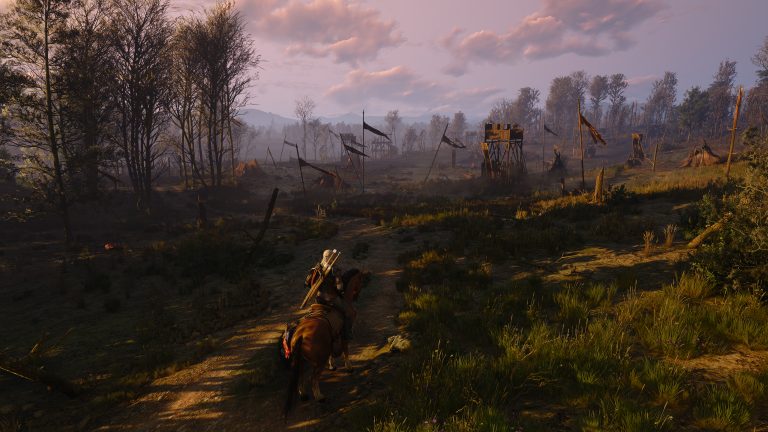
The Witcher 3 Remastered HairWorks FPS Drops problem has now received an official PC fix in Hotfix 5.00c. CD Projekt Red says the October 1 hotfix reverts a change that caused significant performance and visual issues with HairWorks enabled for some players.
That changes the advice from earlier on October 1. Disabling NVIDIA HairWorks was a sensible temporary workaround while the regression remained live, but PC players should now install 5.00c first and retest. The newest hotfix is available for Steam, GOG, Epic Games Store, Battle.net and Xbox Play Anywhere on PC.
The Witcher 3 Remastered HairWorks FPS Drops Fix

Hotfix 5.00c addresses The Witcher 3 Remastered HairWorks FPS Drops by reverting the change responsible for severe performance and visual problems for some users. CD Projekt Red describes this as a rollback rather than a new HairWorks quality setting, so there is nothing special to unlock in the graphics menu.
Install the hotfix, fully restart the game and test the same area with HairWorks enabled. If the large frame-rate loss appeared only after the Remastered update, 5.00c is the official correction to try before reducing unrelated settings.
How to Update to Hotfix 5.00c on PC
Close The Witcher 3 completely and allow your launcher to check for updates. Steam, GOG, Epic Games Store, Battle.net and Xbox Play Anywhere PC are all named by CD Projekt Red as receiving 5.00c. If the launcher was open before the hotfix went live, restarting it can help trigger the update check.
Once the download is finished, relaunch Remastered and test The Witcher 3 Remastered HairWorks FPS Drops in a repeatable scene. Keep the same resolution, upscaling mode and major graphics settings for the first comparison. Changing several options at once makes it harder to tell whether 5.00c solved the regression.
Should You Still Disable HairWorks?
HairWorks has always carried a performance cost because it adds detailed hair and fur simulation. The bug fixed in 5.00c was different: CD Projekt Red says a change caused significant performance and visual issues for some users. The hotfix reverts that change.
If The Witcher 3 Remastered HairWorks FPS Drops remain larger than you are comfortable with after 5.00c, disabling HairWorks is still a valid way to gain performance. However, it should now be treated as an optional graphics trade-off rather than the primary workaround for the acknowledged Remastered regression.
How to Test HairWorks Performance Properly
Use a repeatable location and watch both average performance and obvious stutter. Compare HairWorks off and on without changing ray tracing, path tracing, frame generation or resolution between runs. Remastered can be demanding at high-end settings, so isolating HairWorks prevents another expensive feature from being mistaken for the same issue.
Also make sure your NVIDIA driver is current. CD Projekt Red has advised PC players to use up-to-date graphics drivers while technical issues are being investigated. A clean post-hotfix test with a current driver gives you a much better baseline if The Witcher 3 Remastered HairWorks FPS Drops still look abnormal.
What Else Does Hotfix 5.00c Fix?
The HairWorks rollback is only one part of the PC hotfix. Version 5.00c fixes save and load failures when the Documents folder path contains special characters, corrects voiceover audio becoming much quieter after navigating pause-menu tabs, and makes visual changes in Velen involving Bloom, vegetation lighting, saturation and Path Tracing lighting.
It also fixes marketing telemetry settings not saving correctly, GOG achievements failing to appear in the unlocked list after being earned, and an issue that prevented players from launching the Classic 1.32 version. These are PC fixes and are separate from the earlier 5.00b update for consoles and Xbox Play Anywhere PC.
5.00b Versus 5.00c
Patch 5.00b arrived first on October 1 for PlayStation 5, Xbox Series X|S and Xbox Play Anywhere PC. It restored DLSS to the affected Xbox Play Anywhere PC build, adjusted lighting and fixed some interiors that were too dark. Hotfix 5.00c followed for PC storefronts and contains the HairWorks rollback plus the additional PC fixes.
So if you searched for The Witcher 3 Remastered HairWorks FPS Drops after seeing earlier advice to turn HairWorks off, there is now a better first step. Install Hotfix 5.00c, restart the game and retest the feature. Only disable HairWorks afterward if you still prefer the extra performance over its hair and fur effects.
If the performance loss remains extreme on 5.00c, record your GPU, driver version, resolution, ray or path tracing state and whether frame generation is enabled before reporting it to CD Projekt Red. That separates a remaining bug from the normal cost of running several demanding Remastered features together.
If The Witcher 3 Remastered HairWorks FPS Drops remain after 5.00c, test once with frame generation unchanged and note the same camera position. Consistent testing makes a remaining regression easier to identify. Players should also distinguish The Witcher 3 Remastered HairWorks FPS Drops from ordinary GPU load when several maximum settings are enabled together. If The Witcher 3 Remastered HairWorks FPS Drops are still extreme with otherwise identical settings, the result is worth sending through CD Projekt Red support with hardware and driver details.
More The Witcher 3 guides
- The Witcher 3 Remastered DLSS Missing on Xbox PC: 5.00b Fix
- The Witcher 3 Remastered Too Dark: Patch 5.00b Lighting Fix
- Witcher 3 Remastered HDR Settings Missing: How to Fix It
- Witcher 3 Remastered Boat Settings: Faster Boats and Unlimited Durability
- Witcher 3 Remastered Unlimited Carry Weight: How to Enable It
- Witcher 3 Remastered Witcher Sense Toggle: How to Turn It On
- Witcher 3 Remastered Roach Looting: How to Loot While Riding
- Witcher 3 Remastered PS5 Pro Graphics Modes: 60 FPS Ray Tracing and 90 FPS Explained
- Does Witcher 3 Remastered Include the DLC? Hearts of Stone and Blood and Wine Explained
- Witcher 3 Remastered Console Mods: How to Install Cross-Platform Mods
- The Witcher 3 Remastered Hearts of Stone and Blood and Wine: How to Get Them Free
- The Witcher 3 Remastered Battle.net Release Explained