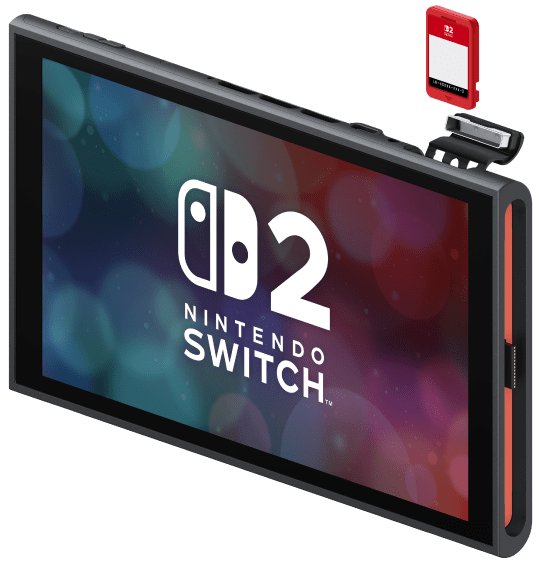
Nintendo Switch Error 2002-2552 is Nintendo’s “Unable to access game card” error and can appear on both Nintendo Switch and Switch 2. The official flow is deliberately simple: restart, update, reseat, update the game, then compare more than one card. That distinction matters because an aggressive reset can waste time or erase data without touching the actual cause.
Before changing anything major, note whether the problem affects one item or several. That single comparison often separates a bad game, card, controller, or drive from a wider console or service issue. Keep saves and screenshots backed up whenever the system is stable enough to do so.
Nintendo Switch Error 2002-2552: What this message or symptom means
When Nintendo Switch Error 2002-2552 appears, the exact pattern matters more than the fact that something failed. One affected game, card, controller, drive, or connection usually points toward that item. The same failure across several unrelated items makes a console, storage, network, or system-software cause more plausible.
| Error 2002-2552 appears immediately after inserting a card. | Check whether this affects one item or several before moving to destructive steps. |
| The same card worked before but suddenly will not open. | Check whether this affects one item or several before moving to destructive steps. |
| One game fails while other physical games still start. | Check whether this affects one item or several before moving to destructive steps. |
Quick checks before changing anything
Before treating Nintendo Switch Error 2002-2552 as a major hardware failure, capture the simple facts: what changed immediately beforehand, whether a restart changes the result, whether a second item behaves the same way, and whether an update is waiting. Those four checks prevent a surprising amount of unnecessary reinstalling.
- Error 2002-2552 appears immediately after inserting a card.
- The same card worked before but suddenly will not open.
- One game fails while other physical games still start.
Nintendo Switch Error 2002-2552: Step-by-step fix
Use this order for Nintendo Switch Error 2002-2552. Finish one step, test again, and stop as soon as the original problem is gone. That keeps the troubleshooting useful because you know which change actually mattered.
- Restart the console from Power Options.
- Install the latest system version.
- Remove and reinsert the affected game card.
- Check the game for any available software update.
- Try another game card to separate a card fault from a console fault.
Narrow down the cause
Nintendo says a single failing Nintendo-published card is more likely to be the card, while the same error across multiple cards points more strongly toward the console hardware and a repair request.
The useful thing about this sequence is that Nintendo Switch Error 2002-2552 becomes easier to classify as you go. A result that follows one accessory or storage device is different from a result that follows the console everywhere, and that difference should decide whether you reinstall, replace, or seek support.
Nintendo Switch Error 2002-2552: When repair or support makes sense
Do not assume 2002-2552 is a network or account error. The code is specifically tied to accessing the physical game card.
If Nintendo Switch Error 2002-2552 survives the official low-risk steps and the same failure can be reproduced with a second known-good accessory, card, drive, cable, game, or network where relevant, stop repeating the same resets. At that point the evidence is much more useful to official support or a repair centre than another round of guesswork.
Nintendo Switch Error 2002-2552: quick checklist
- Confirm the exact Nintendo Switch Error 2002-2552 symptom before changing settings.
- Install relevant system, game, controller, or client updates.
- Test one known-good alternative where possible.
- Keep formatting, resets, and operating-system reinstalls until the end.
- Back up saves or local files before any destructive step.
Nintendo Switch Error 2002-2552: common questions
Does 2002-2552 mean my console is broken?
Not necessarily. One failing card can be the card itself. Multiple failing cards make a console reader issue more likely.
Should I delete the game?
Not as the first step. Nintendo prioritizes restart, updates, reseating and testing another card.
For most people, Nintendo Switch Error 2002-2552 is solved by identifying the layer that is actually failing rather than using the most dramatic fix first. Once the issue is stable again, keep the relevant software current and make a note of what solved it in case the same symptom returns after a future update or hardware change.
When the issue is intermittent, test it twice under the same conditions before deciding that a fix worked. A clean restart followed by the same action is a better test than jumping straight back into normal use, because background downloads, suspended software, accessories, or network changes can hide the original symptom for a few minutes.
Official support: Nintendo Support.