
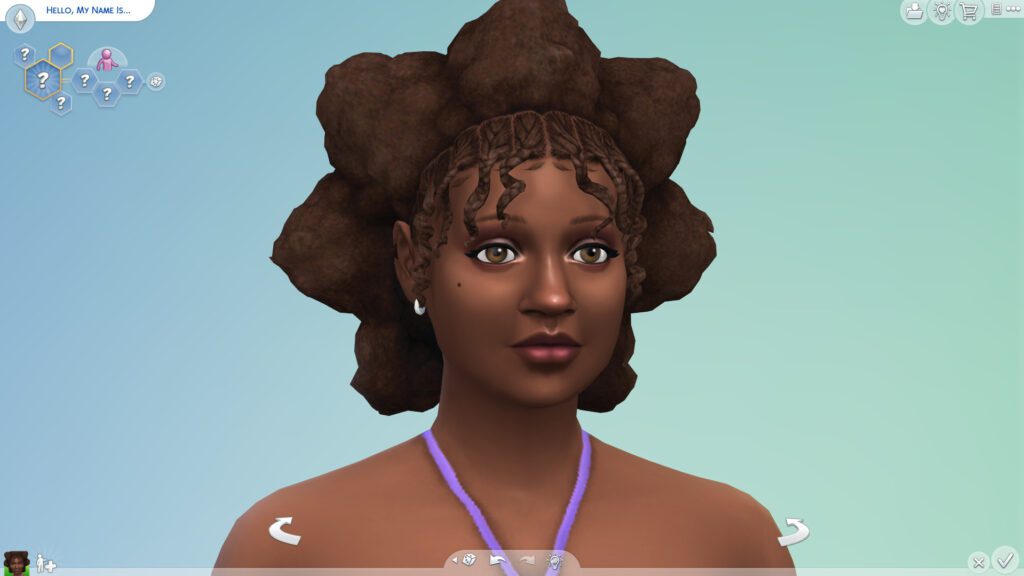
The Sims 4 CAS Not Working After Update can show up as a blank Create a Sim screen, missing columns, broken buttons, endless loading, invisible Sims or a crash when CAS opens. After a patch, UI mods and CAS custom content should be tested before the base game is blamed.
The Sims 4 CAS Not Working After Update is easiest to fix by separating interface mods, ordinary CAS CC and the game installation. Do not remove random files from the installation folder; start with a clean user-folder test and work outward.
The Sims 4 CAS Not Working After Update: quick fix order
Image credit: Electronic Arts
The Sims 4 CAS Not Working After Update is easiest to troubleshoot when you make one change at a time and test the same symptom again. The steps below are ordered from reversible checks to deeper repair work, so you can stop as soon as the problem is gone.
- Move the Mods folder out of Documents > Electronic Arts > The Sims 4.
- Delete localthumbcache.package.
- Launch the game and open CAS in a new test save.
- If CAS works, update UI mods and return CC in small batches.
- If CAS is still broken cleanly, repair The Sims 4 through the EA app.
Remove UI-changing mods first
Create a Sim is especially sensitive to UI mods such as column expanders and interface replacements. EA recommends launching with mods disabled after updates in its official mods and game updates guide.
If removing mods fixes the screen, check individual creator compatibility before restoring them. The Click also has a dedicated broken Sims 4 UI guide for menu and interface failures.
Separate CAS CC from script mods
If CAS opens but one hairstyle, preset, slider or clothing item breaks the Sim, the problem is more likely individual custom content than the whole interface. Test suspect files in batches and remove the item that makes the failure return.
Red-and-white textures, missing body parts or distorted Sims can point to missing meshes, outdated defaults, sliders or damaged game data rather than a general CAS outage.
Clear the thumbnail cache after removing files
Close the game and delete localthumbcache.package from the Sims 4 user folder after changing mods or CC. The file is regenerated automatically on the next launch.
This prevents old cached information from making a removed or replaced file appear to remain active during your next test.
Repair when CAS is broken without mods
If The Sims 4 CAS Not Working After Update continues in a clean test with no Mods folder, use the EA app Repair command. EA’s loading troubleshooting guide documents Repair for games that will not load correctly.
Create a fresh test Sim after Repair. If a fresh user folder works while your normal folder does not, restore Saves and Tray gradually rather than copying every old file back at once.
Do not save damaged Sims over originals
If custom hair, skin details or clothing are absent, exit CAS without saving over an important Sim. Re-enable only compatible content first, then check the original household again.
Saving an altered Sim while required CC is missing can turn a temporary loading problem into a permanent appearance change inside that save.
What your troubleshooting result means
If The Sims 4 CAS Not Working After Update disappears in a clean test, you have narrowed the problem to something in the normal user setup rather than the untouched base game. Restore files in small groups, retest after each change and stop as soon as the symptom returns. That is much safer than putting the full Mods, Tray and settings collection back at once.
If The Sims 4 CAS Not Working After Update still happens in a brand-new save with no Mods folder after Repair, keep the clean test intact and record the game version, platform and exact reproduction steps. At that point the evidence is much stronger for a game, installation or platform issue, and those details are useful for an EA support case or bug report.
Fix The Sims 4 CAS Not Working After Update methodically
The Sims 4 CAS Not Working After Update usually becomes much easier to diagnose once UI mods, CAS custom content and base-game files are tested separately. Start clean, clear the cache, repair only if vanilla CAS is still broken, and avoid saving important Sims while their required content is missing.
More The Sims 4 guides
- THE SIMS 4 GUIDES HUB
- How to Fix Broken Mods in Sims 4? Common Causes and Fixes (2026)
- How to Fix Infinite Loading Screens in Sims 4 ? How to Fix It (2026)
- The Sims 4 Won’t Launch After the July 21 Update: How to Fix It
- Sims 4 Custom Content Missing After Update: How to Restore It
- How to Fix Broken UI in Sims 4 – How to fix Guide 2026





