WoW Forever World Latency UNKNOWN is a connection state some beta players are seeing when Home latency looks normal but the World connection shows UNKNOWN, massive latency or both. The most useful current workaround is to open the beta’s Network settings and enable IPv6 when available, then reconnect and check whether World returns to a normal protocol.
This problem became especially visible for EU players connecting to the US-hosted Forever beta. Blizzard has implemented routing fixes for the wider EU connection issue, but it also says ISP routes, upstream networks and firewall software can still cause trouble. UNKNOWN therefore does not automatically mean your PC is broken or that Blizzard’s entire beta is down.
WoW Forever World Latency UNKNOWN: first fix to try

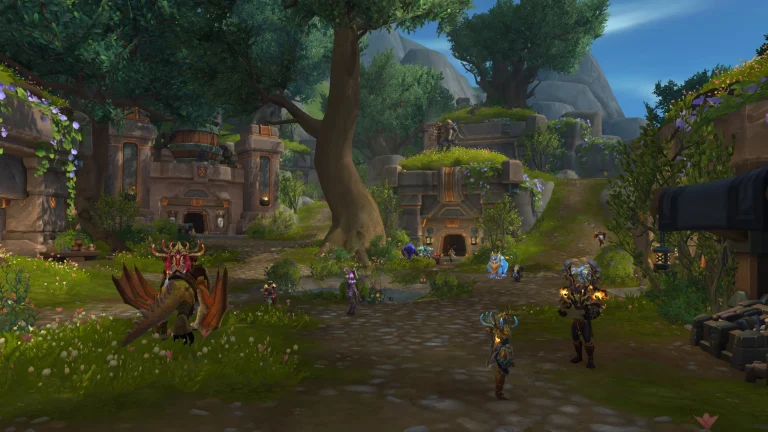
WoW Forever World Latency UNKNOWN Image Blizzard Entertainment.
For WoW Forever World Latency UNKNOWN, press Esc → Options → Network and look for Enable IPv6 when available. Turn it on, apply the setting and reconnect. Multiple Forever testers have reported that World changed from UNKNOWN to a normal connection after enabling the option, with latency dropping from four-digit numbers to a much more believable US-server ping.
- Open the WoW Forever beta.
- Press Esc and select Options.
- Open the Network section.
- Enable IPv6 when available.
- Apply the change and restart or reconnect to the beta.
- Hover over the connection indicator again and check Home and World.
The IPv6 change is a community-tested workaround, not a guarantee from Blizzard. If your ISP does not provide working IPv6, the setting may not help. The reason it is worth trying is that it directly matches the symptom: players seeing WoW Forever World Latency UNKNOWN have reported World returning to TCP or another normal protocol after the change.
Disable Optimize Network for Speed
If WoW Forever World Latency UNKNOWN remains after enabling IPv6, go back to Network and try disabling Optimize Network for Speed. Restart the beta client rather than changing several options while you are still connected. Some players reported dropping from around 1000 ms to roughly normal US-distance latency after this change.
Do not treat that result as universal. The setting can help one route and make no visible difference on another. Testing one change at a time is important because otherwise you will not know which setting actually fixed the connection.
Home latency normal but World latency huge
One of the clearest versions of WoW Forever World Latency UNKNOWN is normal Home latency paired with World latency in the thousands. Testers have documented stable real network round-trip times while the in-game World number climbs far higher, which points toward the game-world connection or route rather than basic broadband latency inside the home.
The Forever beta being hosted in the US also matters. Blizzard staff have told EU testers that something around 100 to 200 ms may still be expected depending on location. The goal is not to force a UK or European connection down to 20 ms. For WoW Forever World Latency UNKNOWN, the goal is to get rid of UNKNOWN, extreme multi-second spikes and the desync that stops interaction.
| Reading | What to do |
|---|---|
| Home 100 ms, World 120 ms | Likely normal US beta distance |
| Home 100 ms, World 1500+ ms | Check current routing/server reports |
| Home normal, World UNKNOWN | Enable IPv6 and retest |
| Both Home and World high | Check ISP, Wi-Fi, VPN and wider connection |
Check firewall and routing problems
Blizzard’s September 21 EU routing post says some connection problems may remain outside its control, including local ISP faults, upstream routes taking a less direct path and firewall-type software slowing or blocking the game. If WoW Forever World Latency UNKNOWN persists, make sure the Forever beta executable and Battle.net are allowed through your firewall.
If you already use a VPN, compare the normal route with one alternative route. A VPN is not required to play and should not be presented as the official fix, but a large difference between the two routes can reveal that the ordinary ISP path is the culprit. If both routes show the same UNKNOWN World state, the beta itself or the local client remains more likely.
Restart after Blizzard routing changes
Because Blizzard has been actively changing the beta routing, WoW Forever World Latency UNKNOWN can sometimes outlive the underlying network change inside an existing session. Fully exit the beta, restart Battle.net and reconnect before deciding that a fix has failed. Do the same after changing IPv6 or Optimize Network for Speed.
Also check whether other players are reporting the same problem at the same time. A wall of new EU reports is a much stronger sign of a shared route or server problem than one machine showing UNKNOWN while everyone else is stable.
When World UNKNOWN is not your fault
WoW Forever World Latency UNKNOWN is more likely to be outside your PC when normal websites, voice chat and other games remain stable, Home latency stays sensible and only the Forever World connection breaks. Blizzard has already confirmed that EU routing caused real beta issues, so do not jump straight to reinstalling Windows or replacing hardware.
The official World of Warcraft site carries the latest beta information. For WoW Forever World Latency UNKNOWN, start with IPv6, then Optimize Network for Speed, restart the client and compare Home versus World before moving into deeper ISP or firewall troubleshooting.
If WoW Forever World Latency UNKNOWN disappears but your ping settles around 100 to 200 ms from Europe, that can be a successful fix rather than a remaining failure. The Forever beta is still a long-distance US connection for EU testers.
More from The Click
- WoW Forever Lag and Disconnects: How to Fix EU Beta Problems
- WoW Forever Beta Crashing: How to Fix Crashes on Character Login
- WoW Forever Beta: Release Date and How to Play
- How to Get World of Warcraft Forever Beta Access
- World of Warcraft Forever Beta Level Cap Explained
- Does World of Warcraft Forever Beta Progress Carry Over?