WoW Forever Lag and Disconnects should be noticeably better for EU beta players after Blizzard implemented routing fixes on September 21, 2026, but high latency and random disconnects can still happen. Blizzard says the worst early problems affected movement, world interaction and the ability to stay connected, and that its engineers have now changed the routing that was within Blizzard’s control.
The important part is separating ordinary distance latency from the broken behaviour players were seeing. The Forever beta is using US-hosted test infrastructure, so an EU player can still see roughly 100 to 200 ms even when the connection is healthy. Multi-second World latency, characters running in place, NPCs refusing to respond or repeated disconnects are different problems and are worth troubleshooting.
WoW Forever Lag and Disconnects: what Blizzard fixed

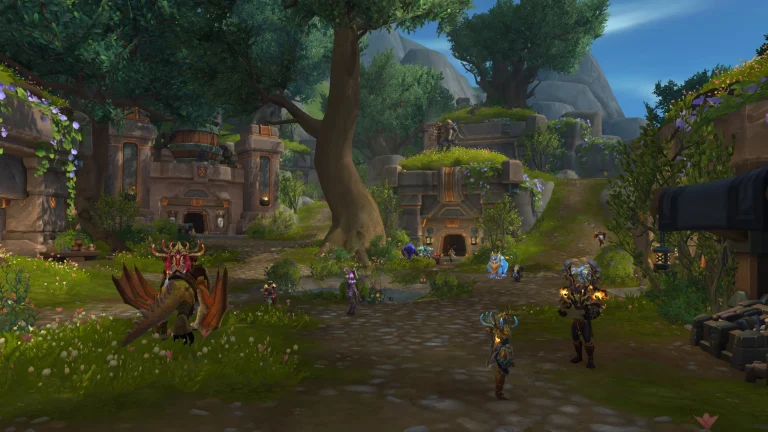
WoW Forever Lag and Disconnects Image Blizzard Entertainment.
Blizzard’s September 21 update on WoW Forever Lag and Disconnects says solutions were developed and implemented over the previous 24 hours to streamline routing for the EU region. The post specifically references the early-beta problems where testers struggled to move, interact with the world or remain connected.
That does not mean every high-ping report is now a Blizzard-side fault. Blizzard also warns that a local ISP can have a connection problem, an upstream provider can temporarily take a less direct route, and firewall-style software on the player’s PC can slow or block the connection. In other words, the big routing fault has been addressed, but the route between your home and the US beta can still go wrong somewhere else.
What latency is normal for EU players?
For WoW Forever Lag and Disconnects, a stable 100 to 200 ms connection can be normal from Europe because the beta is hosted in the US. That will feel less responsive than a normal EU World of Warcraft realm, but it should still let you move, loot, turn in quests and fight without the game freezing for minutes at a time.
| What you see | What it usually suggests |
|---|---|
| Stable 100 to 200 ms | Expected long-distance beta latency for many EU players |
| 1000 ms or higher spikes | Routing, server load or local/upstream network trouble |
| Home normal, World extremely high | World/server route issue rather than basic home connection |
| World shows UNKNOWN | Try the IPv6 and Network checks in the dedicated guide |
| Everything stops responding before a disconnect | Connection path or beta server problem is more likely |
Enable IPv6 if World shows UNKNOWN
One useful community workaround for WoW Forever Lag and Disconnects is enabling IPv6 when available. Players have reported opening Esc → Options → Network, enabling IPv6 and then seeing the World connection change from UNKNOWN back to a normal protocol with much lower latency.
This is not a universal Blizzard-issued fix, so treat it as a troubleshooting step rather than a promise. If IPv6 is unsupported or poorly configured by your ISP, it may make no difference. If the World line literally says UNKNOWN, however, it is one of the first low-risk settings worth testing before changing anything more drastic.
Try disabling Optimize Network for Speed
Another reported fix for WoW Forever Lag and Disconnects is turning off Optimize Network for Speed under the same Network options and restarting the beta client. Some EU testers reported large improvements after doing this, particularly when the long US route was producing huge World latency.
Again, this comes from player testing rather than Blizzard declaring the setting broken. Change one option at a time, restart the client and test for several minutes. If the game is already stable after Blizzard’s routing fix, there is no reason to start flipping every network setting just because the options exist.
Check firewall and security software
Blizzard explicitly includes firewall-type software among the remaining possible causes of WoW Forever Lag and Disconnects. Make sure Battle.net and the Forever beta executable are allowed through Windows Firewall and any third-party security suite. If you use traffic filtering, network protection or an aggressive gaming firewall, temporarily disabling that component can tell you whether it is interfering.
Do not permanently disable security software just to play a beta. For WoW Forever Lag and Disconnects, the useful test is temporary: if the connection immediately stabilises with one firewall feature disabled, create the appropriate application exception and turn protection back on.
Should you use a VPN?
A VPN helped some players before Blizzard’s routing changes because it forced traffic down a different path to the US. It can still help WoW Forever Lag and Disconnects when your ISP or an upstream provider is choosing a poor route, but it should not be the first thing you pay for after the September 21 fix.
If you already have a reputable VPN, comparing a nearby US endpoint with your normal connection can be a useful diagnostic for WoW Forever Lag and Disconnects. A dramatic improvement suggests the ordinary route is the problem. If both routes behave the same way, keep looking at Blizzard status, server load and local network checks instead.
How to tell when the problem is server-side
WoW Forever Lag and Disconnects are more likely to be server-side when large groups of players report the same symptoms at the same time, Home latency remains sensible while World latency explodes, or movement and NPC interaction freeze even though your wider internet connection is fine. That is especially true during beta restarts, queues and heavy testing windows.
- Check the WoW Forever beta forum for fresh blue posts and widespread reports.
- Restart Battle.net and the beta client after a routing or server change.
- Test a wired connection if Wi-Fi itself is unstable and WoW Forever Lag and Disconnects continue.
- Enable IPv6 when available if World shows UNKNOWN.
- Try disabling Optimize Network for Speed and restart once.
- Check firewall rules before assuming the PC is faulty.
The official World of Warcraft site remains the first-party place to watch for beta updates. After Blizzard’s routing work, WoW Forever Lag and Disconnects should no longer be treated as one single EU-wide fault: stable US-distance ping can be expected, while severe World spikes and disconnects still need the route, network settings and current server state checked.
If WoW Forever Lag and Disconnects return after a period of stable play, compare Home and World latency before changing graphics drivers or reinstalling the game. That quick check usually tells you whether you are chasing a network problem or an unrelated client issue.
More from The Click
- WoW Forever World Latency UNKNOWN: Fixes
- WoW Forever Beta Crashing: How to Fix Crashes on Character Login
- WoW Forever Beta: Release Date and How to Play
- How to Get World of Warcraft Forever Beta Access
- World of Warcraft Forever Beta Level Cap Explained
- Does World of Warcraft Forever Beta Progress Carry Over?