WoW Forever Beta Crashing on character login has a different cause from the EU lag and disconnect problem. The strongest current workaround reported by affected players is to change Secondary Lighting to Fair from the character-select graphics menu before entering the world, particularly on AMD Radeon systems that crash or black-screen as the character finishes loading.
Players with RX 7800 XT, 9070 XT and other AMD cards have reported driver timeouts, black screens and access-violation or rendering assertions in the Forever beta while ordinary Retail or Classic WoW continues to work. That does not prove every login crash is the same bug, but it gives this particular failure a much more useful first fix than reinstalling the whole game immediately.
WoW Forever Beta Crashing: set Secondary Lighting to Fair

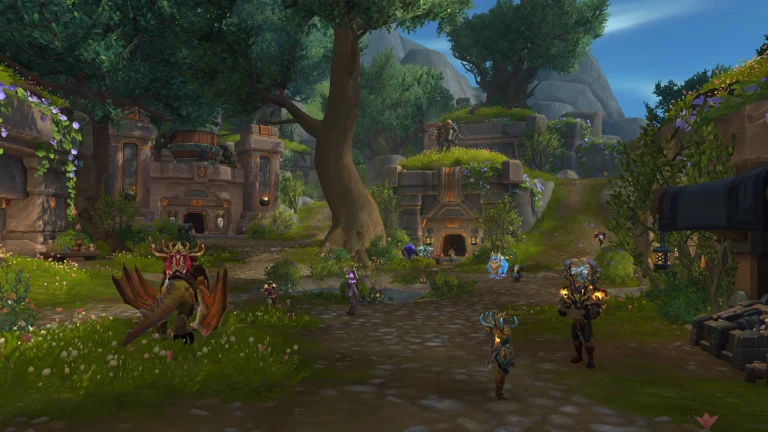
WoW Forever Beta Crashing Image Blizzard Entertainment.
For WoW Forever Beta Crashing as soon as you press Enter World, stay on the character-select screen and open Menu → Options → Graphics. Find Secondary Lighting and set it to Fair, then try the character again. This workaround has repeatedly let affected AMD users pass the loading screen and enter zones that previously triggered an immediate GPU driver crash.
- Launch the WoW Forever beta and stop at character select.
- Open Menu and then Options.
- Go to Graphics.
- Set Secondary Lighting to Fair.
- Apply the change.
- Enter the affected character again.
If the character loads, leave Secondary Lighting at Fair while the beta issue is active. Some reports say higher values can trigger the same crash again in certain interiors, transitions or lighting-heavy areas. WoW Forever Beta Crashing is a beta rendering problem for these users, not evidence that the GPU is necessarily failing in every game.
Try DirectX 11 if Fair still crashes
If WoW Forever Beta Crashing continues with Secondary Lighting on Fair, the next useful community workaround is switching from DirectX 12 to DirectX 11 at character select. Several AMD users report that DX11 gets them through a character or zone that crashes under DX12, although performance may be worse and it is not a guaranteed solution.
Use DX11 as a troubleshooting path for WoW Forever Beta Crashing, not as proof that DirectX 12 is broken for every player. If it lets you enter the world, you can either keep using it temporarily or move the character out of the problem area before testing DX12 again later. Beta patches can change this behaviour from one build to the next.
Lower graphics before loading a stuck character
Another pattern around WoW Forever Beta Crashing is location-specific login failure. Players have reported one character crashing in places such as the Deeprun Tram while other characters still load. Turning graphics down from the character-select screen can sometimes get the stuck character into the world long enough to leave the affected area.
You do not need to keep every setting at minimum forever. The useful test is whether the character suddenly loads after reducing graphics. If it does, move somewhere safer, log out normally and then raise settings one at a time. Keep Secondary Lighting at Fair until Blizzard changes the beta rendering issue.
AMD black screen or driver timeout
WoW Forever Beta Crashing with a black screen, AMD driver timeout or a message referencing virtual shadow maps is particularly consistent with the Secondary Lighting reports. Multiple users on Blizzard’s forums describe the Forever beta crashing while other games remain stable, and several were able to play after reducing that one setting.
Make sure your AMD driver is current, but do not assume a clean driver reinstall will automatically solve the beta bug. Some affected players had already repaired or reinstalled the client and still crashed until the graphics setting changed. If the whole PC hard-locks repeatedly, stop forcing the same loading screen and use the lower-setting or DX11 workaround instead.
What about MSAA and anti-aliasing?
Some forum testing around WoW Forever Beta Crashing also points to anti-aliasing combinations making rendering instability worse. If Secondary Lighting and DX11 do not help, disable MSAA or temporarily turn anti-aliasing down rather than changing ten unrelated settings at once. This is a secondary community workaround, not a confirmed universal Blizzard fix.
The goal is to reduce the rendering features involved in the crash until you can enter the world. Once Blizzard patches the beta, you can return to the visual settings your hardware normally handles.
Repair the client only after the graphics checks
If WoW Forever Beta Crashing affects every character even at reduced settings, then the ordinary Battle.net checks become worthwhile. Restart Battle.net, make sure the beta is fully patched, use Scan and Repair, update the graphics driver and test with add-ons or custom UI changes disabled if you have imported any beta-compatible modifications.
- Secondary Lighting: Fair first.
- Try DX11 if DX12 still crashes.
- Lower graphics to get a location-stuck character loaded.
- Update the GPU driver.
- Restart Battle.net and install the latest beta build.
- Scan and Repair if every character still fails.
Do not confuse crashing with the EU connection bug
The EU routing issue causes lag, frozen interaction and disconnects. WoW Forever Beta Crashing on the loading screen is a client or rendering failure and needs a different troubleshooting path. If the game closes, the GPU driver resets or the PC black-screens as the character loads, start with graphics. If the character loads but the world stops responding, use the lag and latency fixes instead.
Blizzard’s official World of Warcraft site advises beta testers to keep graphics drivers current and use its technical troubleshooting resources when the test will not operate correctly. For the current login-specific issue, however, WoW Forever Beta Crashing has a much more targeted first test: Secondary Lighting to Fair before you press Enter World.
If WoW Forever Beta Crashing disappears after that one change, leave the setting alone and keep testing. The beta is changing rapidly, so a later build may remove the need for the workaround entirely.
More from The Click
- WoW Forever Lag and Disconnects: How to Fix EU Beta Problems
- WoW Forever World Latency UNKNOWN: Fixes
- WoW Forever Beta: Release Date and How to Play
- How to Get World of Warcraft Forever Beta Access
- World of Warcraft Forever Beta Level Cap Explained
- Does World of Warcraft Forever Beta Progress Carry Over?