Minecraft Deep Freeze features not showing in your world? Check your version before reinstalling. The winter content is split between Bedrock 26.60’s optional experiment, Bedrock 26.70 Preview/Beta and Java 26.4 snapshots. Updating normal Minecraft doesn’t unlock every test feature.
Start by checking the exact version number on your title screen. An ordinary Bedrock 26.60 world, a Bedrock 26.70 Preview world and a Java 26.4 snapshot all have different access to Deep Freeze content. Once you identify your build, use the matching fix below rather than reinstalling everything.
Minecraft Deep Freeze features not showing: Check your version first
On Bedrock 26.60, turn on Drop 4 of 2026 in a new world’s settings. In Preview 26.70, Mojang incorporated those winter features directly into the Preview and removed the old toggle. It isn’t supposed to appear there.
On Java Edition, the new features are in 26.4 snapshots, selected in the Minecraft Launcher. Your regular Java version won’t add them just because you launch the game after watching Mojang’s TwitchCon trailer. If Minecraft Deep Freeze features not showing only affects Java, check which installation profile you’re using before changing world settings.
Minecraft Deep Freeze features not showing: Bedrock 26.60 fixes
Open Minecraft, choose Play and create a new world. Under Experiments, enable the switch labelled Drop 4 of 2026. Save the test world and try again. Mojang added this experiment in the 27 October 26.60 release; it provides the earliest winter features while the main update remains in development.
If you want to enable it in an older save, make a separate backup first. Experiments can affect achievements and world compatibility. The Minecraft Deep Freeze features not showing problem may simply be that you toggled the experiment for one world but loaded a different world afterwards.
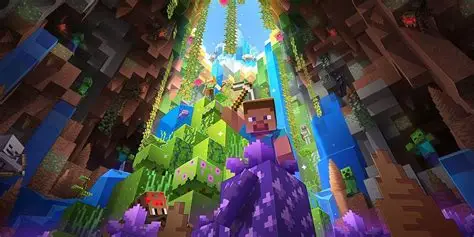
An Ice Cave doesn’t appear automatically beneath your existing house. It generates beneath cold Overworld biomes. Head towards a snowy region, go underground and explore terrain you haven’t loaded before. Mojang says these caves include Packed Ice, Calcite, hanging Icicles and Ice Crystals. Old chunks usually won’t be replaced with an entirely new biome.
Why are Calcite blocks, Snow Bricks or Flurry missing?
Those items came later in the Java snapshot and Bedrock Preview testing schedule. The Drop 4 of 2026 experiment in released Bedrock 26.60 doesn’t guarantee the entire later Preview feature set. For new Calcite shapes or the Flurry disc, check the release notes for Preview 26.70.23 or the corresponding Java 26.4 snapshots.
If you have Ice Caves but can’t craft the new bricks, you may be following a newer Preview guide while playing Bedrock 26.60. Check the build number first. Minecraft Deep Freeze features not showing may be a version mismatch rather than a crafting bug.
Why can’t I find Chiseled Soulshale?
The hidden Chiseled Soulshale block belongs to the later test builds. In Java Snapshot 7 its normal Survival source is Ancient City chest loot. Mojang’s Bedrock Preview 26.70.24 changelog fixes command access to the block. It also isn’t simply listed in the usual Creative inventory in the Java test data, so searching Creative can mislead you.
If Minecraft Deep Freeze features not showing involves this particular block, go to the dedicated Chiseled Soulshale guide and check the edition notes. You may be on a build that doesn’t have it, or you may be checking the wrong place rather than encountering an overall failure of Deep Freeze.
How to fix missing Deep Freeze features in Java snapshots
Open Minecraft Launcher, select Java Edition and use the version dropdown to choose the latest relevant 26.4 snapshot. If snapshots aren’t listed, turn them on under Installations. Avoid opening the only copy of a long-term Survival save in an unfinished snapshot, especially if you might return to an older version.
Java snapshots are released separately from Bedrock’s Beta and Preview. You can’t install Bedrock 26.70 Preview and expect the Java Launcher to show the same version number, and you can’t enable a Bedrock world experiment in a Java save. Keeping the editions separate resolves a surprising number of Minecraft Deep Freeze features not showing complaints.
Minecraft Preview not showing the update on Windows, Xbox or mobile
Check whether you launched Minecraft Preview or normal Minecraft. On Windows, Preview is chosen under Bedrock Edition in the Launcher. On Xbox and PlayStation it’s accessed through supported Preview distribution options; on iPhone and iPad it uses TestFlight. Android runs the Google Play Beta instead, not the iOS Preview app.
The changelog on the title screen should match the features you are following. If your Preview hasn’t updated yet, check its distribution app or store. Avoid copying an ordinary release save into a test version without a backup. Preview worlds and normal Realms also have different multiplayer arrangements.
Minecraft Deep Freeze features not showing even in a new test world?
Once you’ve confirmed the exact build and enabled the right world experiment, narrow the problem down. Ice Caves need the right cold-biome generation; Flurry is chest loot in a structure with a basement; Chiseled Soulshale is Ancient City loot; new building shapes require their own recipes. None should appear in your inventory simply because you installed a patch.
For Minecraft Deep Freeze features not showing that affect only one new world, test another fresh save without extra packs. If a resource or behaviour pack overrides world generation or loot, it could confuse the result. Keep your original world untouched and use the current official changelog to see whether the feature was fixed or changed between builds.
Checklist before reinstalling Minecraft
1. Verify Java vs Bedrock and the exact version. 2. In Bedrock 26.60, enable Drop 4 of 2026 for a new world. 3. Use later 26.70 Preview or Java 26.4 snapshots for later-added items. 4. Explore new underground chunks below cold biomes. 5. Check whether the missing item is crafted, looted or command-only in that test build. 6. Back up saves before updating or experimenting.
If you still have Minecraft Deep Freeze features not showing after confirming the build, experiment and location, try a clean test world without extra packs before changing your main save.
Minecraft Deep Freeze features not showing: Related Guides
Official source: Mojang’s Minecraft Beta & Preview 26.70.24 patch notes.