To install Minecraft Preview on Windows, open the official Minecraft Launcher, choose Bedrock Edition and select the Preview version from the version menu. It’s the supported way to test the latest Bedrock features without using an unofficial installer.
You may want to install Minecraft Preview on Windows if you’re following the Deep Freeze 26.70 test notes. Java snapshots are a separate programme, and the older Bedrock 26.60 experiment doesn’t include every addition from the later Preview builds.
How to install Minecraft Preview on Windows 10 and 11
Open the Minecraft Launcher and sign into the Microsoft account that owns Minecraft for Windows. Choose Bedrock Edition, not Java Edition. Java has a separate snapshot menu.
Choose Preview or Latest Preview from the version list and select Install or Play. You can also use supported Microsoft Store distribution. You don’t have to uninstall your normal Minecraft client to install Minecraft Preview on Windows.
When the installation finishes, open Preview and check the title-screen version. For the November Deep Freeze testing cycle, Mojang published 26.70.24 notes. If you’re seeing the stable Bedrock number instead, the install Minecraft Preview on Windows step may not have switched to the test client.
There’s no reason to download a mysterious installer to install Minecraft Preview on Windows. Keep your regular Bedrock save intact, and create a different world for Preview because development builds can be unstable.
What is the difference between Minecraft Preview and regular Bedrock?
The regular Bedrock release is designed for everyday play. Minecraft Preview on Windows is a development build that lets players test upcoming changes and report problems. The Preview changelog describes incomplete features and warns that test builds can be unstable. Keep an important Survival world backed up and use a separate Preview world for experiments.
Preview doesn’t mean you have early access to every future feature ever announced. The current 26.70 series tests Deep Freeze additions, while the Throwing Disc and expanded Bedrock off-hand support are announced for the first game drop of 2027. Those later features haven’t been confirmed as playable in the 26.70 winter build.
How to play Deep Freeze in Minecraft Preview on Windows
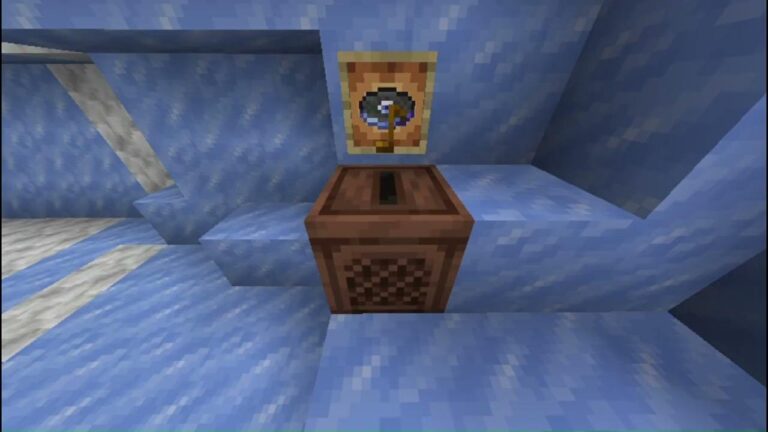
Create a fresh Preview world after launching the correct build. Look beneath cold Overworld biomes for Ice Caves filled with Packed Ice, Calcite, Icicles and crystals. Frostbites can appear there. For newer additions, use the current Preview notes: the 26.70.23 build added extra Calcite shapes and the Flurry music disc; 26.70.24 made further adjustments and bug fixes.
If you’re looking for Chiseled Soulshale, it isn’t a normal craftable item. The block is hidden Ancient City loot in the Java test data, and Mojang’s Bedrock Preview 26.70.24 notes say commands were fixed so it can be obtained or placed. That’s a separate search intent from simply checking whether the Preview installed correctly.

Can’t install Minecraft Preview on Windows?
If you can’t install Minecraft Preview on Windows, check the Launcher and Microsoft Store updates first, then make sure you’re signed into the account that owns the game. The Preview choice is under Bedrock Edition, not the Java Installations tab.
If Minecraft Preview on Windows still isn’t available, you can check the current official help and changelog pages for platform availability or a temporary rollout issue. Don’t uninstall the regular game or delete your saves as the first troubleshooting step. Separating the two clients and their worlds is part of what makes Preview safer to test.
Can you play Minecraft Preview with friends or on Realms?
Yes, with limitations. Mojang says players in the same Bedrock Beta or Preview multiplayer game need compatible test versions. Normal release-version Realms don’t work as if they are Preview Realms. Players with a qualifying Bedrock Realms subscription can create a separate Preview/Beta Realm, according to Mojang’s help centre.
That means Minecraft Preview on Windows players shouldn’t assume their usual Realm or a friend’s stable Bedrock world can be joined directly. Check the version on both devices and use the Preview-specific multiplayer route if you’re testing together.
Minecraft Preview vs Java 26.4 snapshot: Which should I install?
For Bedrock on Windows 10 or 11, install Minecraft Preview. For Java Edition on Windows, use the 26.4 snapshot selection in Java’s Launcher. Even though both test the Deep Freeze game drop, their version numbers, world formats and some mechanics differ.
If you’re trying to get the same experimental features on an Android phone, the equivalent is Minecraft Beta through Google Play, not the Windows Preview installer. iOS uses TestFlight, while Xbox and PlayStation have supported console Preview routes.
How to leave Minecraft Preview and return to normal Bedrock
When you’re finished testing, close Preview and select Latest Release in the Bedrock version menu. You can install Minecraft Preview on Windows again for a future test, but don’t open a world modified by a newer Preview in an older release without restoring a backup.
You can come back to the Minecraft Preview on Windows client when a later Preview build adds more Deep Freeze fixes. Mojang publishes Preview changelogs with version numbers and dates, making them a better guide to what is playable than rumours about unfinished updates.
Why are new features missing after Preview installs?
The first thing to verify is the build number. If a guide mentions 26.70.23 or 26.70.24 but you’re running a different build, its new blocks or fixes might not exist yet. Also check whether you’re exploring old world chunks, looking for loot that appears only in certain structures, or mixing up the early Drop 4 of 2026 Bedrock experiment with newer Preview content.
Preview is best treated as a second client for trying upcoming features. Keep your main Survival world in the stable release and use a new test world to avoid version and save compatibility problems.
install Minecraft Preview on Windows: Related Guides
Official source: Mojang’s official Minecraft Bedrock Preview 26.70.24 notes and platform support information.