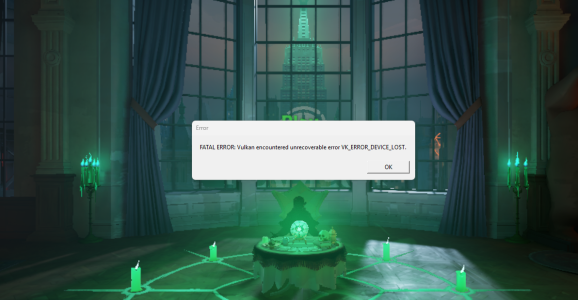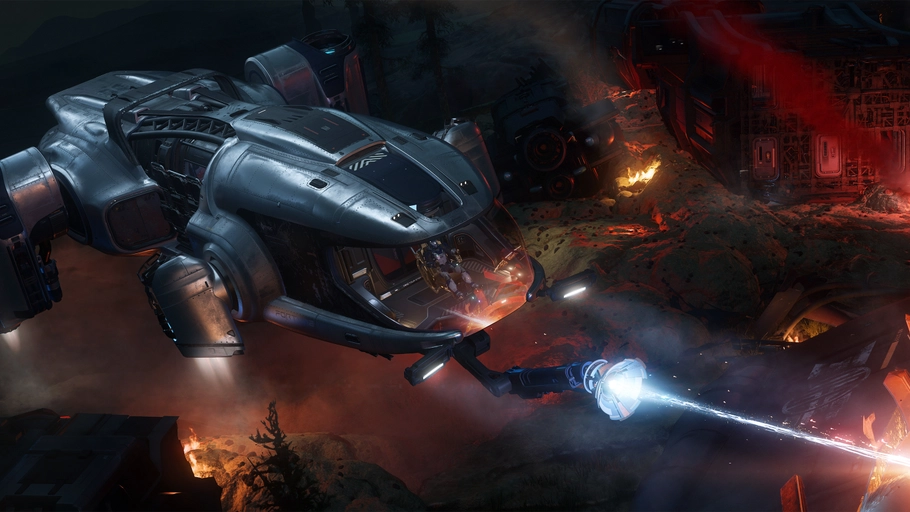
A Star Citizen NVIDIA Vulkan crash is one of the issues NVIDIA has listed in its recent driver notes. Bug 6680590 concerns a crash that can happen when the game uses the Vulkan graphics API. It’s marked as fixed in Game Ready 621.01 and appears again in Studio 621.14.
That gives affected GeForce players something concrete to check, but it doesn’t mean every crash in Star Citizen has the same cause. Vulkan problems can also come from the game itself, an older driver or a different fault entirely. Here’s how to check the renderer and driver without tearing apart your settings.
What NVIDIA actually fixed in the Star Citizen NVIDIA Vulkan crash
NVIDIA’s wording is short: it resolved a crash that may be seen when using the Vulkan API. The company identifies it as 6680590, but doesn’t say which Star Citizen build, GPU model, location or error code is involved.
That’s an important limitation. If the game crashes while running DirectX, the Vulkan-specific entry does not explain it. And even when Vulkan is selected, the driver fix doesn’t establish that all other sources of instability are gone.
Cloud Imperium Games has its own Vulkan support guidance and has documented other problems separately. For example, its Alpha 4.10.2 known-issues page discusses a crash affecting NVIDIA driver 616.56, sometimes with error 3221225477. Don’t assume that earlier, more detailed report is automatically the same issue as NVIDIA bug 6680590.
Check whether you’re using Vulkan
If your Star Citizen NVIDIA Vulkan crash happens often enough to reproduce, start with the Graphics Renderer setting. Cloud Imperium Games confirms that the game’s graphics options include DirectX and Vulkan renderers, depending on the current build.
- Check the NVIDIA driver version and branch on your PC. Note the Windows version and your graphics card model too.
- Open Star Citizen’s graphics settings and look for Graphics Renderer. Confirm whether Vulkan is selected.
- If Vulkan is active, try to reproduce the crash in the same situation. Make a note of what you were doing.
- Where the current game build allows it, switch to a supported DirectX option and try again. Changing renderer is a comparison test, not a guaranteed repair.
- Change one setting at a time so you can tell whether the behaviour actually improves.
If you can’t reach the graphics menu at all, use Cloud Imperium Games’ official Vulkan Troubleshooting guidance rather than copying unknown configuration edits from a forum. CIG provides recovery steps for cases where switching to Vulkan prevents the game from launching.
Which driver includes the Star Citizen NVIDIA Vulkan crash fix?
The first NVIDIA release notes I could confirm listing bug 6680590 are for Game Ready 621.01, dated 21 October 2026. The same bug appears in Studio 621.14, released on 4 November 2026. So you don’t need to assume Studio is the only branch with this documented fix.
Game Ready 621.14 has its own release page, but the shorter fixed-issues highlights there don’t repeat the Star Citizen entry. That isn’t proof the earlier change was removed. What’s useful is the version you’re actually running, whether the issue matches NVIDIA’s description and whether a compatible driver update is available.
If you’re considering Studio 621.14, check NVIDIA’s supported GPU and Windows lists on the official page below. NVIDIA lists it as a WHQL driver for supported GeForce cards on 64-bit Windows 10 and Windows 11, with a 1.04 GB download. On a laptop, check the manufacturer’s recommended driver first.
Save open work, close Star Citizen, install the appropriate driver from NVIDIA or your laptop maker and verify the installed version after setup. Then test the same activity under Vulkan. You want to know whether the original Star Citizen NVIDIA Vulkan crash is gone, not just whether the game reaches the menu once.
What if the Star Citizen NVIDIA Vulkan crash continues?
First, try not to mix several possible problems together. A crash only with Vulkan enabled is different from one that happens with either renderer. A failure to initialise Vulkan is different again; Cloud Imperium Games covers that in its own troubleshooting material.
Check whether the launcher has an available game update or repair function. Keep any crash logs and record the game build, GPU, driver version, Windows build and selected renderer. Those details are far more useful in a support report than saying the game crashes randomly.
For a repeatable Star Citizen NVIDIA Vulkan crash, report the problem through the game’s official Issue Council or support channel, and include the same information when reporting an NVIDIA driver fault. Avoid downloading replacement Vulkan DLLs from third-party sites or applying unrelated registry fixes.
Common questions
Will Studio 621.14 fix every Vulkan crash?
No. NVIDIA identifies one reported driver fault. Game bugs and different system problems can still cause crashes after it’s fixed.
Should I move from Game Ready to Studio?
Not automatically. Game Ready 621.01 already lists the Star Citizen NVIDIA Vulkan crash bug, so check your installed driver and how the game behaves before switching branches just for this entry.
Can I switch back to DirectX?
Yes, when the option is available in your current game build. It’s useful for testing whether the fault is Vulkan-specific, though it won’t explain every other crash.
- NVIDIA Studio Driver 621.14: Game Fixes and Comparison
- NVIDIA Driver 621.01: Game Fixes and Installation
- NVIDIA Driver 621.14: Game Ready Fixes
- Wuthering Waves NVIDIA Freestyle Crash: Driver Fix
- NVIDIA 621.12 Hotfix: RTX 50 Black Screen Fix
- NVIDIA Automatic Shader Compilation Guide
- NVIDIA App Resizable BAR per Game
Official source: NVIDIA Studio Driver 621.14 release notes, bug 6680590.