A UEFN missing Verse class warning usually appears when a prefab or entity relies on a class that the editor can no longer find. Renaming, moving or deleting the class can trigger it, as can a failed Verse compilation. Since v43.00, UEFN keeps the affected objects as placeholders rather than immediately dropping them.
Don’t delete the placeholder just to make the warning disappear. It may still hold the object’s saved property values. Epic’s Data Recovery tool helps you check what changed and restore the class or fields before saving again.
How to fix a UEFN missing Verse class warning safely
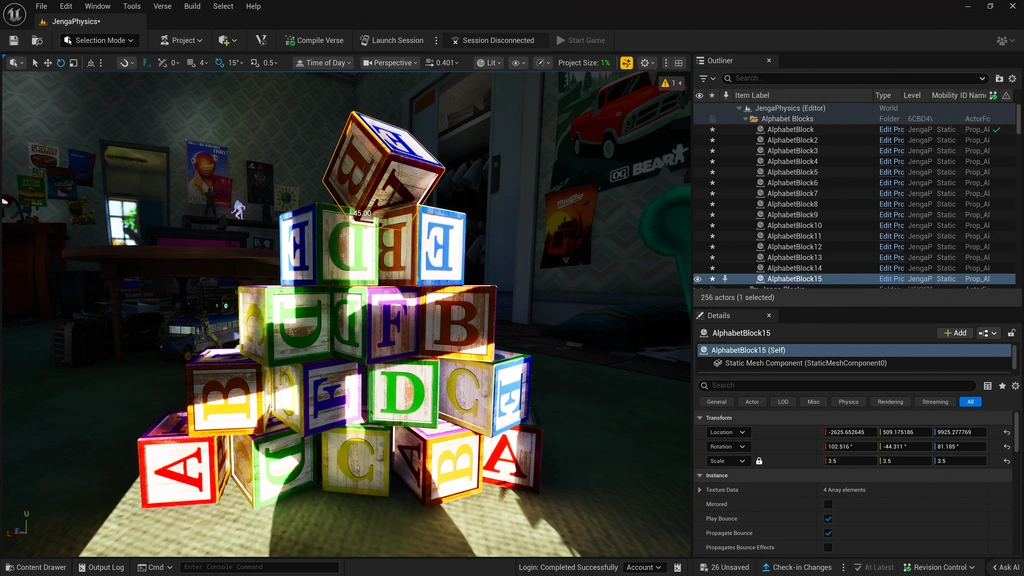
UEFN missing Verse class problems are inspected in the Outliner and Details panel. This is official Epic UEFN editor reference imagery, not a screenshot of the Data Recovery warning itself.
If you can already see the error, stop before saving more changes. Epic warns that saving after renaming or deleting a class, or while compilation is failing, can permanently lose the data you’re trying to recover.
- Stop editing affected entities and avoid saving over the last known good state. If you have a known good revision or backup, identify it without overwriting the current project.
- Check the Outliner for the Attention icon beside the entity or prefab. Hover over it to read the serialization warning.
- Select the affected object and inspect its Verse component in Details. Open a prefab to view warnings on components nested inside it.
- Open Tools > Data Recovery. In v43.00 the tool should also open automatically when a missing-class placeholder is detected.
- Find the class or property that was renamed, moved, deleted or left unavailable by a failed compile. If you need the old data, restore the original compatible class or property definition before continuing.
- Recompile the Verse code or reload UEFN as directed by Epic, then inspect the affected objects and their saved property values.
- Only save after you have verified the intended objects and values are back. If you choose to replace or remove a placeholder permanently, make that decision knowingly because its data may be lost.
With a UEFN missing Verse class warning, it’s tempting to delete the placeholder. That can discard the very settings you’re trying to get back, so check them first.
Find Data Recovery for a UEFN missing Verse class
Epic added the Data Recovery tool to the Tools menu with the v43.00 update. It also appears automatically when the editor detects missing Verse classes and creates placeholders. The tool can offer ways to replace or delete the missing-class references, but you should not use those actions until you know whether the original data matters.
If the warning isn’t obvious in the Outliner, open the prefab and inspect its individual components. Epic says affected components show a yellow Attention icon in the Details panel too.
Why does a UEFN missing Verse class error block saving?
Before the newer protection, changes to a Verse schema could leave editor data unable to match the renamed or removed type. Epic now keeps affected objects as placeholders with their stored values and blocks saving while the missing class is unresolved. That protection helps prevent accidental destruction, not a guarantee that every later action is safe.
A typical example is renaming a Verse class that an existing prefab already uses. The prefab’s saved data points to the old class name. If the code no longer exposes that class, UEFN cannot deserialize the original values normally. Restoring the name and compiling again may allow the same component to recover its previous settings.

Epic Games’ UEFN editor and Verse tooling illustration. Recover the original Verse definitions before saving affected entity data.
Recovering fields, classes and editable structs
The recovery system covers fields, classes and structs. It isn’t only deleted classes that cause trouble: renaming or deleting a property, or changing its type, can leave saved values that no longer match the Verse code. A field with an old serialized name can appear as a loose property, while the component holds the saved values that no longer match the new schema.
For a renamed property, restoring its previous name is often the safest first move. For a renamed or deleted class, Epic says to revert the code so the original class is available again. Recompile or reload, then check the values rather than assuming the warning vanishing means everything was restored.
A UEFN missing Verse class problem isn’t simply a red syntax error. A compilation failure can make a class unavailable, but the risk to saved data comes when an existing object relies on the definition UEFN can no longer read.
What if the UEFN missing Verse class message appeared after moving a Verse file?
Start by checking whether the class is still available to UEFN under its original expected identity and whether the project compiles. If the move also changed where the class is resolved from, restore the working arrangement or an appropriate previous revision rather than making more structural changes while placeholder data is at risk.
Once you have resolved the UEFN missing Verse class problem, review the affected entities one at a time. If a property type changed, do not assume the old value can always be converted to the new type. A compatibility problem needs a careful schema correction rather than a forced save.
How the UEFN missing Verse class problem differs from other UEFN errors
A versioning-stage failure concerns a different part of the workflow, and a copied entity failing to appear after Push Changes is not automatically a missing-class data issue. If you have a warning about a Verse component’s old serialized values, use the recovery path described here. If you only have a session sync failure, follow the relevant session or versioning troubleshooting guide instead.
Losing saved quest progress is a separate problem. Don’t rebuild Verse devices or delete objects until you’ve confirmed that the warning actually points to a missing class.
Can I delete the UEFN missing Verse class placeholder?
Yes, the new Data Recovery tool can offer a removal option, but deleting a placeholder is a permanent choice about the stored data linked to it. For a UEFN missing Verse class placeholder, only remove it when you are certain that the object and its values are no longer needed. Otherwise, restore the original class or property first and check the data.
If a UEFN missing Verse class issue returns after another code change, stop and compare the class and field names against the last working version. Restore compatibility, recompile and verify the affected components before saving again. That is much safer than repeatedly deleting the warning objects.
Related Guides
Official source: Epic Games’ Data Recovery System documentation.