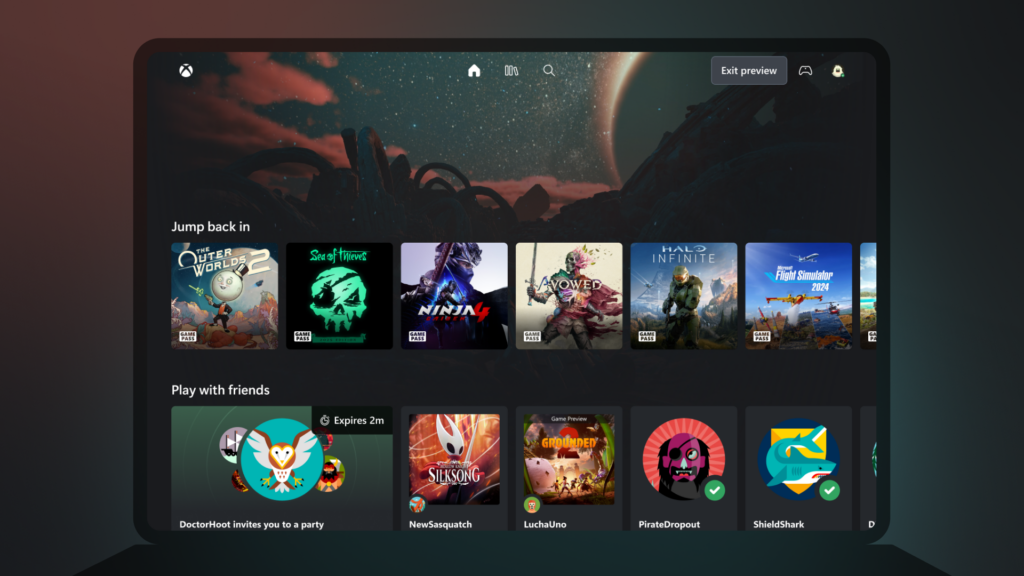
The Xbox Cloud Gaming new Library is coming to more players after Microsoft’s 5 November 2026 announcement, but don’t be surprised if it hasn’t appeared on your account yet. The redesigned website brings together games you can actually stream, whether they’re eligible purchases or titles available through Game Pass.
If you’ve opened the site looking for a game you own and it isn’t there, the redesign might not be the problem. Not every purchased Xbox game supports cloud streaming. Here’s how to find the new Library, sort through it and work out why something is missing.
Where to find the Xbox Cloud Gaming new Library
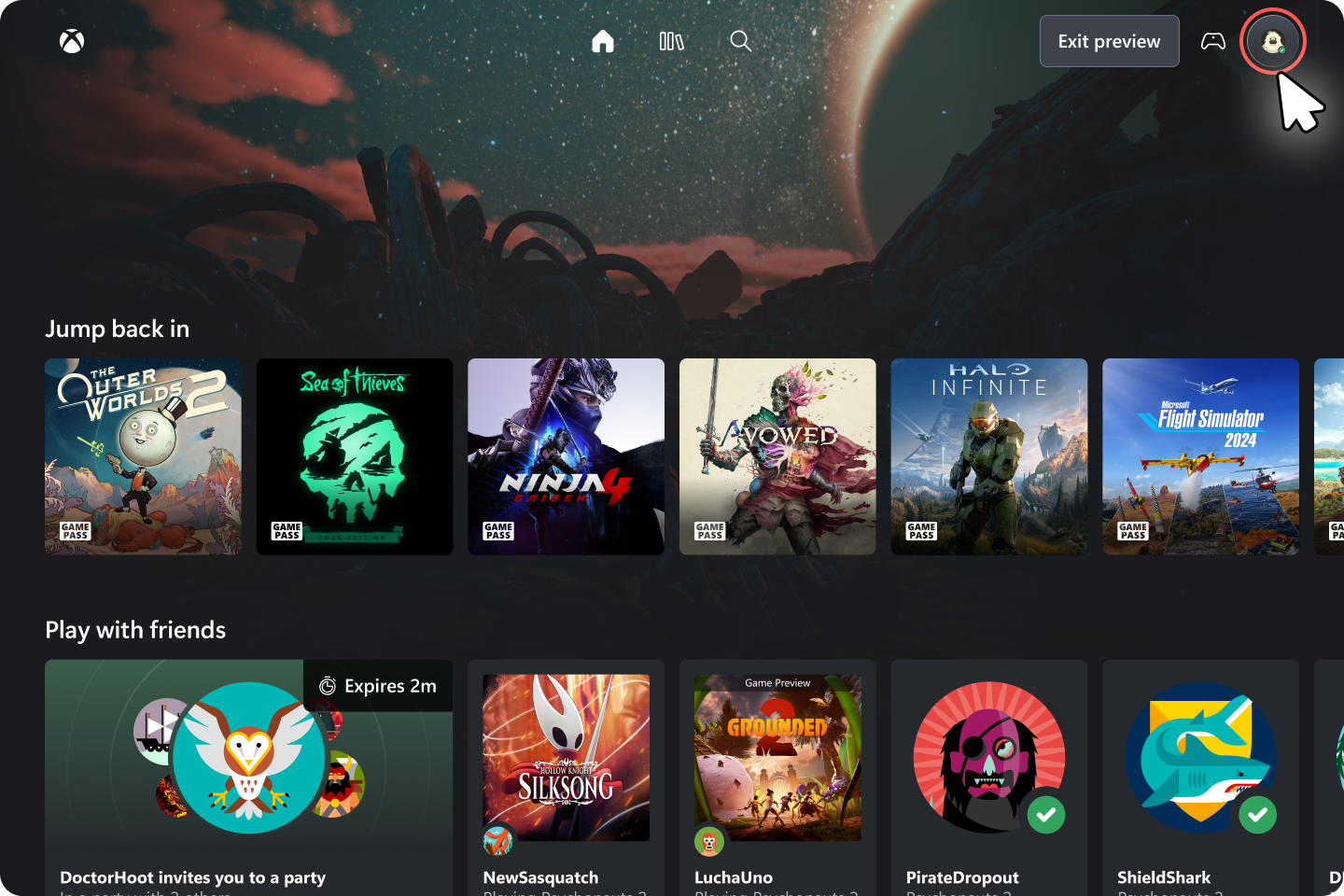
Open play.xbox.com in a supported browser and sign in using your Xbox account. Microsoft specifically recommends that address for anyone who wants to try the refreshed website sooner. When the redesign is available to you, the Library tab is where your cloud-playable collection comes together.
The Xbox Cloud Gaming new Library isn’t a separate download or an update you need to install on your PC. It runs in the browser. The site was first offered as a preview earlier in 2026, and Microsoft is now making that experience available to more people automatically over the weeks following 5 November.
One thing worth knowing: older instructions for the January preview tell you to turn on Preview Features through xbox.com/play. That was part of the earlier test. The current November announcement simply directs people to play.xbox.com if they want to try the refreshed website. Don’t assume you need to find an old toggle to use the new version.
Why is my purchased game missing from the Xbox Cloud Gaming new Library?
This is the question that matters most. The Xbox Cloud Gaming new Library is a collection of cloud-playable games, not a list of everything you have purchased on Xbox. If a game doesn’t support Microsoft’s cloud service, owning it won’t make it appear there as something you can stream.
First, check whether the particular game is available for cloud play in your region. Then check that you’re signed into the same Microsoft account that owns it, and that you have the Game Pass access, purchased cloud playtime or other entitlement required for your situation. Xbox says the available games and features can vary by market, plan and device. None of the Library’s sorting options can override that.
The Xbox Cloud Gaming new Library may therefore look smaller than the collection on your console. With Xbox Remote Play, you’re connecting to your own console; with Xbox Cloud Gaming, a supported game runs on remote hardware. That distinction can make all the difference when you’re deciding how to play a purchase away from your TV.
What can you filter and sort in the Xbox Cloud Gaming new Library?
You can use the Xbox Cloud Gaming new Library to narrow down the games shown by things like recently played, genre and input options. If you’re using a controller, for example, input filtering is a more useful starting point than scrolling through every title. Microsoft has also added sorting, although it hasn’t published a complete guide to every on-screen control in the November announcement.
The redesigned site includes Desktop mode, which makes better use of a laptop or monitor’s extra space when you’re browsing. That is a layout feature, not a new streaming-quality setting. It won’t boost your resolution or allow you to stream a game the service doesn’t support.
There are appearance options too: light mode, dark mode and five high-contrast choices. It’s good to see Microsoft giving the web interface a bit more flexibility, particularly for people who find the standard dark menus difficult to read. These settings affect how the site looks, not which games you’re allowed to play.
What if the Xbox Cloud Gaming new Library hasn’t appeared?
The November rollout is gradual. Microsoft says the refreshed web experience will reach more players automatically over the coming weeks, not every player on 5 November. Trying play.xbox.com is the official early route, but there is no announced date by which every account or region must have the redesign.
If you’re still seeing the old layout, that does not automatically mean your browser is broken. And if you do see the redesigned Library but one game isn’t listed, check cloud eligibility before blaming the interface. Those are two different problems, and the announcement doesn’t offer a magic setting that forces every account into the rollout.
Is the new design coming to TVs and VR headsets?
Yes, but Microsoft describes those as separate interface updates for Xbox Cloud Gaming apps on supported smart TVs and VR headsets. They are getting more familiar navigation, not necessarily the same features or exact layout as a computer browser. In particular, there is no promise that every device gets the browser’s Desktop mode.
The Xbox Cloud Gaming new Library is also separate from the November Xbox PC app update, which is currently an Insider preview for the installed Windows app. If your question is about the faster launcher or where your PC friends list has moved, that’s the guide you want.
Finally, the new Library doesn’t change which games you can stream or the rules for cloud playtime. If you use the service regularly, check our Xbox Cloud Gaming November 2026 limits guide for the separate changes to how streaming hours are included and purchased.
Official source: Xbox Wire, 5 November 2026.