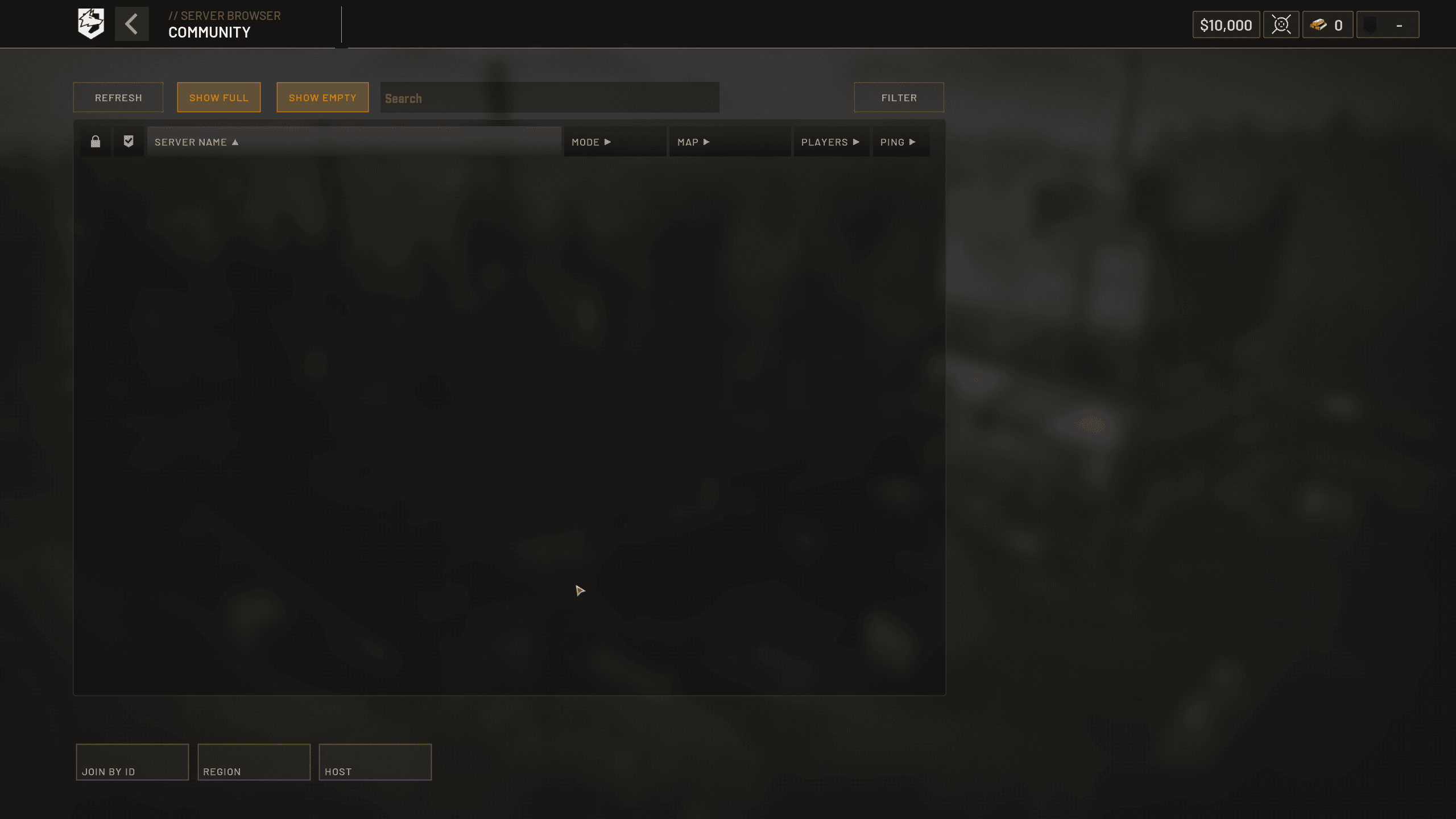
WARDOGS Server Browser Empty problems need a slightly different check after Patch 0.1.2 because WARDOGS now opens server choice through a new Deploy flow. Press Deploy and you can choose Official, Community, Infantry Mode or Low-Level servers, so an empty-looking list can simply mean you are checking the wrong server category or carrying over filters from the older browser.
Patch 0.1.2 also brings Advanced Filters back to Official servers, shows how many regions are selected, displays long server names on hover and makes the Join flow show that you are connecting before displaying your queue position. Those changes make WARDOGS Server Browser Empty troubleshooting more specific than it was under the earlier 0.11 browser.
How to fix WARDOGS Server Browser Empty after Patch 0.1.2
- Install WARDOGS Update 0.1.2 through Steam.
- Press Deploy and choose the server type you actually want.
- Check Official, Community, Infantry Mode and Low-Level separately.
- Clear restrictive Advanced Filters if the Official list looks empty.
- Check the region selector and make sure a sensible region is selected.
- Refresh once, then wait for the list to populate before changing more settings.
- If every category is empty, check WARDOGS server status before reinstalling anything.
The new Deploy screen is important because WARDOGS Server Browser Empty can now be category-specific. Infantry Mode and Low-Level community servers are deliberately being surfaced more clearly, so they should not be expected to appear in exactly the same place as a normal Official server.
Use the new Deploy flow when WARDOGS Server Browser Empty
Patch 0.1.2 adds a front-door Deploy choice with Official, Community, Infantry Mode and Low-Level options. BULKHEAD says this is the first step toward better signposting for community servers using those modifiers.
If you previously went straight into one browser tab out of habit, return to Deploy and deliberately choose another category. A populated Infantry Mode list does not prove the standard Official category is healthy, and the reverse is also true.
Advanced Filters changed again in Patch 0.1.2
Patch 0.11 had simplified the Official side by removing unnecessary filters. Patch 0.1.2 now adds Advanced Filters back to the Official server list, so old advice that says Official has no advanced filtering is no longer current.
When WARDOGS Server Browser Empty, clear those filters before assuming the service is broken. A population, region or other restrictive choice can hide every result even though servers are online.
Check your selected regions when WARDOGS Server Browser Empty
The 0.1.2 interface now shows how many regions you have selected. Use that count as a quick sanity check, especially if a saved browser state leaves no useful region available.
Start with one sensible nearby region, refresh and wait. If nothing appears, widen the selection gradually instead of selecting everything and making ping information harder to interpret.
Community, Infantry Mode and Low-Level servers
Community servers remain important because they can run different configurations from the normal Official pool. Patch 0.1.2 explicitly adds Infantry Mode and Low-Level choices to Deploy to make those options easier to discover.
If your goal is infantry-only play or a lower-level environment, use those Deploy choices first. Searching the general community list with an old filter combination is no longer the clearest route.
Long names and queue feedback in the new browser
Long server names are no longer simply truncated. Hover over an entry to see the full name, which helps when similarly named community servers are difficult to distinguish.
After pressing Join, WARDOGS now shows that it is connecting and then displays your place in the queue if one exists. That helps separate a genuinely empty browser from a server that was found successfully but cannot admit you immediately.
Could WARDOGS Server Browser Empty still be a server outage?
Yes. If Official, Community, Infantry Mode and Low-Level all return nothing after filters and regions are cleared, a wider backend or service problem becomes more plausible. Check the latest WARDOGS announcement and server-status coverage before changing Windows or network settings.
A blank list by itself is not proof that your game files are damaged. WARDOGS has already had launch-scale service problems, and downloading the same client again cannot repair an unavailable browser backend.
Do not confuse WARDOGS Server Browser Empty with WD-L020
WD-L020 was a Windows 11 launch crash associated with KB5124010 and is specifically addressed by Patch 0.1.2. If the game launches and reaches Deploy, you are already past the WD-L020 stage.
Likewise, a Failed to Authenticate error or a queue after pressing Join belongs to a different part of the connection path. Use the exact stage of failure to choose the right fix.
Current Patch 0.1.2 check for WARDOGS Server Browser Empty
WARDOGS Server Browser Empty should now be checked in this order: update to 0.1.2, open Deploy, choose the correct server category, clear Advanced Filters, confirm regions and then compare the other categories. Only after all of those are empty should you treat it as a likely wider service problem.
The new browser flow is meant to make Infantry Mode and Low-Level community servers easier to find, so the biggest change from the old 0.11 guidance is not a hidden network tweak. It is understanding where WARDOGS now expects you to look.