The Sinking City 2 difficulty settings are split between Combat Difficulty and Investigation Difficulty, allowing you to change how challenging fights are without also changing the amount of help provided while solving investigations. There are four Combat Difficulty options and two separate Investigation Difficulty options.
The four combat modes are Sweet Dreams, Restless Slumber, Hard Night and Sleep Demon, while investigations can be set to Breezy or Brainy. This means The Sinking City 2 does not force every player into a single difficulty preset covering the entire game.
| Difficulty setting | Type | What it means |
|---|---|---|
| Sweet Dreams | Combat | Easiest combat option |
| Restless Slumber | Combat | Standard/balanced option |
| Hard Night | Combat | Harder survival experience |
| Sleep Demon | Combat | Highest combat difficulty |
| Breezy | Investigation | More assistance with clues |
| Brainy | Investigation | Less assistance with clues |
How The Sinking City 2 Difficulty Settings Work
The biggest thing to understand about The Sinking City 2 difficulty settings is that combat and investigations are treated separately.
You choose one Combat Difficulty and one Investigation Difficulty. A player who enjoys difficult survival horror but does not want to struggle with clue matching can therefore select a high Combat Difficulty alongside Breezy investigations.
Likewise, you can make combat easier while keeping investigations on Brainy if solving mysteries is one of the main reasons you are playing.
This separation fits the sequel particularly well because Frogwares has shifted The Sinking City 2 away from the detective-adventure structure of the original and towards survival horror, while still retaining investigation mechanics.
All The Sinking City 2 Combat Difficulty Settings
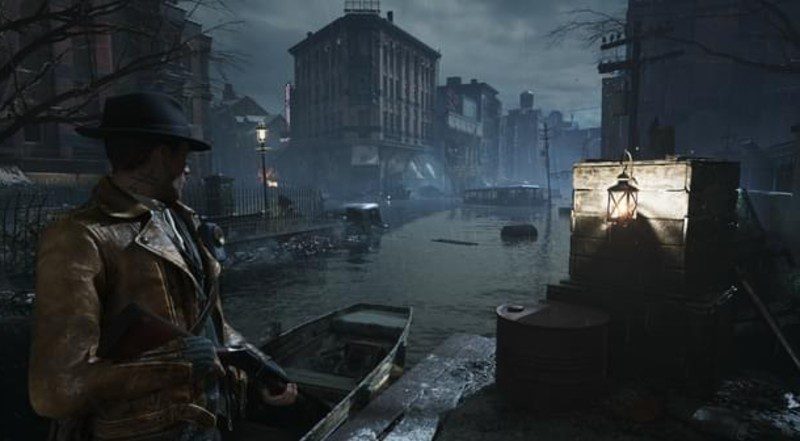
There are four The Sinking City 2 difficulty settings specifically for combat:
Sweet Dreams
Sweet Dreams is the easiest Combat Difficulty.
This is the option for players who primarily want to experience Calvin Rafferty’s story, explore Arkham and complete investigations without survival-horror combat becoming a major barrier.
Sweet Dreams reduces the pressure associated with combat and resource management. The easiest setting also provides additional assistance for players who want to minimise the danger presented by combat encounters.
Restless Slumber
Restless Slumber is the normal or balanced Combat Difficulty.
This setting retains the survival-horror focus of The Sinking City 2, including the need to think about ammunition, healing resources and whether an enemy is actually worth fighting.
It is the natural starting point for players looking for the standard survival-horror experience without immediately choosing one of the game’s harder modes.
Hard Night
Hard Night increases the combat challenge beyond Restless Slumber.
Enemies and resource pressure become more demanding, making careful use of ammunition and healing supplies increasingly important.
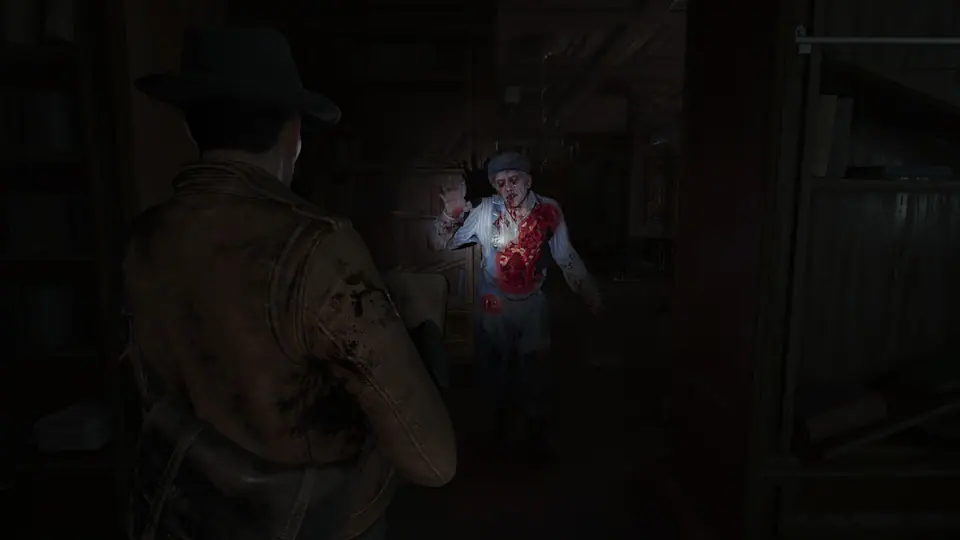
Because many encounters in The Sinking City 2 can be avoided, higher difficulty does not necessarily mean you should attempt to kill every creature you encounter. Frogwares itself recommends retreating or avoiding enemies when Calvin is low on health or resources.
Sleep Demon
Sleep Demon is the highest Combat Difficulty available.
This is the The Sinking City 2 difficulty setting intended for players looking for the greatest survival pressure from combat and resources.
With The Sinking City 2 designed around limited ammunition, inventory management and deciding when not to fight, Sleep Demon puts the greatest emphasis on those survival-horror systems.
What Is the Best Difficulty in The Sinking City 2?
For a normal first playthrough, Restless Slumber is the obvious starting point if you want to experience the survival-horror systems without immediately increasing the combat pressure.
The important thing is that there is no requirement to make your Investigation Difficulty match.
For example, you could choose:
| What you want | Combat | Investigation |
|---|---|---|
| Easier overall experience | Sweet Dreams | Breezy |
| Standard combat with easier clues | Restless Slumber | Breezy |
| Standard combat and less clue assistance | Restless Slumber | Brainy |
| Hard combat with easier investigations | Hard Night | Breezy |
| Maximum combat challenge | Sleep Demon | Either |
That flexibility is arguably more useful than simply having Easy, Normal and Hard presets because you can adjust the part of the game that is actually causing difficulty.
What Are the Investigation Difficulty Settings?
There are two Investigation Difficulty options: Breezy and Brainy.
These do not make enemies stronger or weaker.
Instead, they determine how much assistance you receive while examining and connecting evidence during investigations.
This means changing Investigation Difficulty will not suddenly make ammunition more plentiful or Calvin harder to kill.
Those elements belong to Combat Difficulty.
What Does Breezy Investigation Difficulty Do?
Breezy is the more assisted Investigation Difficulty.
Important information is highlighted and related pieces of evidence are easier to identify because the game provides clearer visual assistance when determining which clues belong together.
Breezy therefore makes sense if you enjoy discovering The Sinking City 2’s optional mysteries but do not want clue matching to slow down the survival-horror experience.
It does not remove investigations entirely.
You can still explore locations, discover evidence and uncover what happened. The difference is that the game provides more assistance when interpreting the information you find.
What Does Brainy Investigation Difficulty Do?
Brainy removes some of the assistance provided by Breezy.
Important information is not highlighted in the same way, while evidence icons provide less help when determining which clues should be connected.
This makes Brainy the better choice for players who actively want to work through the detective side of the game themselves.
Crucially, Brainy does not automatically increase Combat Difficulty.
You can play on Sweet Dreams combat and Brainy investigations if you want relatively forgiving survival horror alongside less-assisted detective work.
Does Investigation Difficulty Change Puzzle Answers?
No. The Sinking City 2 difficulty settings for investigations change the assistance provided when working with evidence rather than replacing puzzles with entirely different solutions.
A code, environmental solution or physical puzzle does not suddenly have a different answer simply because Investigation Difficulty is set to Brainy.
The difference is primarily in how much guidance the game provides when identifying and connecting relevant information.
Can You Make Combat Easy but Investigations Hard?
Yes.
This is one of the most useful features of The Sinking City 2 difficulty settings.
Select Sweet Dreams for Combat Difficulty and Brainy for Investigation Difficulty.
That gives you the most forgiving combat setting while retaining the less-assisted version of investigations.
The opposite also works. Players who enjoy difficult survival horror but would rather receive more help with evidence can combine Hard Night or Sleep Demon with Breezy.
Does Difficulty Affect Ammunition?
Combat Difficulty affects the wider survival pressure of The Sinking City 2, where ammunition and other resources are deliberately limited.
Regardless of difficulty, Frogwares advises players that many encounters can simply be avoided. When ammunition or health is running low, retreating and returning later is a legitimate solution rather than every enemy needing to be killed.
That becomes increasingly important as combat difficulty rises.
The game is survival horror rather than a shooter built around clearing every room.
What Should You Do if The Sinking City 2 Is Too Hard?
Frogwares gives three particularly straightforward pieces of advice for players struggling with combat:
- Lower the difficulty.
- Target enemy weak points once your aim is focused.
- Avoid encounters when health or ammunition is low.
Many fights do not need to happen immediately. You can concentrate on the current objective and return later when Calvin is better equipped.
That last point is especially important if you are coming into The Sinking City 2 expecting every enemy encounter to function like a mandatory combat room.
Does Difficulty Affect Investigations?
Combat Difficulty does not determine how difficult investigations are because they have their own setting.
Choose Breezy if you want stronger assistance or Brainy if you want to work through clues with less guidance.
This is particularly useful because optional investigations can provide genuinely valuable rewards, including Dream Essence, equipment and progression benefits.
You do not need to make combat harder simply because you enjoy solving those mysteries.
Are Investigations Required?
Many investigations are optional.
The sequel deliberately moves away from the structure of the original The Sinking City, where detective work frequently controlled progression.
Frogwares has instead placed exploration, combat and survival horror at the centre of the sequel while retaining investigations as an important part of Arkham.
Optional investigations can still be valuable because they provide rewards and reveal more about the city.
Can You Lower the Difficulty if You Run Out of Ammo?
Yes, lowering Combat Difficulty is one of Frogwares’ own recommendations when a player is struggling with ammunition and combat.
However, changing difficulty is not the only solution.
Targeting weak points makes ammunition more efficient, while avoiding unnecessary encounters prevents Calvin from spending resources on enemies that do not actually need to be killed.
This means running low on ammunition is not necessarily evidence that you have played incorrectly. Resource scarcity and decisions about when to fight are intentional parts of the survival-horror design.
The Sinking City 2 Difficulty Settings FAQ
How many The Sinking City 2 difficulty settings are there?
There are four Combat Difficulty settings and two Investigation Difficulty settings.
What are the combat difficulties?
The four combat options are Sweet Dreams, Restless Slumber, Hard Night and Sleep Demon.
What is the normal difficulty?
Restless Slumber is the balanced standard combat option.
What is the easiest difficulty?
Sweet Dreams is the easiest Combat Difficulty.
What is the hardest difficulty?
Sleep Demon is the highest Combat Difficulty.
What are Breezy and Brainy?
Breezy and Brainy are the two Investigation Difficulty settings. Breezy provides more assistance when working with evidence, while Brainy removes some of those visual clues.
Can combat and investigation difficulty be different?
Yes. The Sinking City 2 difficulty settings allow Combat and Investigation Difficulty to be selected independently.
What should I do if combat is too difficult?
Frogwares recommends lowering Combat Difficulty, targeting enemy weak points and avoiding unnecessary encounters when health or ammunition is low.
Which The Sinking City 2 Difficulty Settings Should You Choose?
For a first playthrough, Restless Slumber provides the standard combat experience, while the choice between Breezy and Brainy comes down to how much help you want during investigations.
More importantly, The Sinking City 2 difficulty settings let you change those two sides of the game independently. You can keep Arkham dangerous without making investigations frustrating, or reduce the combat pressure while still solving mysteries with minimal assistance.
That separation makes it much easier to tailor The Sinking City 2 around the part of survival horror you actually enjoy.