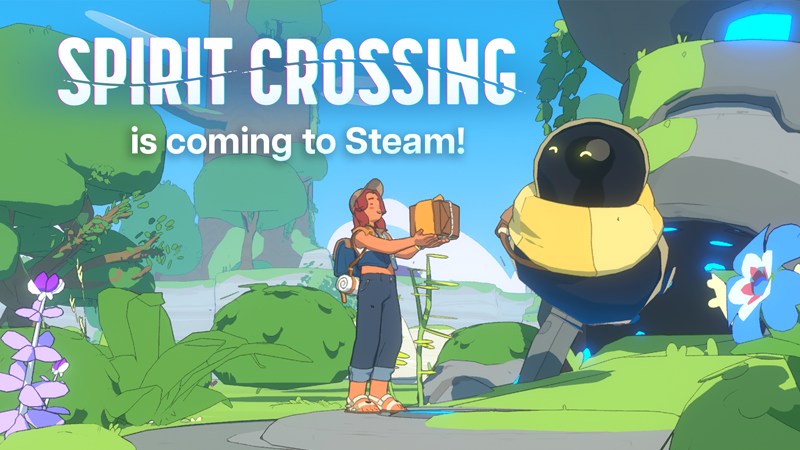
Spirit Crossing demo progress transfer is confirmed. Everything you earned in the Steam demo is set to carry into the full PC game when it launches on Monday 16 November 2026. Your character and all that time spent exploring the Crosslands won’t be lost just because the demo has closed.
The demo shut down on 9 November, so if you can’t open it now, that’s expected. You’ll be able to pick things up again when the full game arrives. The important thing is to return on the same Steam account you used for the demo.
Does Spirit Crossing demo progress transfer into the full game?
Yes. Spry Fox confirmed it on 28 October and repeated the promise in a 9 November announcement: all Steam demo progress transfers to the full Steam game at launch. You don’t need to start a new character just because the free version has ended.
Spry Fox’s support information says Steam playtest progress is tied to your Steam account. That’s more useful than hunting for an unofficial save-file converter. Sign in with the account you played on, and keep your existing demo data.
There’s no separate manual-import procedure in the developer’s launch instructions. Leave your files as they are and follow any in-game prompts when the full release becomes available. Deleting your character to get a clean installation would achieve the opposite of what you want.
Why did the Spirit Crossing demo disappear?
The Steam demo went offline at 10am PST on Monday 9 November 2026, which was 6pm GMT in the UK. Spry Fox deliberately closed it ahead of launch. November 9 was the end of the demo, not the release date of the full game.
That leaves a week without access to the demo. Its disappearance doesn’t mean you missed an early launch or that you have to rebuild your character. The next date to watch is November 16.
Spirit Crossing demo progress transfer and the November 16 launch
The full game launches on Monday 16 November 2026 for Steam, Nintendo Switch and Nintendo Switch 2. Spry Fox has confirmed the date but not a specific UK Steam unlock hour in these announcements. Check the Steam store on launch day rather than planning around an unofficial countdown.
Playing the free demo doesn’t include a copy of the paid game. You’ll need the full Steam release to continue playing, even though your progress is carried over.
Does Spirit Crossing demo progress transfer to Nintendo Switch?
The confirmed Spirit Crossing demo progress transfer is specifically from the Steam demo to the full Steam release. It does not establish a way to move your PC character onto Nintendo Switch or Switch 2. That separate transfer has not been announced.
Nintendo has its own save restrictions, too. The standard Switch edition and dedicated Switch 2 edition are separate products, and their saves and extra content aren’t compatible. Our Spirit Crossing Switch 2 save-transfer guide explains the difference, so you can choose the right edition before buying.
Do you need internet to play after launch?
Yes, you still need internet access. Nintendo’s UK store listings specify a persistent connection, even when you’d rather explore alone. They list one player on a single console and up to 100 players online.
Playing solo means you can explore or decorate without organising a group. It does not mean the game works offline. If that’s important to you, check the connection requirement before purchasing a Nintendo edition.
How to prepare for Spirit Crossing demo progress transfer
Before launch, there’s very little to do: keep your demo data, make sure you know which Steam account you played on and wait for the full version. Spry Fox hasn’t announced a special account-linking step for Steam demo players.
When the full game opens, check for your existing character and progress before making a new one. If anything is missing, contact Spry Fox Support with a description of the problem and your Steam username. Never give anyone your Steam password or private login codes.
So the Spirit Crossing demo progress transfer is good news if you played on Steam: you can carry on instead of starting again. The promise stops at Steam, though, so don’t assume your PC save will also follow you to a Nintendo console.
More Spirit Crossing guides
- Spirit Crossing Recruit a Friend Codes: Rewards and Waystation Changes
- Spirit Crossing Moods: Do Not Disturb, Auto Introduction and Map Visibility
- Spirit Crossing Starter Plots: Neighbor Role, Permissions and Architects
- Spirit Crossing Release Date: Switch Versions, Gameplay and Online Requirements
- Spirit Crossing Multiplayer: 100 Players, Switch Online and Solo Play
- Spirit Crossing Switch 2 Save Transfer: Can Progress and DLC Move Across?
- Witchbrook Multiplayer: How Four-Player Online Co-op Works
Official source: Spry Fox, Spirit Crossing Steam demo and launch announcements.