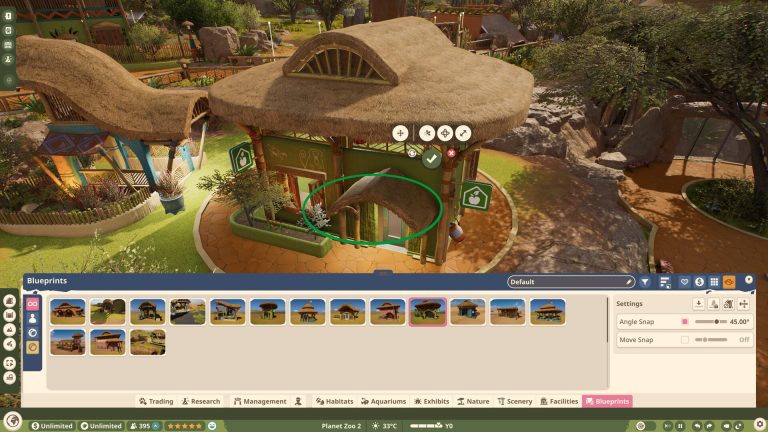
Planet Zoo 2 crashing during zoo loading is one of the problems addressed by Frontier’s Update 1.0.8, released on 29 October 2026. The patch fixes two crashes that prevented certain zoos from opening, so anyone with an affected save should try loading it again.
A zoo that won’t load after an update needs different checks from one that stutters during construction or refuses to connect to Franchise. Start with the new save fixes below, then use the PC or console steps if your problem persists.
Planet Zoo 2 crashing: Update 1.0.8 Loading and Save Fixes
The October 29 patch fixes two crashes that prevented some zoos from loading. Frontier specifically asks players to retry previously blocked saves after updating. That gives you a reason to test the same save again, but it does not mean every inaccessible zoo is fixed.
If the zoo still won’t open, keep the original save and file a report with Frontier’s Issue Tracker. Attach the save if possible and explain where loading fails. Don’t delete, overwrite or move saved files blindly in an attempt to repair the problem.
Update 1.0.8 also resolved a crash when moving a connected water filter and another crash when trying to enter Franchise before the online connection was complete, then opening Sandbox. Extra protections aim to reduce losses of animals and progress in Career and Sandbox.
The Save menu now separates saves from the current location and highlights the currently loaded save. Stutter from placing a path, barrier segment or another item was also addressed. For all the confirmed changes, read our Planet Zoo 2 Update 1.0.8 patch notes.
Planet Zoo 2 Update 1.0.5 crash fixes
Update 1.0.5 arrived October 16 with further crash and stability fixes. Frontier has improved the reliability of loading Franchise zoos, and fixed a crash when choosing an Ecosystem Brush in the Tanzania Reserve Wildlife Reserve. The patch also repairs crashes caused by assigning more than one action to the same key.
The October 16 patch also repaired several Career Mode progression blocks. In Nordic Fjords, deleting the Moon Jelly exhibit too early no longer traps your progress because you can place it again. In the Great Rift Valley, players can no longer quick-release Giraffes in a way that removes them from storage. The East Africa scenario also gets a fix for opening Animal Trading while Alys is explaining how to adopt a Shoebill.
If Planet Zoo 2 crashing still affects you after updating, note the scenario and exact action that triggers it. Frontier says stability and animal-behaviour improvements remain ongoing. The October 16 patch also includes texture streaming fixes and a Steam Deck connection repair for Proton 11 or later. Those earlier fixes were part of October 16, before Update 1.0.8.
Planet Zoo 2 Crashing: Earlier Update 1.0.4 Fixes
Update 1.0.4 arrived on 14 October at 2 PM BST with crash, stability and performance fixes. The release also addresses graphics issues, including FSR and DLSS not working correctly when enabled.
If a Career transition or a particular object still crashes the game after updating, note the chapter and exact action and report it to Frontier. The patch notes don’t confirm that every reported Career, Chapter 2 or Gifts-tab crash is solved, so there is no reason to delete save files or promise a universal fix.
Frontier also lists animal climbing, erroneous escapes, automatic boxing and enrichment interactions as areas needing continued work. These ongoing behaviours are not all fixed in this release. Read the Update 1.0.4 patch guide for the full breakdown.
Planet Zoo 2 crashing: symptoms on PC and console
| Where | Reported problem | First check |
|---|---|---|
| PC startup | Closes before the menu | Requirements, files, drivers |
| Career Mode | Crash during a mission or chapter | Identify the exact trigger |
| Loading screens | Closes between locations | Verify game files on PC |
| Object placement | Crash after placing an item | Record item and steps |
| Xbox Series S / PS5 | Chapter 2 or Gifts-tab reports | Check updates, report crash |
These are symptoms players have reported, not a list of issues Frontier has individually confirmed. Record whether the same action makes the game crash every time; that detail will help when filing a report.
How to fix Planet Zoo 2 crashing on PC
1. Check the minimum requirements. Compare your CPU, RAM, graphics card, operating system and storage against the official requirements. A system below the specifications may be unstable, but meeting the requirements doesn’t guarantee that the game contains no bugs.
2. Verify Steam files. In Steam, open Library, right-click Planet Zoo 2, select Properties and Installed Files, then choose Verify integrity of game files. Steam will check the installation and replace missing or damaged files. This is useful after an interrupted download or update, although it isn’t a confirmed solution for Career crashes.
3. Update graphics drivers. Download current drivers from Nvidia, AMD or Intel as appropriate. Restart when needed. If Planet Zoo 2 crashing only happens at one scripted Career moment, a new driver might not address the underlying cause.
4. Temporarily disable overlays. Turn off Steam, Discord or GPU recording overlays for a test, then start the game again. If that doesn’t change anything, restore the settings. Other background tools may also interfere, but avoid disabling security software blindly.
5. Lower graphics settings. If Planet Zoo 2 crashing occurs during a heavy scene, test a less demanding preset or resolution. Lower settings can reduce GPU load; they are not a proven repair for Chapter 2, Gifts or another repeatable Career Mode bug.
6. Submit crash reports. Send a crash report if one appears and include the exact mission, location or object that triggered it. Contact Frontier Support if the problem remains after the recommended checks.
Planet Zoo 2 crashing in Career Mode and Chapter 2
Players have described crashes while changing Career locations, placing objects and opening menus, with Xbox Series S and PS5 reports mentioning Chapter 2 and Gifts. None of these reports establishes one universal cause or fix. If the same step crashes the game every time, record the chapter and exact action rather than trying random save-file changes.
If Planet Zoo 2 crashing prevents you from completing a Career objective, try another scenario or Sandbox temporarily. This may let you keep playing while the issue is investigated, but it doesn’t repair the affected chapter or establish that your saved zoo is corrupted.
What to try for Planet Zoo 2 crashing on PS5 or Xbox
Check for game and console system updates, fully close the game and restart the console. Confirm adequate free storage. These are general checks, not an official fix for the reported Chapter 2 and Gifts crashes.
If Planet Zoo 2 crashing continues at the same point, submit a report to Frontier with your console model, mission, step and error message if one appears. Don’t delete existing saves as your first response to a problem that may need a game update.
Are Franchise server errors causing Career crashes?
Frontier confirmed that record launch traffic put Franchise services under strain on October 13, causing connection errors and missing Animal Market listings at that time. That announcement does not establish that the same server load causes Career Mode crashes or problems with particular objects.
For the acknowledged connection problem, see our Franchise Mode server guide. For Planet Zoo 2 crashing in Career Mode, use the relevant platform troubleshooting and provide enough detail for Frontier to reproduce the problem.
What if Planet Zoo 2 crashing still isn’t fixed?
If those PC checks don’t help, send Frontier your hardware details, any crash report and the steps that reproduce the problem. On console, include the system, chapter, menu and whether it happens repeatedly. Avoid claiming a reinstall or graphics option is guaranteed to repair it.
If the game runs outside the affected mission, play another mode while investigating that specific problem. If Planet Zoo 2 crashing still stops a previously blocked save opening after Update 1.0.8, keep the file so Frontier can investigate it. A confirmed game bug may need another patch, not an endless cycle of local changes.
Official source: Frontier Developments’ Planet Zoo 2 Update 1.0.8 notes.