
Pikmin 4 Oatchi voice commands are a new way to control Oatchi using the built-in Nintendo Switch 2 microphone. Nintendo confirms nine different voice commands and gives examples such as gathering Pikmin or moving treasure. It also says you can praise Oatchi, although it doesn’t say whether praise counts as one of those nine commands.
The full edition arrives on 12 November 2026, and you’ll need a Switch 2 with the upgraded game to use the new feature. Nintendo has described some of Oatchi’s actions, but the full list of spoken phrases and how to activate them in-game are still awaiting confirmation.
Pikmin 4 Oatchi voice commands: all the actions Nintendo has confirmed
Nintendo says there are nine supported inputs, but its description names only some of the things Oatchi can do. These are the confirmed examples of Pikmin 4 Oatchi voice commands, not a complete list of phrases to memorise.
| Action | What Nintendo says | Exact phrase available? |
|---|---|---|
| Gather Pikmin | Ask Oatchi to round up Pikmin | Not specified |
| Transport treasure | Get Oatchi to help carry treasure | Not specified |
| Praise Oatchi | Nintendo describes praising him after his work; it doesn’t specify whether this is one of the nine counted commands | Not specified |
| Other supported actions | Nintendo confirms nine voice commands in total, without identifying every one | Not published |
Don’t mistake Oatchi’s existing abilities for confirmed spoken commands. He can already perform a range of actions through the controller, but that doesn’t mean saying “Dig” or “Follow me” is one of the nine recognised voice inputs. Nintendo hasn’t published a full phrase list.
Nintendo has not yet explained which spoken languages the system accepts or whether particular voice actions must be unlocked during the story. Those are questions for the released game, rather than assumptions based on Oatchi’s existing moves.
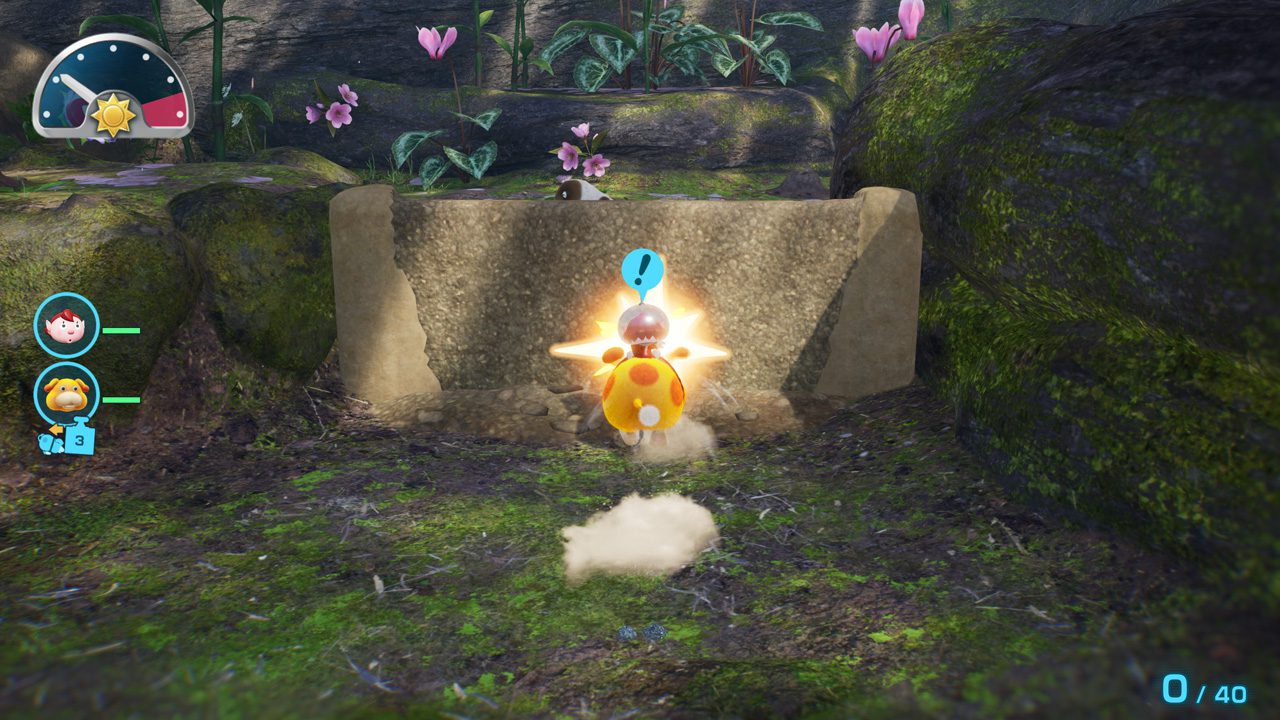
This Nintendo gameplay screenshot shows Oatchi charging forward during the adventure.
How to use Pikmin 4 Oatchi voice commands on Switch 2
First, make sure you’re playing Pikmin 4 Nintendo Switch 2 Edition + Dandori Academy on a Nintendo Switch 2. New players can buy the complete edition, while anyone who already owns Pikmin 4 can purchase the upgrade pack. The pack needs the original game and isn’t a stand-alone copy.
The console’s built-in microphone is the input Nintendo names for Pikmin 4 Oatchi voice commands. You don’t have to buy a separate microphone based on the requirements Nintendo has published.
Once you’re in the game, follow its instructions for speaking to Oatchi. Nintendo’s preview doesn’t specify a button to hold or a menu to enable voice input, so there isn’t a verified button sequence to give you before launch.
Voice control sits alongside the usual controller commands. That matters when checking online command lists: an action Oatchi can perform with a button isn’t automatically one of his nine recognised microphone instructions.
Can Pikmin 4 Oatchi voice commands work on the original Nintendo Switch?
No. The microphone feature belongs to the new Switch 2 Edition. Nintendo says playing the game card on an original Nintendo Switch runs the original version without the Switch 2 Edition additions. Simply having an original copy of Pikmin 4 also doesn’t unlock voice commands without its upgrade content.
If you have a physical or digital copy of the original game, the paid Switch 2 upgrade pack adds Pikmin 4 Oatchi voice commands and the other new features. See our Pikmin 4 upgrade guide for the purchasing options, or the Switch 2 versus Switch comparison for everything that changes.
The Switch 2 Edition also brings Dandori Academy, sharper graphics and GameShare support.
What if Pikmin 4 Oatchi voice commands are not working?
If Oatchi doesn’t recognise your voice, first check the two essentials: you’re playing on Switch 2, and the Switch 2 Edition upgrade content is installed. If you bought the upgrade pack, you’ll also need access to your original game.
Follow any microphone prompts displayed by the game. Nintendo has not described a Pikmin 4-specific sensitivity slider or troubleshooting menu, so don’t assume settings suggested for a different title will apply here.
Voice commands, Dandori Academy and GameShare are different features
Pikmin 4 Oatchi voice commands let you interact with your rescue pup. They’re separate from Dandori Academy, which focuses on timed stages and medals, and from GameShare, which lets you compete with a friend in Dandori Battles.
All three features are part of the upgraded edition. If you’re looking to play Dandori Battles with someone who doesn’t own Pikmin 4, head to our GameShare guide instead.
When do Pikmin 4 Oatchi voice commands release?
The complete edition and upgrade pack release on Thursday 12 November 2026. Nintendo has also announced a free demo for 2 November featuring the opening Sun-Speckled Terrace area and two Dandori Academy stages. The presentation doesn’t confirm whether all nine voice commands can be used in the demo.
The confirmed total is nine, with gathering Pikmin and carrying treasure among the examples. A complete spoken-command list and the activation controls will need checking in the released version.
Official source: Nintendo’s Pikmin 4 Switch 2 Edition product page.





