
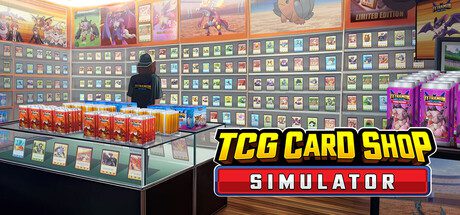
How to Expand Your Shop in TCG Card Shop Simulator starts with the RENO BIGG app on your in-game phone. Shop expansions unlock at specific shop levels, and buying one permanently adds floor space while also increasing rent. The useful part is that expansions can raise customer capacity and the amount of money customers are able to bring into the store.
That means expansion is not just cosmetic. More room can support more shelves, tables and customers, but buying space too early can leave you paying higher daily costs without enough sales to justify it.
How to Buy a Shop Expansion
- Open the phone.
- Select the RENO BIGG app.
- Check which Shop A expansions are currently unlocked by your shop level.
- Make sure you have enough cash for the purchase and the higher daily rent.
- Buy the next expansion.
- Rework the floor only after deciding what the new space is supposed to solve.
The first expansion unlocks very early, and later pieces require progressively higher shop levels. You do not have to purchase every available expansion simply because the button appears.
What Does Expanding Actually Change?
Each expansion adds usable store space, raises rent and also increases shop capacity. Current game data ties expansions to a higher maximum concurrent-customer count and a higher maximum customer wallet, so growing the building can improve revenue potential as well as comfort.
That is why a cramped profitable shop can eventually hit a ceiling: there is only so much stock, table space and customer flow you can squeeze through the original footprint.
When Should You Expand?
Expand when you can name the bottleneck the extra floor will fix. Good reasons include shelves blocking customer paths, a second checkout having nowhere sensible to go, profitable play tables competing with retail space, or warehouse stock taking over the sales floor.
A bad reason is simply reaching the required level. If you are regularly short of cash after ordering stock, the higher rent can make the problem worse.
How to Expand Your Shop in TCG Card Shop Simulator – What Is Shop Lot B?
Lot B is the second connected shop area available through RENO BIGG. It unlocks at shop level 15 for a larger upfront cost than the early individual expansions, opens the internal connection between the spaces and adds its own rent increase.
Lot B is most useful when your original store has a clear job already. For example, one area can handle retail shelves and checkout while the other carries play tables, singles or back-of-house storage. Randomly spreading every feature across both lots usually creates longer walks for everyone.
Does a Bigger Shop Make Customers Richer?
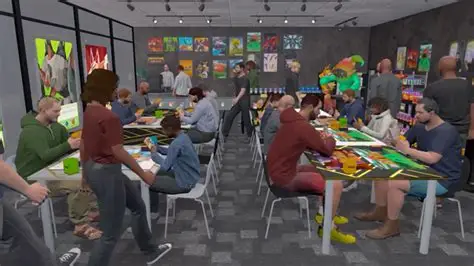
Expansion contributes to the maximum amount of money customers can have, while shop level is another part of customer progression. That does not mean every visitor suddenly spends the maximum; it raises the ceiling of what the customer population can support.
This is one reason the shop-level guide and expansion system work together rather than being separate progression tracks.
Plan the Layout Before Filling New Space
Do not celebrate an expansion by immediately buying six decorative shelves. Decide whether the new square metres are for high-margin products, customer circulation, card displays, staff movement or play tables, then build around that job.
Our best shop layout guide focuses on short customer paths, accessible shelves and keeping the checkout from becoming a choke point.
How Much Cash Should You Keep Back?
There is no universal number because stock costs rise with your licences, but do not spend the last of your money on construction. Keep enough to place at least one useful restock order and cover the higher rent. An empty enlarged shop is worse than a smaller one full of products customers can actually buy.
Do 1.0 Players Get More Expansion Options?
OPNeon’s final Early Access-to-1.0 recap explicitly lists more shop-space expansions among the systems added during development. Existing saves keep their progress into 1.0, so returning players can continue from the expansion state they already earned rather than rebuilding the store.
The official 1.0 developer notes confirm that expanded shop progression is part of the completed roadmap.
Related How to Expand Your Shop in TCG Card Shop Simulator guides
How to Expand Your Shop in TCG Card Shop Simulator





