
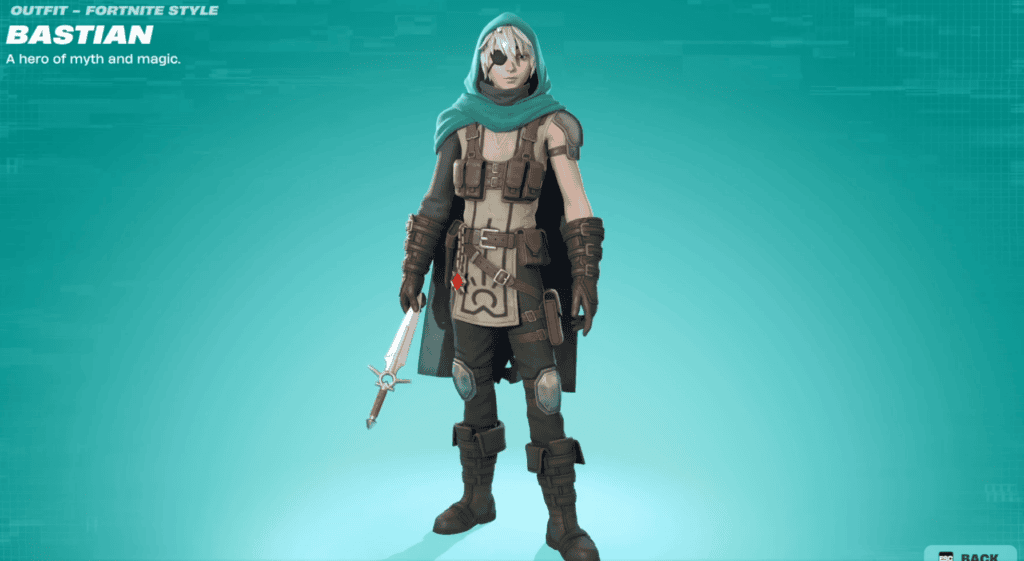
Fortnite MAGICISREAL Not Working is a genuine issue players have reported after completing Bastian’s Story Quests in Chapter 7 Season 4. The game can tell you to enter MagicIsReal in the lobby Admin Panel, only for the panel to respond that the Lobby Hack is not currently available.
The confusing part about Fortnite MAGICISREAL Not Working is that the reward may already have been granted. Several players have reported returning to the lobby with extra Sprite Dust or utility items even though MagicIsReal itself would not submit, so the first troubleshooting step is checking the account state rather than immediately replaying the entire quest chain.
Why Is Fortnite MAGICISREAL Not Working?
Image credit: Epic Games
The most likely reason for Fortnite MAGICISREAL Not Working is the way the Bastian quest reward is being handled server-side. MAGICISREAL is not a normal public code with no prerequisites. It is tied to a completed Story Quest state, and reports since September 17 show that the quest can disappear from the tracker while the Admin Panel still refuses the code.
If you have not completed Bastian’s crystal chain, start with our Bastian Story Quests guide instead. If you have completed it and the panel still refuses the code, continue with the checks below.
Fortnite MAGICISREAL Not Working: Check the Reward First
Before retrying anything, note your Sprite Dust total and inspect your available utility items. Current code lists associate the quest with 5,000 Sprite Dust, and some players say that reward appeared automatically when they left the match where they completed Bastian’s final step.
This matters because Fortnite MAGICISREAL Not Working can look like a failed redemption even when the useful reward has already reached the account. If the Dust increased, you do not need to keep hammering the Admin Panel simply to force a different confirmation message.
What to Try When Fortnite MAGICISREAL Not Working
- Confirm Bastian’s final “Give Crystals” interaction was completed.
- Return fully to the Battle Royale lobby before opening the Admin Panel.
- Enter MagicIsReal without spaces.
- Restart Fortnite once to refresh the lobby state.
- Check Sprite Dust and utility rewards before replaying the quest.
- Do not use an in-match Cheat Code wall for this Lobby Hack.
The MAGICISREAL code guide explains the intended redemption route, while the Admin Panel Codes page lets you test whether other Lobby Hacks are working normally. If other codes submit but MagicIsReal does not, the problem is more likely tied to this quest state than the entire Admin Panel.
Do You Need to Repeat Bastian When Fortnite MAGICISREAL Not Working?
Not immediately. Fortnite MAGICISREAL Not Working reports include players who completed every Bastian objective correctly and still saw the unavailable message. Repeating a long quest chain before checking the reward can waste a full match for no benefit.
If your Bastian objectives never completed, that is different. Use the Bastian location guide to start again at Stone Sanctum and make sure the final hand-in occurs. The crystal chain includes several steps that can fail if you are eliminated before the required interaction is registered.
Is Fortnite MAGICISREAL Not Working Still Happening on September 28?
Yes, player reports about Fortnite MAGICISREAL Not Working have continued through the current week, including reports from September 27. There is no reason to pretend the friction has disappeared just because MAGICISREAL appears on updated code lists.
For now, the sensible approach is simple: finish Bastian, check for the automatic reward, try the Admin Panel once after a restart, then move on if the account already received the Dust. Today’s Mastery Monday is a better use of time if you are trying to build Sprite XP and Dust while the code state remains inconsistent.
More Fortnite guides
For first-party announcements and live service changes, check the official Fortnite website.





