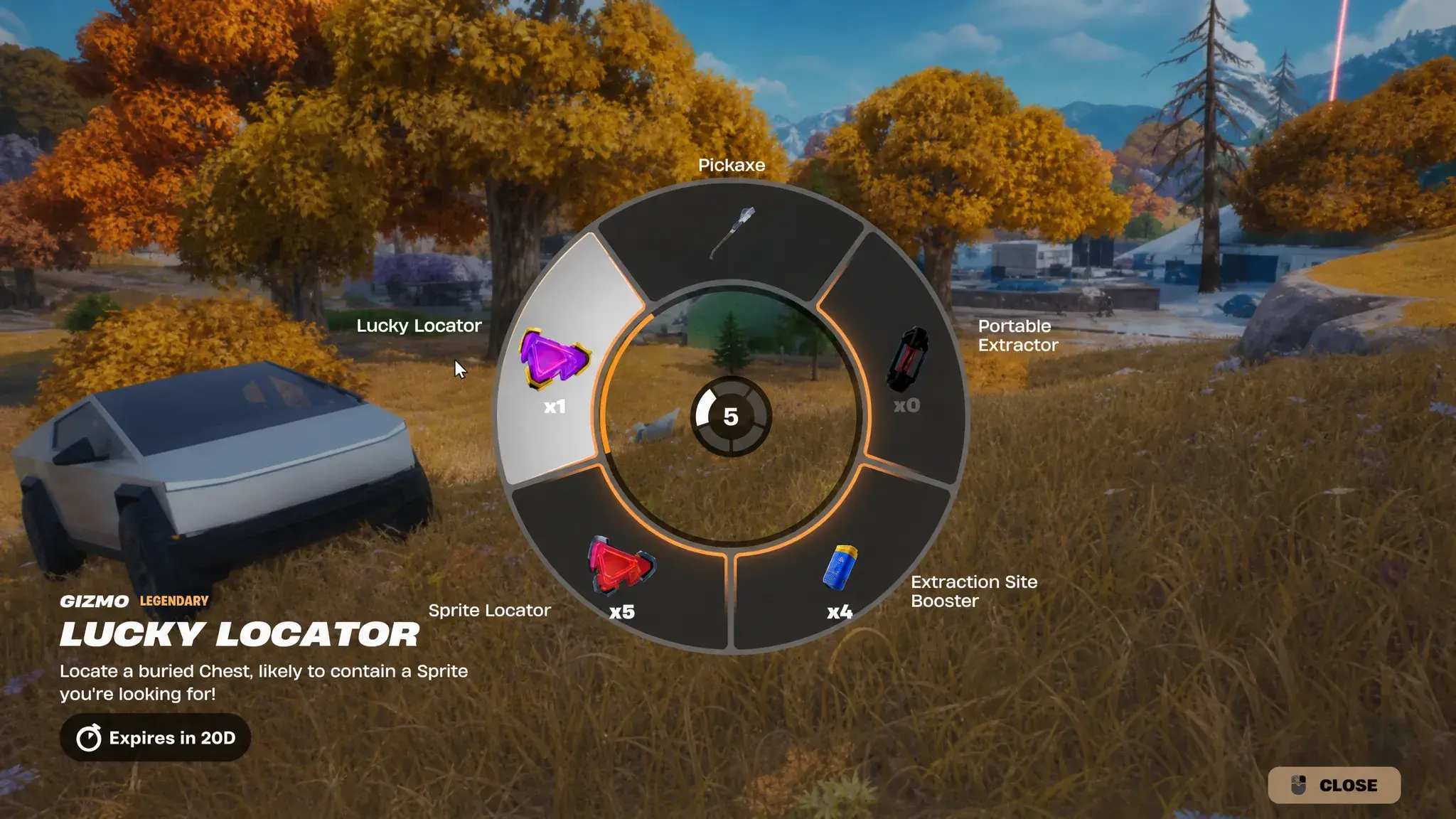
Lucky Locator vs Sprite Locator is a choice between finding a missing Sprite and opening another random Sprite Chest. Lucky Locator targets an entry you haven’t collected, while a regular Sprite Locator can send you to one you already own.
Both are consumable Gizmos in Fortnite Treasure Hunters. You’ll still have to dig up the Chest and extract the Sprite. Here’s when to spend each one, and which to save as your collection fills up.
Lucky Locator vs Sprite Locator: what is the difference?

| Question | Lucky Locator | Sprite Locator |
|---|---|---|
| What does it find? | A buried chest with a Sprite missing from your collection | A buried chest with a random Sprite |
| Can it lead to a duplicate? | Designed to target an uncollected entry | Yes |
| Can you choose a particular Sprite? | No | No |
| Does it bank the Sprite automatically? | No, you still need to extract | No, you still need to extract |
| Best time to use it | When you have collection gaps to fill | When you need another Sprite chest or XP opportunity |
The Lucky Locator vs Sprite Locator choice matters most once your collection has only a few gaps left. The standard one can reveal a duplicate. Lucky Locator aims for an uncollected entry, although you can’t choose which one appears.
Does Lucky Locator guarantee a rare or secret Sprite?
A Lucky Locator isn’t a choose-your-own-Sprite reward. It is not established that it can specifically guarantee the secret Zee Sprite, a preferred Fortune or Cursed variant, a disabled variant, or every other special entry. The current eligible pool and any hidden exclusions would need the live item description or test results to confirm.
That means you shouldn’t burn a limited-use Lucky Locator assuming it is a shortcut to one specific ultra-rare Sprite. Use it when a missing collection entry of any eligible kind would help. If you’re only looking for extra Sprite XP, a regular Locator may already do what you need.
How to use the two Locator Gizmos
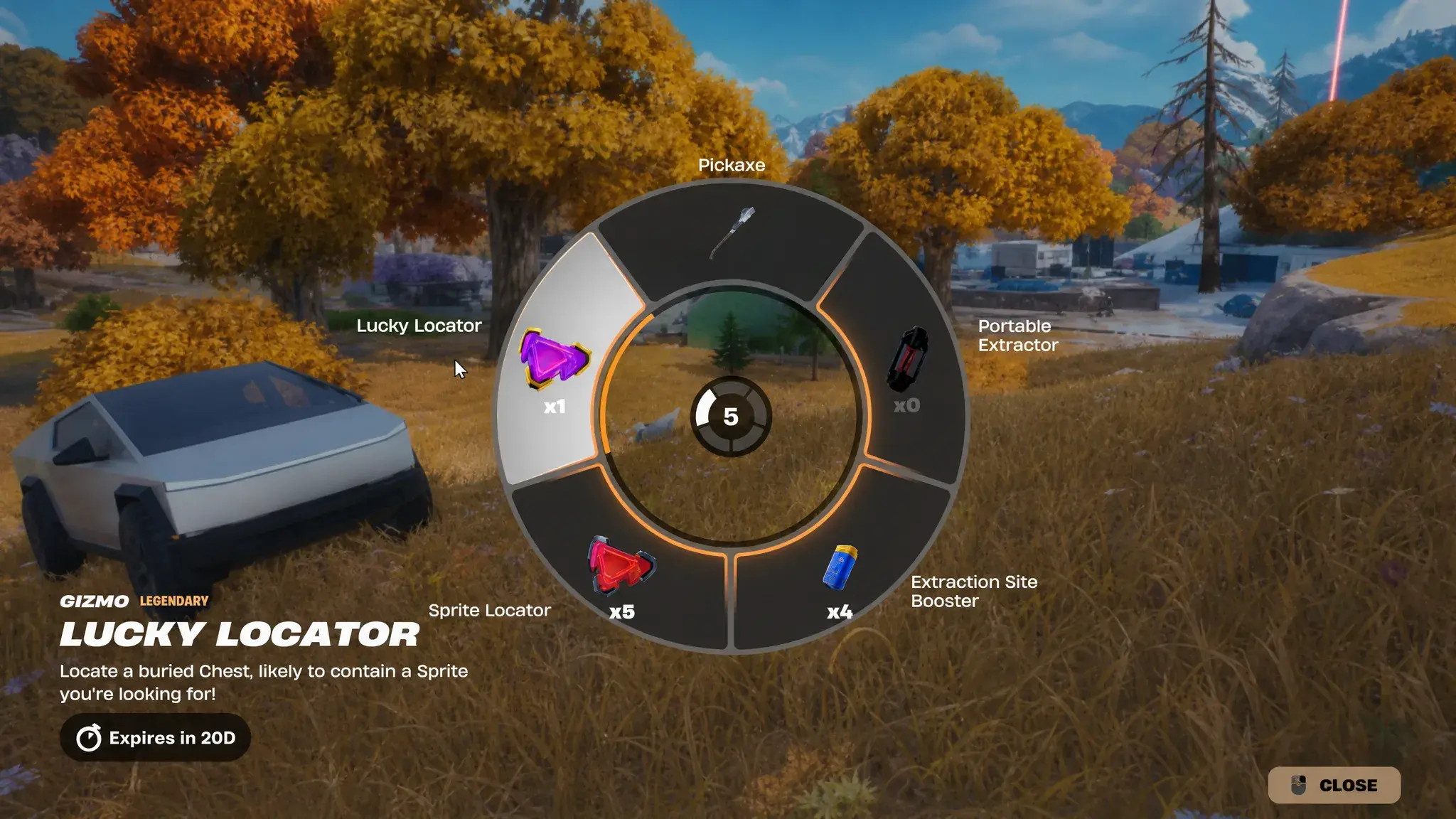
- Open Fortnite Battle Royale and check your available Gizmos. Select the Locator you want from the Gizmo Wheel, accessed through the Pickaxe slot.
- Activate it using the prompt shown for your platform. Custom keybinds and controller layouts can differ.
- Follow the buried Sprite Chest marker the tool provides. Dig up the chest and take the Sprite.
- Carry the Sprite to a fixed Extraction Site, or use a Portable Extractor you already own, to bank it in your collection.
- Check the Sprites screen afterwards to see what was added and whether further XP is needed for mastery.
Using a Locator doesn’t complete the extraction automatically. The chest is only the start of the second half of your trip. Keep an eye on the Storm and other squads before chasing a marker all the way across the island. There is little point in revealing a missing Sprite if you cannot get it safely to an extractor.
Lucky Locator vs Sprite Locator rewards: where to get them
Treasure Hunters includes a Sprite Mastery track under the Treasure tab in the lobby. Epic confirms that Lucky Locators and other Gizmos are among its rewards, with another page unlocking each week. Check the individual reward card on your account for the quantity and unlocked milestone rather than relying on last season’s reward table.
Reports from the current season also describe Gizmos appearing as Treasure Hunt rewards. The exact chance of getting either Locator from a given chest hasn’t been officially published. There is no confirmed chest route that guarantees you’ll walk away with a Lucky Locator.
Lucky Locator vs Sprite Locator for collecting and mastery
The collection records whether you’ve successfully extracted a Sprite entry. Mastery is a later milestone after you’ve levelled a Sprite to its cap and extracted it. The Lucky Locator is intended to help with missing collected entries, not simply unmastered ones.
Already banked a Sprite but still need its mastery crown? That entry counts as collected. The Lucky Locator vs Sprite Locator choice won’t finish the XP for you; another ordinary Sprite Chest is a sensible way to start levelling again.
Lucky Locator vs Sprite Locator: which one should you save?
If you’re still early in Treasure Hunters, the regular Sprite Locator is a useful way of getting another chest and another chance to level a Sprite. Save the Lucky Locator for when finding a missing entry matters more. If you already have a rare uncollected find in your hands, extract that one first before spending another Locator.
You can combine the two with the normal Wanted Poster route, which supplies Treasure Maps leading to buried Sprite Chests. There’s no need to spend a Gizmo every time you want a Sprite. Exhaust the easy nearby poster options and keep a Locator for a stretch when the map isn’t giving you a useful find.
The short answer on Lucky Locator vs Sprite Locator: use a regular Locator when you just want another Sprite Chest and save the Lucky one for gaps in your collection. Whatever turns up, extract it to keep it.
Official source: Epic Games’ Fortnite Treasure Hunters announcement.