
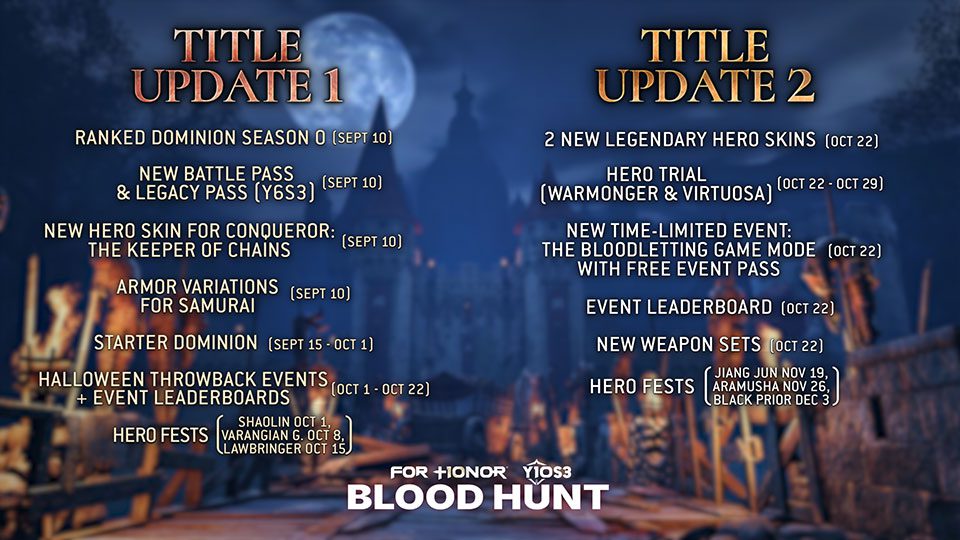
For Honor Orders Not Giving Rewards is a known Y10S3 TU2 issue. Ubisoft’s current workaround is simple: if an Order completes but the reward does not appear, close the World Map and open it again. The reward should then be granted properly.
You should not need to replay the Order just because the reward is missing. Ubisoft has acknowledged the bug and is working on it, so the first thing to try is the World Map refresh rather than repeating matches or abandoning a completed objective.
For Honor Orders Not Giving Rewards fix
If you are seeing For Honor Orders Not Giving Rewards, use Ubisoft’s workaround in this order:
| Step | What to do |
|---|---|
| 1 | Make sure the Order is showing as completed. |
| 2 | Close the World Map. |
| 3 | Open the World Map again. |
| 4 | Check whether the missing reward has appeared. |
Ubisoft says reopening the World Map should trigger the reward correctly. There is no extra reset option or hidden menu attached to the workaround.
Should you repeat the Order?
If the Order is already marked complete, no. The current For Honor Orders Not Giving Rewards workaround doesn’t tell you to replay the objective, redo the match or replace the Order.
If the game has already credited the completion, repeating the same activity only adds more play time while leaving the actual reward-delivery problem untouched.
Why are completed Order rewards missing?
Ubisoft has confirmed that some completed Orders are not paying out immediately in Y10S3 TU2. The studio has not published a deeper technical cause, so anything beyond that would be guesswork.
The Order itself can still register as completed. The problem is the reward appearing afterwards, which is why refreshing the World Map can fix it without making you earn the completion again.
What if reopening the World Map does not work?
If the For Honor Orders Not Giving Rewards issue is still there after reopening the map, first confirm the Order is visibly marked complete and give the game a moment to update. Then close and reopen the World Map once more.
If the reward is still missing, note the Order name, the reward you expected, your platform and roughly when you completed it. Those details are useful if you need to contact Ubisoft Support, especially because the studio has already acknowledged the wider bug.
Does restarting the whole game help?
Ubisoft’s official fix is the World Map refresh, not a full game restart. Try the smaller workaround first. If that fails, restarting For Honor is a reasonable extra troubleshooting step, but it is not the published Y10S3 TU2 fix.
That saves you from closing the whole game every time a reward is delayed. The map refresh is the step Ubisoft specifically wants players to try.
Will Ubisoft fix the Order reward bug?
Yes, Ubisoft says it is addressing the For Honor Orders Not Giving Rewards issue. What the studio has not given is a separate hotfix date for the permanent repair.
Y10S3 TU2 launches on October 22, but Ubisoft has not explicitly said this particular reward bug will be fully fixed in that update. Until a permanent fix is confirmed, the World Map refresh remains the official workaround.
Does this affect The Bloodletting event?
The Bloodletting starts on October 22 and its free event pass progresses through the event mode and daily Orders. The For Honor Orders Not Giving Rewards bug can also show up during the Halloween event if a daily Order completes but its reward fails to appear.
If that happens, use the same World Map refresh before replaying anything. The Bloodletting runs until November 12, so the workaround is worth knowing if you are using daily Orders to move through the event pass.
Related Guides
Ubisoft acknowledges the issue and gives the World Map workaround in its official Y10S3 TU2 Warrior’s Den recap.





