Fallout 76 World Pets are currently being tested on the Public Test Server as a major expansion of CAMP pets, turning Dogs, Cats, Radhogs and Deathclaws into companions that can follow, fight and respond to commands away from CAMP.
These are Public Test Server changes, and their final release values may still change. Bethesda’s October 15 PTS update changes how Pet Passives are selected: once you unlock a passive, you can equip it while travelling with another pet species. The update also improves pet XP and progression notifications, and fixes several pet behaviour issues.
Fallout 76 World Pets: October 15 PTS changes
In the latest Fallout 76 World Pets test build, you can unlock a passive on one pet species and use that buff with another. Bethesda gives the example of earning Fun-Festation I with a Deathclaw, then keeping that passive active while travelling with a Cat, Dog or Radhog. To equip your unlocked passives, open the Pets tab in the Pip-Boy, choose Pet Buffs and select two of the available effects. You can switch these choices whenever you like.
The October 15 update also adds a Pet XP progress bar, a notification when a pet reward can be claimed and an available-reward count in the progression menu. Pets no longer trigger traps, and fixes address inflated item-granting buffs, Cat attack animations and Bounty Sniffer legendary rewards. The PTS still has a known Bounty Sniffer bug: looting two legendaries of the same type may only give you one. These are test-server notes ahead of the winter update, so the live version may change.
Fallout 76 World Pets: what the PTS currently does
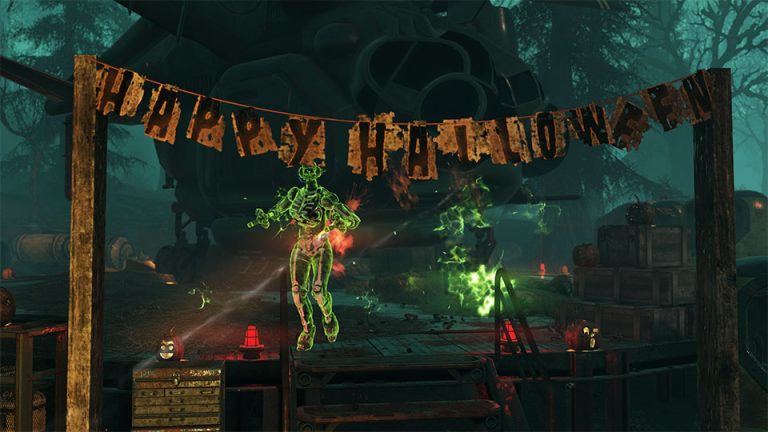
Fallout 76 World Pets Image Bethesda Game Studios.
| Species | Dog, Cat, Radhog and Deathclaw |
| Commands | Attack, Stay, Follow and Protect |
| Max level | 200 on the current PTS |
| Progression | XP, damage and health growth, carry capacity, passives and rewards |
| PTS warning | Values and features can change before live release |
World Pets are summoned through the Pets section of the Pip-Boy and can be directed through interactions or the Command wheel. Bethesda has also added ping support so pets can be told where to move or what to attack, including pings made from VATS in the current PTS build.
The separate Fallout 76 Pet Commands guide covers those controls, while Fallout 76 Pet Leveling focuses on progression rather than combat behavior.
How pet leveling works
Pets bank XP while summoned and collect that bank when the player earns XP. The current PTS system gives an extra pet-XP bonus on kills and uses a short banking window so normal questing and combat contribute without requiring a pet-specific grind.
Pets can reach level 200 in the current test. The Fallout 76 Max Pet Level page explains what that cap means and when the passive milestones arrive.
Pet passives by species
- Dogs can find Stimpaks and can add an extra Legendary item to Grunt Hunt rewards.
- Cats can find Improved Bait and can add extra Fish Bits after fishing.
- Radhogs can find Toxic Goo and High-Radiation Fluids in Nuke Zones.
- Deathclaws can find Black Titanium and can add extra Legendary items to Infestation rewards.
Those passives are the reason Fallout 76 Best Pet does not have one universal answer. A fishing session values the Cat differently from a Bounty Hunting session with a Dog.
Pet passive levels and rewards
The first pet passives unlock at levels 5 and 20, with improvements at levels 40, 60, 85 and 120 in the current test. Leveling also feeds health, damage, player carry capacity and progression rewards such as Atoms, Caps and Player Titles.
Bethesda doubled each Pet Carry Capacity buff during the September 18 test update, which is a good example of why exact PTS numbers should be treated as provisional rather than permanent live-game values.
What is still being tested
Bethesda has listed current PTS issues, including inconsistent Pet XP and behavior around the progression UI. The Fallout 76 Pet XP Not Working guide separates those known test issues from normal progression rules.
The studio also explicitly warns that PTS content is not guaranteed to release exactly as tested. Use these guides to understand the system, not to make an irreversible purchase decision based on a pre-release number.
Fallout 76 World Pets: How to choose and change pet buffs
The October PTS lets you equip two unlocked Pet Buffs at once. Open the Pip-Boy, choose Pets and select Pet Buffs. An effect earned by levelling one species can stay active while you travel with another. That makes it possible to unlock Deathclaw’s Fun-Festation passive, then use it with a Dog or Cat instead.
For Fallout 76 World Pets, choose bonuses that match what you’re doing. A fishing session benefits more from bait and Fish Bits than from an Infestation bonus. Switch equipped passives when your plans change. Bethesda has also added a Pet XP progress bar and alerts for progression rewards, though these details remain subject to change during PTS testing.
More Fallout 76 Guides
For first-party information behind Fallout 76 World Pets, see official Fallout 76 World Pets PTS notes.