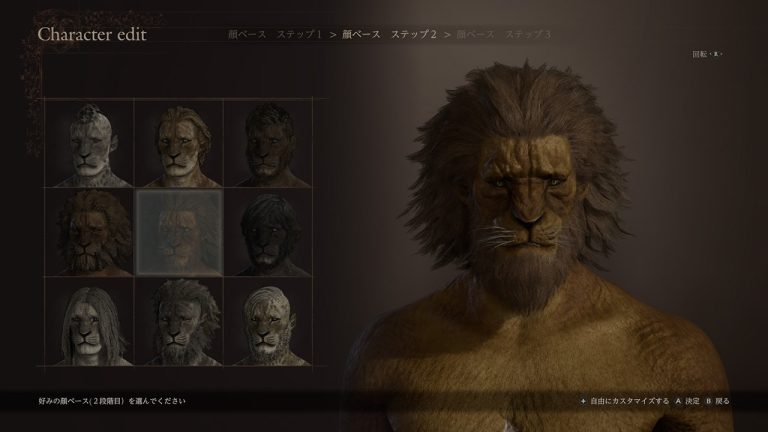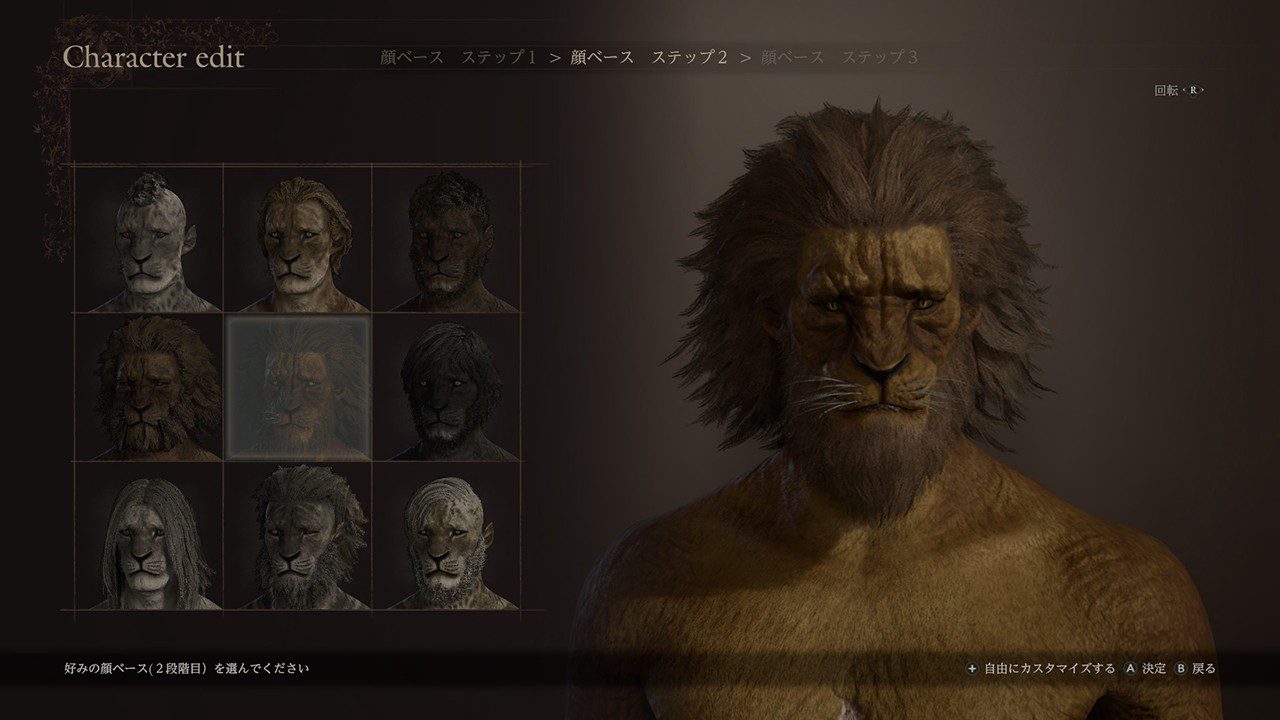
Dragon’s Dogma 2 hairstyles and tattoos get new options with Dark Arisen, so you can give your Arisen or Main Pawn a different look without hunting down cosmetic drops in Norgan. The expansion adds hairstyles and tattoo designs directly to the familiar Character Creator. There’s no new barber shop to discover or boss you must defeat to earn them.
The trick is knowing where Capcom put the new designs. They sit among the existing choices, with a small symbol identifying content from Dark Arisen. If you’ve just installed the expansion and your appearance menu looks unchanged, here’s where to look, how to save the changes and what to do if you’re playing with an older character.
Where to find the new Dragon’s Dogma 2 hairstyles and tattoos in Dark Arisen
You access the extra Dragon’s Dogma 2 hairstyles and tattoos inside Detailed Customization. Hairstyle choices appear under Body Hair, while tattoos are under Tattoos/Markings. Both your Arisen and your Main Pawn can use these options. The additions don’t require completing Forsaken Dominion, travelling to Norgan or clearing the Lost Rites dungeons.
There’s an easy way to identify a DLC design: look for a small download-arrow icon on its selection tile. The editor’s Help screen explains that this marker identifies Dark Arisen content. An orange dot is different. It marks something you haven’t viewed yet and disappears as you browse; the DLC marker remains on the tile.
The new Dragon’s Dogma 2 hairstyles and tattoos don’t always sit at the start of a category, so scroll beyond the hairstyles or markings you’re used to seeing. The tiles towards the later numbered entries are the place to look, although individual style counts can vary with the preset being edited.
How to unlock and use Dark Arisen hairstyles
- Open the Character Creator for the Arisen or Main Pawn and choose Detailed Customization.
- Switch to the Body Hair tab and open Hairstyle.
- Scroll to the later numbered tiles, looking for the small Dark Arisen arrow marker.
- Select a hairstyle to preview it. Move the character model around to see how it looks from different angles.
- Confirm the style, leave Detailed Customization and accept the final change when the game asks.
If you’re using a Masculine Human preset, documented in-game menus show marked new hairstyles at tiles 58 to 78. That range belongs to the preset shown in those menus, not an official guarantee that every race and preset has identical numbering. Use the arrow marker rather than relying entirely on a tile number.
There is no additional hairstyle quest. For existing characters, the Dragon’s Dogma 2 hairstyles and tattoos additions can be selected through an appearance-editing service, covered below. You don’t need to restart a campaign just because you want to try a longer cut or a different silhouette.
How to find and equip the new body tattoos
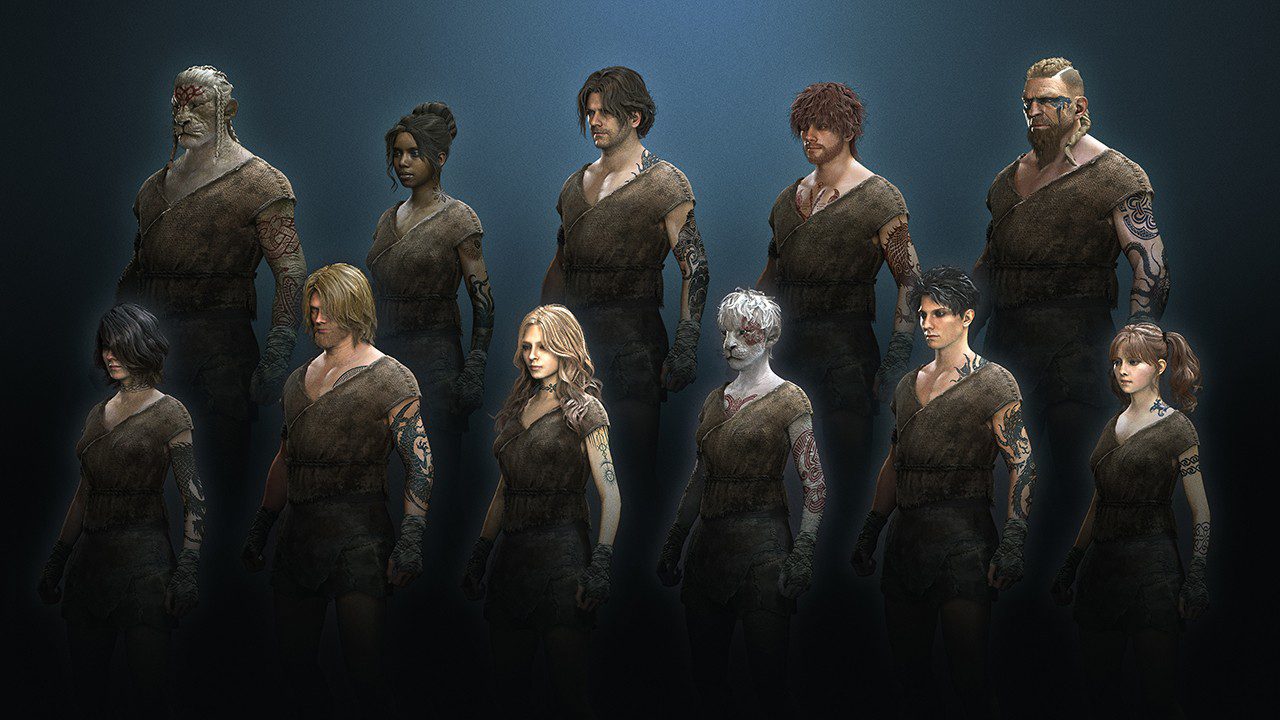
The tattoo half of the new Dragon’s Dogma 2 hairstyles and tattoos is found under Detailed Customization → Tattoos/Markings → Body Tattoos. Choose Body Tattoo 1 Style to open the design grid, then look for the same expansion arrow that identifies the new hairstyles.
In one documented Masculine Human preset, the marked body tattoo designs run from tile 67 to tile 98. The available designs are previewed on the model as you browse. The body tattoos are not one-use rewards and you don’t have to visit a particular location in the expansion to reveal them.
- Open Tattoos/Markings in Detailed Customization.
- Select Body Tattoos, then Body Tattoo 1 Style.
- Browse the later tiles carrying the Dark Arisen marker and select a design.
- Adjust position, scale, tiling, opacity and colours until the tattoo sits where you want it.
- Enable a second tattoo layer if you want to combine markings, then confirm your changes.
Check the skin preview carefully before saving. A dark tattoo can be difficult to see at low opacity, while a light design may disappear against pale skin. The new Dragon’s Dogma 2 hairstyles and tattoos options use the same placement controls that were available before the expansion, so you can still resize and reposition a design rather than accepting its starting appearance.
Can you change your existing Arisen or Main Pawn?
Yes. You can use the new Dragon’s Dogma 2 hairstyles and tattoos on a character you’re already playing, provided Dark Arisen is installed and the updated editor is available. Changing a look is different from importing a completely new character from the separate Character Creator & Storage app.
For hairstyles and markings, visit a barberie in a city such as Vernworth. For a broader redesign, obtain Art of Metamorphosis at the Pawn Guild and use the in-game appearance-changing service. Capcom confirms Art of Metamorphosis can edit your Arisen or Main Pawn’s appearance and voice, but it cannot change the Arisen’s race or either character’s name or moniker.
If you’ve grown attached to your Pawn over dozens of hours, there’s no reason to sacrifice that progress just to change the face or hair. You can test Dragon’s Dogma 2 hairstyles and tattoos in the familiar editor and return to adventuring with the same companion.
Does Character Creator & Storage have the Dark Arisen styles?
Yes. Capcom updated the free Dragon’s Dogma 2 Character Creator & Storage app with the extra hairstyles and tattoos ahead of the October 9 release. The app is available on Nintendo Switch 2 too. You can create and save up to five Arisen designs and five Main Pawn designs, then transfer appearance data at the game’s character creation stage.
However, using the updated app does not automatically overwrite an Arisen who’s halfway through a campaign. Transfer options appear when the main game asks you to create a character, such as when beginning a new game. For an active save, use the barberie or Art of Metamorphosis instead. The new Dragon’s Dogma 2 hairstyles and tattoos work through the main game’s editor once the expansion content is installed.
Why are Dragon’s Dogma 2 hairstyles and tattoos not showing?
If the new Dragon’s Dogma 2 hairstyles and tattoos options are missing, start by checking the expansion installation. Simply updating the standalone creator app does not add Dark Arisen to an older copy of the main game. On Nintendo Switch 2, the Dark Arisen edition bundles both together. On PS5, Xbox Series X|S and PC, existing owners need the expansion content.
Next, open Detailed Customization rather than the editor’s front page. The designs are mixed into the original hairstyle and marking grids, identified by the little arrow symbol. Check that you’ve downloaded the latest updates, then restart the game if the additions still aren’t visible.
If you’re trying to apply a look made in Character Creator & Storage to an existing save, that is a separate issue. The standalone app is for building character designs before an appropriate import point. To change your current Arisen or Main Pawn, use the in-game modification methods instead.
Are the new options tied to Norgan or Lost Rites?
No. The extra Dragon’s Dogma 2 hairstyles and tattoos are part of Dark Arisen’s character editor, not a reward for defeating the Fallen Dragon or clearing the twelve Lost Rites dungeons. You can use the new looks without first completing the northern storyline.
If you’re ready to explore the expansion itself, our Dark Arisen starting guide covers the first steps with Captain Brant. For changes to combat difficulty, the separate Hard Mode guide covers that system.
Related Guides
The new Dragon’s Dogma 2 hairstyles and tattoos are a welcome addition if your Arisen or Pawn has looked the same since the original release. Head into Detailed Customization, find the expansion-marked tiles and experiment with the hairstyles and tattoos that suit your character. You can enjoy the extra creator options without leaving your current adventure behind.