Pokémon Pokopia Smearguru photo patterns let you teach the painter new designs using pictures from your References album. Version 2.0.0 added this extra use for photos, alongside the existing option to recreate eligible items with the Pokémon Center’s 3D Printer.
You can take reference photos at home or while visiting another player’s world. The camera steps are simple, but using a picture for a paint pattern is different from printing a copy of the item in it.
How do Pokémon Pokopia Smearguru photo patterns work?
The free 2.0.0 update allows Smearguru to learn painting patterns from pictures saved in References. That gives the photos another purpose beyond being used to copy eligible objects through the 3D Printer.
Pokémon Pokopia Smearguru photo patterns are for painting, not free furniture. The official patch notes confirm that Smearguru learns from saved pictures, but they don’t give exact dialogue choices for the painting interaction.
How to take a reference photo
The Pokémon Company gives these exact instructions:
- Press the − Button to open the camera.
- Press Y to switch to the appropriate reference camera mode.
- Centre the object until its name appears on screen.
- Press A to take the picture.
Your References album stores these pictures. The official multiplayer guide says you can keep up to 20 reference photos, and it confirms that reference pictures can be taken while visiting friends. You can photograph an interesting decoration in another world and bring that reference back to your own town.
The Pokémon Pokopia Smearguru photo patterns feature uses those saved pictures as painting references. Photographing an object in a friend’s world doesn’t remove it or transfer the original item into your inventory.
Smearguru paint patterns versus 3D Printer copies
| Feature | Purpose |
|---|---|
| Smearguru photo patterns | Learn painting patterns from References pictures |
| 3D Printer | Create copies of eligible photographed objects using Pokémetal or rare Pokémetal |
| Dynamic Ditto print pattern | Receive a paint pattern from Smearguru after earning the diploma |
To use the printer, visit a rebuilt Pokémon Center. The Pokémon Company says the 3D Printer is to the left as you enter. Approach it, press A, select a reference picture and exchange the required Pokémetal or rare Pokémetal to copy the eligible object.
Pokémon Pokopia Smearguru photo patterns give you a design to work with. The 3D Printer makes a physical copy of an eligible object using Pokémetal. The same reference can be useful for both, but the results aren’t interchangeable.
How to unlock dynamic Ditto print
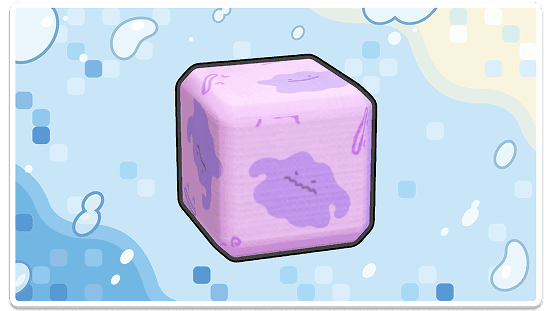
Version 2.0.0 adds a dynamic Ditto print pattern. Nintendo says you can obtain it by speaking to Smearguru after you earn the diploma. The patch notes don’t name the precise menu option to select, so there is no need to invent one.
Don’t confuse that pattern with the dynamic Ditto print recipe for blocks and wallpaper offered as an Expansion Pass purchase bonus. Nintendo’s store continues to list the recipe with the paid pass. Our Expansion Pass bonuses guide
Pokémon Pokopia Smearguru photo patterns arrived in the free update. The similarly named blocks-and-wallpaper recipe is a separate Expansion Pass purchase bonus, which Nintendo describes and distributes differently.
What else changed for painting?
Ten additional items can now be painted, including the workbench, vending machine, bookcase, bike, Pokémon Center counter, rope, stylish stool, handrail, metal chain and arrow sign. Version 2.0.0 also improves visibility of the targeted item when painting with paint balloons.
Smearguru can handle multiple Paint transactions in one conversation instead of making you start again after each interaction. That is useful if you’re decorating several objects or testing combinations for a room.
For example, you might take a reference photo of a decoration in a friend’s town, return home, and use it as the basis for a paint pattern. Pokémon Pokopia Smearguru photo patterns expand what you can do with that image; they don’t replace the 3D Printer if your goal is to recreate the item itself.
Do you need paid DLC for reference patterns?
No. Pokémon Pokopia Smearguru photo patterns are part of the free 2.0.0 software update, released on 5 August 2026. The Pokémon Company explicitly says these improvements are not locked behind the paid three-part Expansion Pass.
Save a clear reference photo using the camera steps above, then work with Smearguru’s painting feature. The official notes confirm that he can learn patterns from References, but they don’t publish a precise painting-menu sequence. For the other free changes, see the 2.0.0 update guide, including Dive and portal pod storage.
Related Guides
Official source: The Pokémon Company’s version 2.0.0 patch notes.