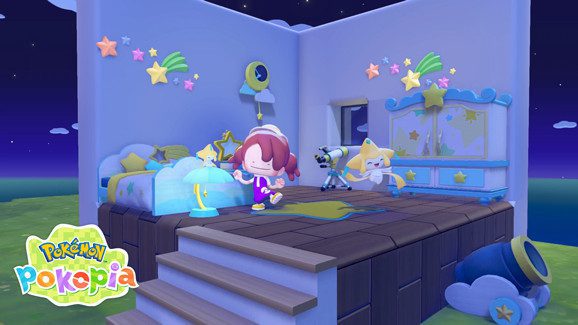
The Pokémon Pokopia portal pod is a shared storage chest. Put an item into one, and you can take it out of another pod, even if you’re in a different area. It’s a welcome change when you’re working on several towns at once.
Portal pods were added in the free 2.0.0 update on 5 August 2026. To unlock the recipe, raise Palette Town’s environment level until it becomes available to buy. You don’t need the paid Expansion Pass.
How to unlock a Pokémon Pokopia portal pod
First, progress Palette Town’s environment level. Nintendo’s official patch notes say the new portal pod and safe recipes become purchasable after that requirement has been met. Once unlocked, obtain the portal pod recipe through the game’s recipe purchasing system.
The official patch notes specify Palette Town progression but not the exact environment level, recipe price or crafting materials. If the recipe hasn’t appeared, keep improving that town and check its purchasable recipes. The Pokémon Pokopia portal pod is part of the free update, not a DLC-exclusive item.
How Pokémon Pokopia portal pod shared storage works
The pods share access to stored items. Something you place inside one can be retrieved from any other portal pod, and the two pods can be located in different areas. You don’t have to manually carry that item back and forth.
Say you’re restoring Palette Town and leave a stack of building supplies in a portal pod. Later, while decorating in another area, you open a second pod there and retrieve what you need. That is the main advantage of this system for players who like working on several towns at once.
Regular storage boxes aren’t linked in the same way. The cross-area feature is specifically described for portal pods, not for everything you store around your world.
What’s the difference between a portal pod and a safe?
| Item | What version 2.0.0 confirms |
|---|---|
| Portal pod | Shared storage across locations and areas |
| Safe | New craftable item unlocked after Palette Town environment progress |
| Ordinary storage box | Now supports bulk transfers between the box and your bag |
Both the portal pod and safe are new items, but the official descriptions do not say that the safe connects to the portal pod network. Treat them as different additions. The Pokémon Pokopia portal pod is the item whose cross-area storage function is expressly confirmed.
There’s also an independent improvement to normal storage: you can now move multiple items between a box and your bag at once. That makes packing supplies faster without changing how linked pods work.
Why isn’t the portal pod recipe appearing?
Check that Pokémon Pokopia is updated. The feature arrived in version 2.0.0, and the later version 2.0.1 patch includes earlier changes. On Nintendo Switch 2, highlight the game on the HOME Menu, press + or −, then choose Software Update followed by Via the Internet.
If the software is up to date, focus on Palette Town’s environment level. That is the prerequisite Nintendo actually names. The publisher has not listed a separate quest or specific menu sequence for obtaining the Pokémon Pokopia portal pod recipe, so avoid relying on unverified shortcuts.
Do you need the Expansion Pass for portal pod storage?
No. The Pokémon Company explicitly says the quality-of-life features in the free update do not require the three-part paid Expansion Pass. Bubbly Basin is a separately purchased underwater area, and its arrival around the same time as Dive and portal pods can make the distinction confusing.
If shared storage is the only reason you’re returning, the Pokémon Pokopia portal pod is part of the base game after updating. Our Pokémon Pokopia 2.0.0 update guide covers the rest of the free changes, including Dive and Smearguru.
Is a reference photo another way to share items?
No. References are photos of objects that can be used with the Pokémon Center 3D Printer to create copies in exchange for Pokémetal. That process is separate from placing your existing supplies into shared storage. A photo does not automatically deposit an item into a portal pod.
The Pokémon Pokopia portal pod lets you reach items you’ve stored elsewhere; the printer lets you make new ones using an item reference and the required materials. If you’re also decorating with photographed patterns, see our Smearguru reference photo guide. For a large cross-town building job, linked pods are best understood as convenient access points, not item duplicators.
Related Guides
Official source: The Pokémon Company’s version 2.0.0 overview.