

The Fortnite mobile Pocket Item HUD has changed with the v43.00 update. Pocket Items now have their own movable, resizable button in the HUD Layout Tool, so you can move the slot without shifting your entire Quickbar.
Epic also fixed two different problems that could make this button disappear, including one specific to Reload. If your customised touchscreen layout looks different after November 1, here’s what changed and how to set it up.
How to move the Fortnite mobile Pocket Item HUD slot
Before v43.00, the Pocket Item control was attached to the Quickbar. Now it can sit wherever it feels comfortable, with its own size setting. That makes it easier to fit around the movement, aiming and building buttons you already use.
To open the layout editor, follow Epic’s mobile support steps:
- Launch Fortnite on your phone or tablet and tap your profile picture in the upper-right corner.
- Open the three-line menu in the lower-left corner of the panel.
- Select HUD Layout Tool at the end of the menu.
- Choose the Pocket Item control in your HUD layout.
- Move it to a comfortable spot, then use the editor to change its size.
- Finish editing with the on-screen controls and test the position in a match.
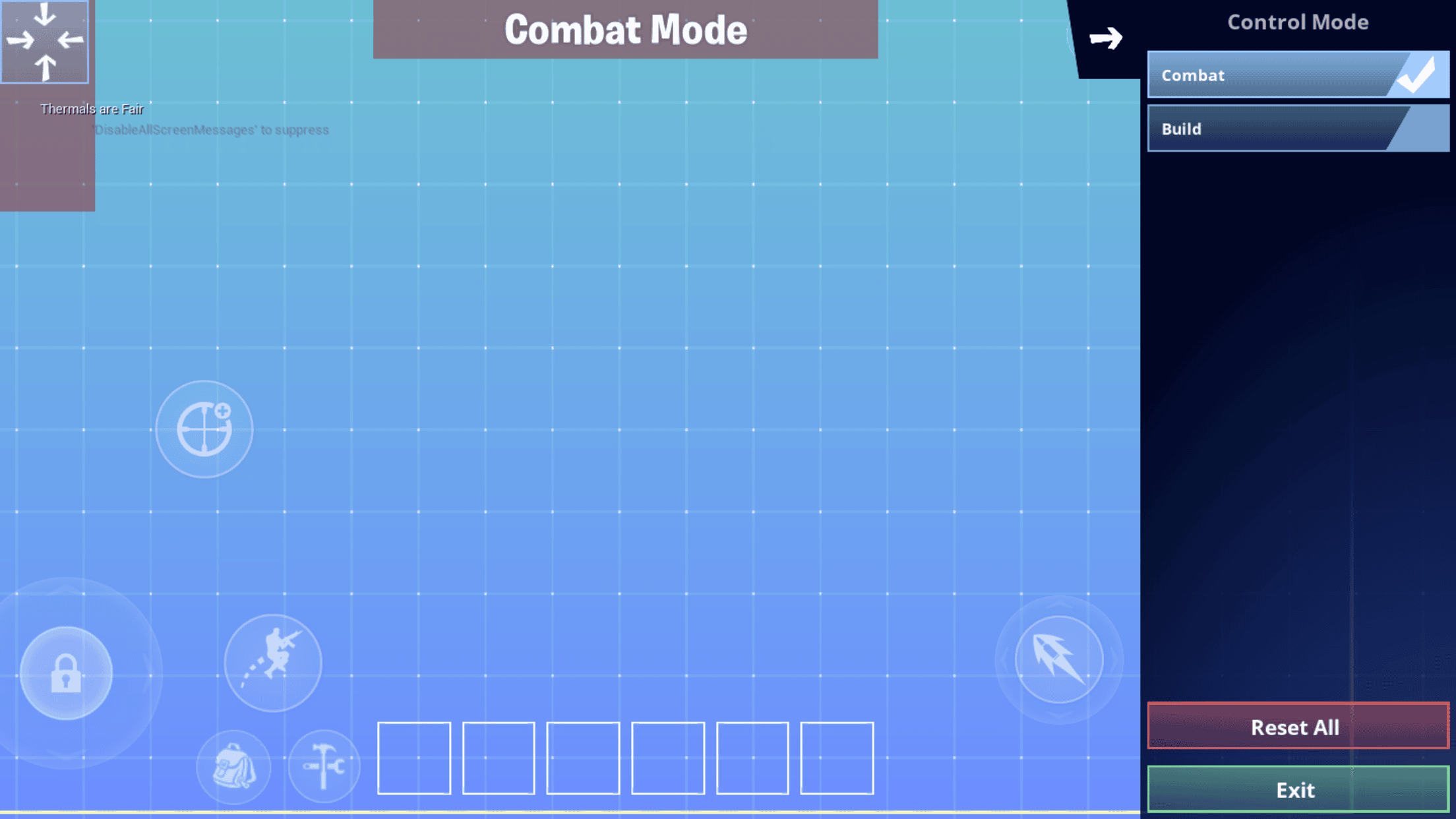
Make sure you’ve selected the Pocket Item, not the Quickbar. The Fortnite mobile Pocket Item HUD now lets you change this one button while keeping the rest of your familiar layout in place.
Why did the Pocket Item slot disappear?
There were two separate issues. Moving or dropping Utility Items in the final two inventory slots could make the Pocket Item disappear from the mobile HUD. Epic lists that bug as fixed in v43.00.
In Reload, players using custom mobile layouts based on older defaults could also end up without a visible Pocket Item slot. Epic fixed that issue in the same update.
If you’re using an older custom layout, check the editor before resetting all your controls. A button placed close to the edge of the display or beneath another control may be difficult to spot. Fortnite mobile Pocket Item HUD settings now give you more freedom to move the button away from crowded areas.
Does the update add more inventory space?
No. The changes are to the touchscreen interface, not how many items you can carry. The Pocket Item still works as an existing gameplay feature. If you’re looking for the item mechanic itself, our Fortnite Pocket Items guide explains it.
The Fortnite mobile Pocket Item HUD simply lets you choose where the control appears and how large it is. It doesn’t add an extra PC or console inventory slot.
Is the new HUD slot available on Android and iOS?
Epic lists the change under the general Mobile section of its v43.00 notes, not as an Android-only feature. Separate Android crash fixes are also included in the patch.
Make sure Fortnite is updated before opening the layout editor. If you use more than one screen size, review your button placement on each device. What feels comfortable on a tablet may be awkward on a phone.
Where should you put the Pocket Item button?
Try somewhere you can reach without covering the fire button, map or other controls you need during a fight. Making the Pocket Item larger can help with accurate taps, but you don’t want it to cover half your view.
Spend a match getting used to the new position, then tweak it if necessary. Fortnite mobile Pocket Item HUD customisation is useful because you no longer have to move the whole Quickbar to make one control easier to reach.
Is this the same as Fortnite Mobile Creator Tools?
No. The HUD Layout Tool is for your own controls as a player. Unreal Editor for Fortnite has different tools for creators designing interfaces inside their islands. Our Fortnite Mobile Creator Tools guide covers those separately.
Fortnite v43.00 also changed graphics settings on PC; see our Fortnite Dynamic 3D Resolution and DLSS guide for that change. On mobile, the Fortnite mobile Pocket Item HUD improvement is straightforward: find the separate button, size it to suit your screen and place it where your thumb can reach.
Official source: Epic Games Fortnite v43.00 fixes and improvements.





