
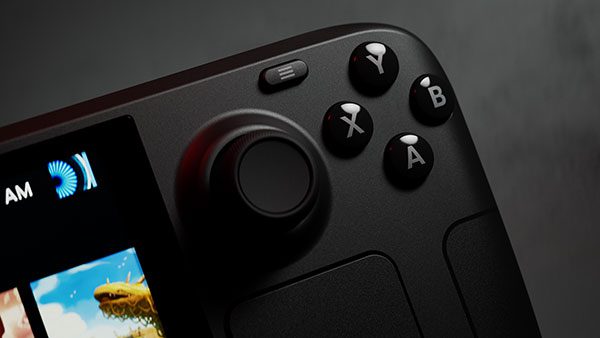
Steam Deck hibernation in SteamOS 3.9 remains disabled after Valve’s stable SteamOS 3.9.5 release on 23 October 2026. Valve has added early hibernation support to the operating system, but an outstanding driver bug means Steam Deck owners cannot turn it on as a normal power option.
If you hoped this update would let you leave a game suspended for days with barely any battery drain, it hasn’t. Steam Deck still offers Sleep, and Valve has made a separate idle-power improvement, but neither change is the same as hibernation.
Steam Deck hibernation in SteamOS 3.9: is it enabled?
No. Valve’s 3.9 stable release notes explicitly state that hibernation is preliminary, is not exposed in the Game Mode interface and has not been enabled on Steam Deck because of an unresolved driver issue. That status applies to the stable 3.9.5 rollout, not just an earlier testing build.
The newer Linux kernel has hibernation-related changes, but Valve hasn’t enabled them on Steam Deck. The software groundwork is there; support for the handheld’s drivers and the Game Mode power menu is not.
What is the difference between Sleep and hibernation?
Steam Deck already has Sleep, which suspends a game session so you can pick it up again later. The system still needs some power to preserve its state in memory. For a short break between gaming sessions, Sleep is the familiar choice.
Hibernation is different. On PCs where it is supported, the current session is written to storage before the computer enters a deeper low-power or powered-down state. It is designed for longer gaps between sessions, although waking can behave differently from ordinary Sleep.
That is why Steam Deck hibernation in SteamOS 3.9 isn’t available, even though the word appears in the release notes. Kernel support alone doesn’t make the power mode usable on a particular device.
How to use Sleep on Steam Deck instead
You can use Sleep through the regular controls, without entering Developer Settings or running commands. Save your game first where possible, especially when playing online:
- Press the power button briefly to suspend the Steam Deck.
- Or open the Power menu in Gaming Mode and select Sleep.
- Press the power button again to wake your Deck and return to the session.
- If you are putting it away for a long time without charging, save and select Shut Down rather than relying on Sleep alone.
Online games often need to reconnect after the Deck wakes, and Sleep still draws some battery. Save properly before leaving a game for an extended break. If the device will not wake, the Steam Deck not turning on guide covers power checks. Our Steam Deck stuck on logo guide tackles startup problems after a restart.
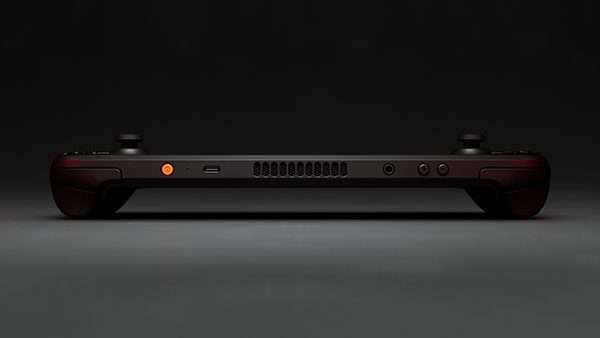
Does SteamOS 3.9.5 save Steam Deck battery?
Valve says the SteamOS 3.9.5 stable update improves idle power consumption when no audio is playing. The announcement does not supply an extra-hours figure, a percentage gain or a new battery-life benchmark for games.
That improvement does not enable hibernation. Steam Deck hibernation in SteamOS 3.9 remains disabled, and Valve hasn’t published a measured battery-life gain for this change. You can compare the earlier changes in the SteamOS 3.8.28 release.
Can Steam Deck hibernation in SteamOS 3.9 be enabled manually?
No. SteamOS 3.9.5 doesn’t offer a supported Hibernate switch on Steam Deck. Because Valve attributes the delay to a driver bug, changing update channels or copying terminal commands from an ordinary Linux PC is not a reliable workaround.
Use Sleep or Shut Down until Valve enables the feature through a supported SteamOS release. Linux hibernation tutorials for laptops aren’t suitable proof that the Deck’s driver issue has been fixed.
Will a later SteamOS release enable hibernation?
Valve hasn’t given an availability date. The change to look for is an official SteamOS release that says Steam Deck support has been enabled. Until then, the 3.9.5 limitation still applies.
You can check your installed version under Settings > System. The SteamOS 3.9 Desktop Mode guide covers the separate KDE Plasma changes. Plasma 6.7.3 arrived with the stable update; working Steam Deck hibernation did not.
Steam Deck hibernation in SteamOS 3.9: the answer
For now, Sleep is the choice for short breaks, while Shut Down makes more sense before longer periods away from a charger. Steam Deck hibernation in SteamOS 3.9 is still disabled by Valve, despite the underlying development work.
Official developer source: Valve SteamOS 3.9 release notes, 23 October 2026.





