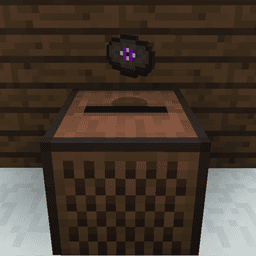
Minecraft Cold Sulfur Cube is a new Sulfur Cube form added in Java Edition 26.4 Snapshot 6 on October 27, 2026. Give a Sulfur Cube a Blue Ice block to change it into the Cold archetype. This version floats and can form temporary Frosted Ice as it slides across water.
To freeze water, start with a Sulfur Cube holding Blue Ice and send it from solid ground towards an exposed pool. The start position matters: a cube that begins moving while floating won’t make the Frosted Ice, and the water must have air above it.
How to make a Minecraft Cold Sulfur Cube
First find a regular Sulfur Cube from the existing Chaos Cubed game drop. That mob can absorb compatible blocks and take on special physical properties. In Snapshot 6, the new cold transformation is activated when it absorbs Blue Ice. Use Blue Ice, not Packed Ice, Snow Bricks or ordinary Ice.
Once it absorbs Blue Ice, it becomes a Minecraft Cold Sulfur Cube. This special form keeps the Fast Sliding movement and gains two abilities: floating on water and leaving Frosted Ice beneath its path. There’s no crafting-table recipe for the transformation.
If you’re looking for an ordinary Sulfur Cube before beginning, our Chaos Cubed guide covers the mob’s earlier release and where it comes from. You do not need a new biome exclusive to Snapshot 6 to test the Blue Ice transformation.
Minecraft Cold Sulfur Cube: how to freeze water
Move the transformed cube across the surface of a water area. As it travels, it can replace the water beneath it with a disk of Frosted Ice, much like the temporary ice left by a player wearing Frost Walker boots. The cube floats and maintains fast sliding movement, so it can move across the water it is freezing.
The water needs air directly above it, and the cube must start moving while on the ground. This rules out a covered pool or a cube that begins its journey already floating. A clear stretch of water beside a solid bank gives you the right conditions.
Try the effect in an open pool: put the cold cube on solid ground at one end, send it across the water and watch for Frosted Ice forming beneath its path. It’s a way to create a temporary crossing without putting Frost Walker boots on a player.
Why is my Minecraft Cold Sulfur Cube not freezing water?
Start by checking the block inside the cube. Blue Ice is what activates Cold; Snow Bricks instead belong to the Fast Sliding archetype. Then check the starting position: the cube must be grounded when movement begins, even though the cold version can float once it is moving.
Next inspect the water. It needs an empty air block above it for the Frosted Ice to appear. A covered pool with a ceiling directly on top of the water won’t satisfy that condition. Finally, confirm you’re using Java 26.4 Snapshot 6 or the matching Bedrock 26.70.22 testing build, rather than an older version of the game.
Does the Minecraft Cold Sulfur Cube create permanent ice?
The cube makes Frosted Ice, the temporary surface also produced by Frost Walker boots. It doesn’t turn the water into permanent Packed Ice or Blue Ice. Use the effect for crossings and cube experiments rather than as a way to stockpile ice blocks.
Keep this separate from Brittle Ice, the hazardous surface found over Ice Cave crevasses. Brittle Ice can crack when entities stand on it, while Frosted Ice is the temporary water-freezing result of the Cold archetype. One is a terrain hazard; the other is created by movement across water.
How the Minecraft Cold Sulfur Cube differs from other forms

The original Sulfur Cube changes its physics after absorbing certain blocks. Some block types produce bouncy or flat movement and others create sliding versions. Cold keeps fast sliding but adds floating and the Frosted Ice effect. That’s what makes Blue Ice distinctive in the new snapshot.
The new Packed Ice Bricks and Snow Bricks are also associated with Fast Sliding behaviour, but they do not activate Cold. The distinction matters when setting up a custom course: use Blue Ice for the freezing effect, or other compatible blocks if you only want the different sliding movement.
Which Minecraft versions include the Minecraft Cold Sulfur Cube?
The Cold archetype is currently available in Java Edition 26.4 Snapshot 6 and is also described in Bedrock Preview/Beta 26.70.22. These are testing builds. Players on the normal stable versions should not expect the Blue Ice transformation to be available yet.
In Java, open the Minecraft Launcher, go to Installations, enable Snapshots and choose the 26.4 test version. Make a backup or use a fresh world before loading any save you care about. The Snapshot 6 overview covers the installation steps and other winter changes.
The simplest way to try Minecraft Cold Sulfur Cube is with a Blue Ice block, a dry starting point and an uncovered pool. Once the cube starts sliding, you can watch it create a temporary frozen path across the water.
Related Guides
Official source: Mojang Studios: Java Edition 26.4 Snapshot 6 notes.