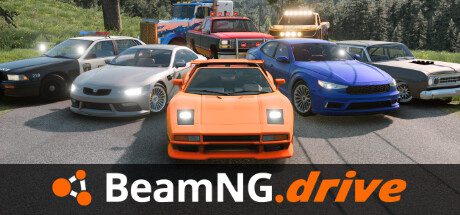
BeamNG.drive PS5 release arrived on 19 October 2026, bringing the long-running vehicle physics sandbox to PlayStation for the first time. If you’ve watched crash tests, elaborate car chases or spectacular chain-reaction pile-ups on PC, you can now play the driving and crash-physics sandbox on a console.
The BeamNG.drive PS5 release offers more than smashing cars together. Version 0.40 arrives alongside the PS5 debut, introducing split-screen multiplayer, a new truck, graphics changes and redesigned menus. Here’s what PlayStation players can expect and where the console and PC experiences differ.
Is BeamNG.drive available on PS5?
Yes. The BeamNG.drive PS5 release officially took place on 19 October 2026, alongside version 0.40 on PC. BeamNG’s announcement explicitly welcomes PlayStation 5 players and describes this as the game’s first console debut. That makes older articles stating BeamNG.drive is PC-only out of date.
The game is still built around its soft-body physics simulation: vehicles bend, panels crumple and parts react to collisions in far more detail than you’d expect from a traditional arcade racing game. Crashing isn’t the only activity. There are roads to explore, challenges to complete and opportunities to experiment with different vehicles in different conditions.
Does BeamNG.drive have split-screen multiplayer on PS5?
It does, and local multiplayer is one of the biggest features of the launch update. On PS5, up to four people can play together using split-screen. The PC build supports a theoretical maximum of 64 local players, although BeamNG warns that you’ll need enough controllers and considerable hardware power to approach that number.
To get started, open Split-Screen from the main menu, add the players and choose either Freeroam or one of the available game modes. You can also start split-screen while already in a level by opening the Pause Menu and selecting Split-Screen. In Freeroam, players begin together at a random location with vehicles chosen to suit the map.
On PS5, four controllers can share a local split-screen session. Freeroam starts players in the same area with vehicles suitable for the chosen map.
What does BeamNG.drive version 0.40 add?
The BeamNG.drive PS5 release includes version 0.40, with several substantial additions beyond split-screen. The headline vehicle is the Cherrier Percheron, a full-size European cab-over truck from the early 2000s. It has interactive cabin and exterior parts, a hydrodynamic retarder for long descents and accompanying European trailers, including flatbeds and tankers.
The update also introduces physical occupants, redesigned menus and graphics settings, changes to missions and improvements to performance. The developers have updated their anti-aliasing and upscaling options, added new reflection techniques and worked on loading times, vehicle selection and general stability.
Some features remain PC-specific. The patch notes label native Windows on Arm support, certain advanced tools, modding changes and several technical graphics options for PC. So even though the BeamNG.drive PS5 release is closely tied to the 0.40 update, the feature lists shouldn’t be treated as identical.
What can you actually do in BeamNG.drive?
For the BeamNG.drive PS5 release, Freeroam is the easiest starting point. Pick a map and a vehicle, then drive wherever you like. You can practise corners, explore winding roads, find rough terrain or see how much punishment a car can withstand. Every dent and mechanical failure changes what happens next, so a small collision can turn a simple journey into a challenge.
The game’s structured activities offer more direction. The 0.40 release notes mention drift missions, races, improved route guidance and a new TastiCola Driver delivery mission. These give you something to aim for when you want more than an open-ended sandbox.
Players coming from Gran Turismo 7 or Forza Horizon 6 should expect a different sort of driving experience. BeamNG focuses on how vehicles behave, including when something goes wrong. Its appeal lies in the physical handling, damage and consequences of each driving decision.
Is the PS5 version exactly the same as PC?
Mods and VR aren’t supported in BeamNG.drive on PS5 at launch. BeamNG confirmed this in its September release-date announcement. The developer wants closer feature parity between platforms where possible, but hasn’t committed to a timetable or final scope for bringing either feature to console. PC players still have access to the game’s established modding features, and version 0.40 includes PC-only VR improvements through OpenXR.
No. The BeamNG.drive PS5 release shares the core driving and physics experience with PC, but the patch notes mark a number of technical and modding features as PC-only. BeamNG also lists a higher theoretical player count for PC split-screen, whereas PS5 supports up to four people locally.
For anyone interested in the BeamNG.drive PS5 release primarily for the game’s famous crashes, roads and vehicles, the PS5 release opens up the experience without a PC. If your main interest is user-created mods, specialist tools or unusual peripheral setups, check the game’s official platform documentation before assuming that every PC feature carries over.
BeamNG.drive PS5 versus PC at launch
| Feature | PS5 | PC (version 0.40) |
|---|---|---|
| Physics sandbox and Freeroam | Yes | Yes |
| Local split-screen | Up to four | Up to 64 in theory, depending on hardware and input devices |
| Split-screen game modes | Seven | Seven |
| Community mods | Not supported at launch | Supported |
| Virtual reality | Not supported at launch | PC VR, including new DirectX 12 support through OpenXR |
If you’re choosing a version to buy, those last two rows are significant. The PS5 edition gets the actual physics playground and four-player local mode, but anyone primarily interested in modded vehicles or VR driving should choose PC for now. BeamNG has not announced a date for console mods or VR.
Official release notes
For further BeamNG.drive PS5 release details, read the developer’s official version 0.40 launch announcement, which links to the full technical release notes and explains the platform-specific additions.