
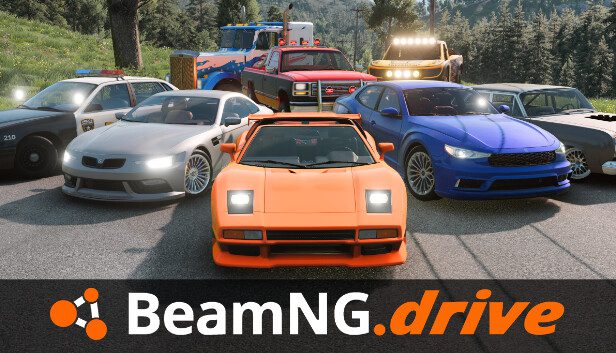
BeamNG.drive split screen lets several people drive on the same machine, using one console or PC and a shared display. It arrived with version 0.40 on 19 October 2026, the same day the game launched on PlayStation 5.
You can start a shared session directly from the main menu or invite more players while you’re already driving. The setup is straightforward, but the PS5 and PC player limits are very different, and the game will need more processing power as you add more vehicles.
Split-screen setup: step by step
- Connect a controller for each participant. On PS5, the console assigns devices to players. On PC, you can allocate multiple devices to the same player, such as a wheel and separate pedals.
- On the main menu, open Split-Screen and add the people joining the session.
- Choose Freeroam for open-ended driving or select one of the multiplayer game modes.
- Set the available mode options, such as the track layout, laps, target score or penalties, and start playing.
- To add or remove someone later, open Split-Screen Settings. The updated roster can be applied without restarting the entire session.
Which split-screen mode should you choose?
| Mode | Goal |
|---|---|
| Race | Reach the finish ahead of your friends on a selected track |
| Drag Race | Win a head-to-head quarter-mile race |
| Pursuit | Escape as the runner or make an arrest as the chaser |
| Derby | Be the last vehicle still moving |
| Drift | Score the most points before time runs out |
| Rock Crawling | Clear technical trails, with optional penalties |
| Soccer | Push the ball into the opposing team’s goal |
For a first session, Freeroam or Drag Race is an easy starting point. On PC, open the player-device assignments if a wheel, pedals or gamepad is controlling the wrong driver. On PS5, check the controller’s console-level player assignment.
Starting from inside Freeroam
For BeamNG.drive split screen, select Split-Screen from the main menu, add the participating players and choose Freeroam or an available game mode. That’s the route BeamNG recommends when everyone is joining at the start of the session. Once the game loads, each player gets a section of the display and their own vehicle to control.
If you’ve already loaded into a level, you don’t need to return to the title screen. Open the Pause Menu and select Split-Screen there instead. This is useful when someone decides to join halfway through your drive, or if you want to switch from solo exploration to a shared session without starting again from scratch.
How many players does BeamNG.drive split screen support?
On PS5, BeamNG.drive split screen supports up to four local players. Everyone will need a controller, and the game divides the display so each person can see their own driving. Each participant has a separate view, with four controllers needed for a four-player PS5 session.
On PC the developer lists a theoretical limit of 64 local players. That is an upper software limit, not a recommended setup: BeamNG immediately notes that you’d need that many input devices and a computer capable of handling all those active simulations. It isn’t a guarantee that an ordinary gaming PC will produce a good 64-player experience.
For your first BeamNG.drive split screen session, start with two players and see how the game runs before adding more. Complex vehicle damage, traffic and busy environments all increase the work your system must handle, particularly when several vehicles are moving and colliding at once.
One quick BeamNG.drive split screen tip: assign each player’s controller before loading a busy map, so nobody has to troubleshoot inputs mid-race.
What happens when you choose Freeroam?
BeamNG.drive split screen offers Freeroam as one of the options. According to the official patch notes, everyone begins together in a random spot, with each person given a random vehicle suited to the selected map. You can start driving without selecting vehicles separately for each participant.
Use Freeroam for open exploration, informal races or testing vehicle damage together. Unlike a structured race, it leaves the choice of route and activity to the group.
Version 0.40 also includes multiplayer game modes beyond simply exploring a map. Choose from the options displayed on your platform’s game-mode screen; the available selection is presented in-game when you configure a session.
Does BeamNG.drive split screen work online?
The feature described in the version 0.40 announcement is local split-screen multiplayer. It is designed for people sharing a system and a display. BeamNG’s published instructions explain how to add local participants; they don’t present this update as the launch of a conventional cross-platform online lobby system.
If you want to play remotely from separate homes, don’t treat the existence of BeamNG.drive split screen as confirmation of online multiplayer or crossplay. Check the current official game details for your platform, since local and online multiplayer are very different features.
What if split screen feels slow?
BeamNG’s physics simulation works hard even in single-player, and every additional active vehicle adds to that load. The update introduces low-performance warnings in Freeroam and split-screen sessions if the frame rate stays below 25 FPS. You’ll also see a warning before spawning another vehicle when the game is already struggling.
Try a less demanding location, reduce the number of vehicles on screen or lower appropriate graphics settings if you’re on PC. The developer also redesigned graphics options in version 0.40, which makes it easier to find the relevant settings. The warning is there to help you recognise why an ambitious session might not be as smooth as a two-player drive.
Can you play BeamNG.drive alone?
Absolutely. BeamNG.drive split screen is an addition to the familiar single-player experience, not a replacement. Freeroam, driving missions and vehicle experiments all remain options when you’re on your own. If friends visit, you can open the new multiplayer mode and share the fun without changing games.
For console purchases and hardware support, see our PS5 launch overview, steering wheel compatibility list and mods and VR guide.
BeamNG explains the controls and limits in its official version 0.40 release notes.