Witcher 3 Remastered audio fix in Hotfix 5.00c targets a specific PC problem where voiceover could become much quieter than the rest of the game after moving through tabs in the pause menu. If Geralt, NPC dialogue or conversation audio suddenly sounds distant while music and effects stay normal, install the hotfix before changing every mixer setting.
CD Projekt Red describes the trigger clearly: navigating pause-menu tabs could leave voiceover at a significantly lower level. That makes this different from a general low-volume setup, Windows spatial-audio issue or speaker configuration problem. The fastest diagnosis is to update, restart the game and reproduce the same menu navigation that previously caused the drop.
Witcher 3 Remastered audio fix: what 5.00c actually fixes
The Witcher 3 Remastered audio fix corrects the state change that reduced voiceover volume after pause-menu navigation. It does not raise the master volume beyond the value you selected and it does not rebalance music or sound effects globally. If your dialogue was already quiet before opening the menu, another setting may still be responsible.
Because the bug was state-based, restarting the game could sometimes appear to help temporarily. Hotfix 5.00c is the important change because it addresses the documented trigger rather than relying on a restart every time the mix goes wrong.

How to use the Witcher 3 Remastered audio fix for quiet voiceover
- Exit Remastered fully.
- Install Hotfix 5.00c through your PC storefront.
- Restart the launcher and game.
- Load a save with nearby spoken dialogue if possible.
- Open the pause menu and move through several tabs.
- Return to gameplay and compare voiceover with music and effects.
If dialogue now stays at the same relative level, the Witcher 3 Remastered audio fix is working as intended. You should not need to compensate by pushing voice volume to maximum or cutting every other channel.
Which platforms have the Witcher 3 Remastered audio fix?
Hotfix 5.00c is listed for Steam, GOG, Epic Games Store, Battle.net and Xbox Play Anywhere on PC. CD Projekt Red separately says the volume issue is being addressed on console, so do not assume the same build number or release timing applies to PS5 and Xbox Series X|S. The Witcher 3 Remastered audio fix on this page is specifically the PC correction in 5.00c.
That platform split is useful when sharing fixes. A friend on console may have the same symptom without having access to the same hotfix yet, while a PC player should already be able to update.
Check the in-game audio sliders after updating
If voices remain quiet, open the audio settings and compare voice, music and effects levels. Put them back to a sensible baseline before testing. The Witcher 3 Remastered audio fix cannot compensate for a voice slider that has manually been set far below the others.
Also confirm that dynamic range or output settings match your hardware. Headphones, stereo speakers and surround systems can expose dialogue differently, especially if a centre channel is expected but not actually connected.
Windows checks if the problem remains
Use Windows Volume Mixer to confirm Remastered is not being reduced independently. If you use spatial audio, virtual surround software or an external DAC application, test once with those enhancements disabled. This helps separate a remaining application-level issue from the original pause-menu bug.
Do not change five audio systems at the same time. The useful way to test the Witcher 3 Remastered audio fix is one controlled comparison: default Windows output, known in-game levels and the same conversation before and after pause-menu navigation.
What not to do
There is no reason to reinstall the entire game first. A full reinstall is much more disruptive than allowing the small hotfix to apply and checking whether your files validate. Likewise, deleting configuration files can wipe useful custom settings without proving anything about the original voiceover bug.
If 5.00c is installed and only one quest or one NPC line remains abnormally quiet, that may be a separate asset or mixing problem. Record the location and line so it can be reported precisely rather than treating every low-volume moment as the same Witcher 3 Remastered audio fix issue.
Other 5.00c fixes worth knowing
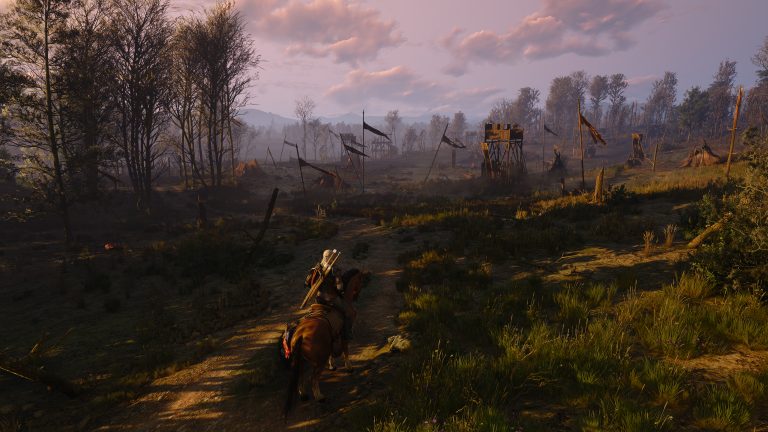
The same PC hotfix fixes save and load failures tied to special characters in the Documents path, restores Classic 1.32 launching, corrects GOG achievement display, rolls back a HairWorks regression and makes visual adjustments in Velen. The Witcher 3 Remastered audio fix is only one part of the package, so updating is worthwhile even if audio is the problem that brought you here.
Once the hotfix is installed, keep your existing audio settings unless the test shows they need adjustment. The important result is consistency: voiceover should no longer collapse simply because you navigated the pause menu.
Official source: CD Projekt Red Hotfix 5.00c notes.