Witcher 3 Remastered Classic Version Not Launching is one of the PC problems fixed by Hotfix 5.00c. CD PROJEKT RED says the update restores the ability to launch the Classic 1.32 version, so players who deliberately use that branch should update before attempting more invasive launcher, mod or installation workarounds.
If you are seeing Witcher 3 Remastered Classic Version Not Launching after the Remastered release, make sure the PC installation has received Hotfix 5.00c. The fix is included for Steam, GOG, Epic Games Store, Battle.net and Xbox Play Anywhere on PC.
How to fix Witcher 3 Remastered Classic Version Not Launching
The official solution for Witcher 3 Remastered Classic Version Not Launching is to install Hotfix 5.00c. Close the game and launcher, allow your storefront to update The Witcher 3, then retry Classic 1.32 after the patch has finished.
If the launcher does not offer the update, restart it and use the platform’s verify or repair function. Do not delete the entire installation as your first move. A repair is quicker and can trigger a missing manifest or patch check without forcing a full download.
What is the Classic 1.32 version?
The Witcher 3 Remastered Classic Version Not Launching issue matters because some PC players intentionally keep access to the older 1.32 build. Classic can be useful for older mod setups, established configurations or players who simply prefer the pre-Remastered version.
Classic 1.32 is not the same as launching Remastered with lower graphics settings. It is the older game branch, and CD PROJEKT RED specifically identifies the failure to launch that version as fixed by 5.00c.
Which storefronts received the Classic fix?
The fix for Witcher 3 Remastered Classic Version Not Launching is part of the PC Hotfix 5.00c release. CD PROJEKT RED lists Steam, GOG, Epic Games Store, Battle.net and Xbox Play Anywhere as supported PC versions for the hotfix.
This is why comparing the version number with a PlayStation or Xbox console can be misleading. The Classic 1.32 branch is a PC-specific concern in this context, and 5.00c is the PC hotfix that repairs it.
Do you need to remove mods first?
Not before testing 5.00c. Because Witcher 3 Remastered Classic Version Not Launching is explicitly listed as fixed, install the official hotfix and try the Classic branch before dismantling a working mod setup.
If Classic still fails after the update, then test once with third-party tools, launch arguments or mod managers disabled. Back up files instead of deleting them. Changing one variable at a time makes it much easier to tell whether the official fix worked.
How to check you are launching the right branch
After fixing Witcher 3 Remastered Classic Version Not Launching, confirm that your storefront is still set to the Classic 1.32 branch. Troubleshooting can sometimes leave the client pointed back at the current Remastered build.
Once Classic is selected, launch it directly from the storefront. If the branch opens after 5.00c, the original remaster-related launch bug is resolved and you can then re-enable your normal tools one at a time if necessary.
Other Hotfix 5.00c changes
The same build that fixes Witcher 3 Remastered Classic Version Not Launching also repairs saving and loading when the Documents path contains special characters. CD PROJEKT RED also fixes quiet voiceover audio, GOG achievement display and marketing telemetry settings.
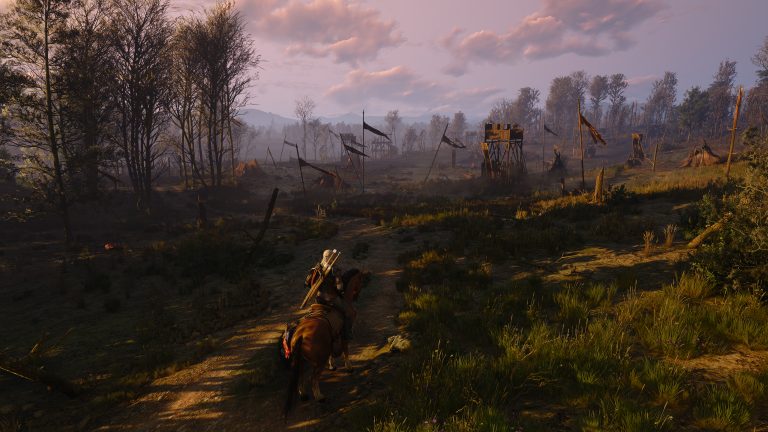
Visual adjustments were made in Velen, and a HairWorks change that caused serious visual and performance issues for some users was reverted. Updating therefore addresses several separate PC problems at once.
What if Classic still will not start?
If Witcher 3 Remastered Classic Version Not Launching continues on a confirmed 5.00c installation, verify the files and remove custom launch arguments for one clean test. Then disable external mod managers or injectors temporarily.
A failure after those steps may be a local compatibility problem rather than the specific launch bug fixed by CD PROJEKT RED. When reporting it, include the storefront, selected branch, game version and whether an unmodded test also fails.
Current Classic launch status
CD PROJEKT RED lists Witcher 3 Remastered Classic Version Not Launching as fixed in Hotfix 5.00c. Updating is therefore the direct supported solution for players who lost access to Classic 1.32 after the Remastered release.
Retry the branch on the current build before following older workarounds. If it opens normally, no folder surgery is required. If Witcher 3 Remastered Classic Version Not Launching persists, troubleshoot the remaining failure as a current-version issue rather than assuming the original hotfix has not been installed.
Official source: CD PROJEKT RED Hotfix 5.00c notes.