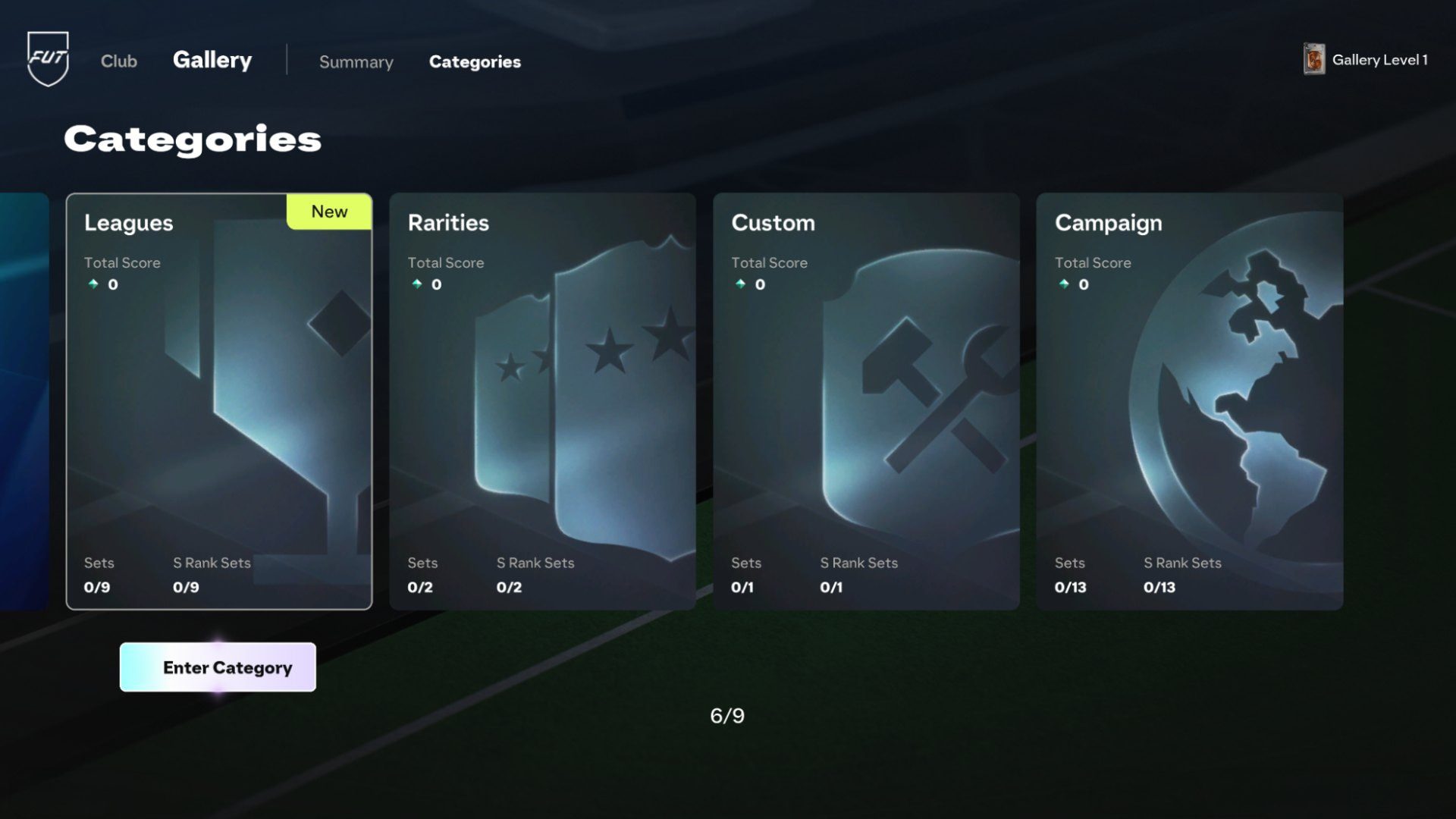
FC 27 Gallery Players Not Counting is affecting some newly released special cards, with players reporting that an Item can display the “Added to Gallery” message and still fail to appear inside the relevant FUT Gallery Sets. Fresh reports include Team of the Week 2 Jonathan David and Holographic Pascal Groß, with the cards missing from Rarities, league and club collections even after restarting the game.
There are also two Gallery rules that can look like the same bug when they are actually intentional. Loan Items never count toward the Gallery, while Evolution Items are recorded using the original version of the Player Item before the Evolution upgrades were applied. If neither rule explains the missing card, the current FC 27 Gallery Players Not Counting reports point to a live registration issue rather than something you have done wrong with the Set.
FC 27 Gallery Players Not Counting: check these rules first
FC 27 Gallery Players Not Counting – Image credit: EA SPORTS
Before treating FC 27 Gallery Players Not Counting as a bug, check whether the Item is actually eligible. EA says most Player Items obtained through Packs, the Transfer Market, Objectives, SBCs and other Ultimate Team rewards can become part of the Gallery. The important exceptions and special cases are easy to miss during launch week.
- Loan Items: these are not eligible and never count toward Gallery Sets.
- Evolution Items: the Gallery records the original pre-Evolution version, not the upgraded OVR and stats you see on the finished Evo.
- Sold or submitted Items: eligible Items can stay in Gallery history after being sold on the Transfer Market or used in an SBC.
- Special Items: eligible special versions can contribute to Sets, including Rarity Sets such as Team of the Week.
That means a missing Loan is expected, and an Evo appearing at its old rating is expected. A newly acquired non-Loan TOTW card that says it was added and then cannot be found in the Team of the Week Rarity Set is a different situation. That is the pattern behind the current FC 27 Gallery Players Not Counting complaints.
Why new TOTW 2 cards can be missing from the Gallery
The clearest live example involves cards released with EA FC 27 TOTW 2. An EA Forums report describes TOTW Jonathan David and Holographic Pascal Groß showing the confirmation message when acquired, then failing to appear in the TOTW Rarity collection, the relevant league and club Sets, or even a broader Starter Set search. Other players have replied with the same problem.
EA has not published a confirmed root cause or universal fix at the time of writing. Because affected Items are being acknowledged by the game before disappearing from Gallery selection, FC 27 Gallery Players Not Counting currently looks more like a live Gallery-recording or display problem than an eligibility problem for those specific non-Loan cards. That is an inference from the symptoms, not an official diagnosis from EA.
Do not immediately rebuy the same card solely to force another Gallery registration. One player reporting the issue sold and repurchased Groß and said the second acquisition still did not make the Item appear. That does not prove repurchasing can never help, but it does mean spending extra Coins is not a reliable fix for FC 27 Gallery Players Not Counting.
How to fix FC 27 Gallery Players Not Counting
There is no confirmed one-button repair yet, so the useful approach is to rule out the intentional Gallery behaviour first and then refresh the connection without risking the Item or your account. Try these checks in order:
- Confirm the Item is not a Loan. Loan cards are deliberately excluded from Gallery Sets.
- If it is an Evolution, search for the original version. The upgraded Evo rating does not become a separate Gallery entry.
- Check more than one relevant Set. Look in the correct Rarity, league and club collections rather than relying on a single Set screen.
- Leave Ultimate Team and reconnect. Return to the main FC 27 menu, enter Ultimate Team again and recheck the Gallery.
- Fully close and restart FC 27. This is worth trying for a stale interface or delayed sync, although current reports show it does not fix every affected Item.
- Do not discard, quick sell or rebuy the card just to test the Gallery. Eligible Items normally remain in Gallery history after leaving the Club, and spending Coins again is not a proven solution.
- Recheck after EA refreshes live Ultimate Team services. Newly released special Items can be worth checking again later if the Gallery database or Set eligibility has not updated correctly.
If FC 27 Gallery Players Not Counting continues after those steps, keep the affected Item details handy: player name, card rarity, whether it is Holographic, the Set where it should appear, platform and the time you acquired it. That makes an EA Forums or support report much more useful than simply saying the Gallery is broken.
Why Evolution cards show the old rating
Evolution cards are one of the biggest sources of false FC 27 Gallery Players Not Counting alarms. EA specifically confirms that an Evolution still contributes to the Gallery, but the Gallery entry is based on the original version of the Player Item before it entered the Evo. The Evolution upgrades do not increase its Gallery Item Score and do not create another upgraded version in the collection.
So if you turn an eligible Item into a much higher-rated Evolution and then search the Gallery for that upgraded OVR, the missing upgraded version is intentional. This matters when trying to improve a Set Grade. The system is grading the original recorded Item, not the stronger card now sitting in your active squad. Our FC 27 card grading guide explains how Item Score affects Set Grades.
Do sold players still count if they registered correctly?
Yes. A normal eligible card does not have to remain in your Club forever. EA says Items that have passed through your Club can remain in Gallery history after you sell them or submit them into an SBC. That is why FC 27 Gallery Players Not Counting should not normally be fixed by keeping every collectible card permanently in storage.
If the card registered correctly before you sold it, it can still contribute to a current or future Set. You can also use the same eligible Player Item across multiple Gallery Sets. For the wider collection system, see how to complete FUT Gallery Sets in EA FC 27 and our guide to getting Gallery Tokens.
Is EA investigating the Gallery issue?
EA has published detailed Gallery rules, but it has not yet posted a specific public fix for the current new-card registration reports. The official EA SPORTS FC 27 Gallery Sets guide confirms the intended Loan, Evolution and collection-history behaviour, while the EA Forums Gallery Errors with new TOTWs thread is documenting the live TOTW 2 problem.
With the worldwide Standard Edition launch expanding the Ultimate Team player base on September 24 and 25, FC 27 Gallery Players Not Counting is worth checking again whenever EA updates live services. If your missing Item is a normal eligible special card rather than a Loan or upgraded Evo representation, keep the card and recheck the Gallery before spending Coins on a duplicate.