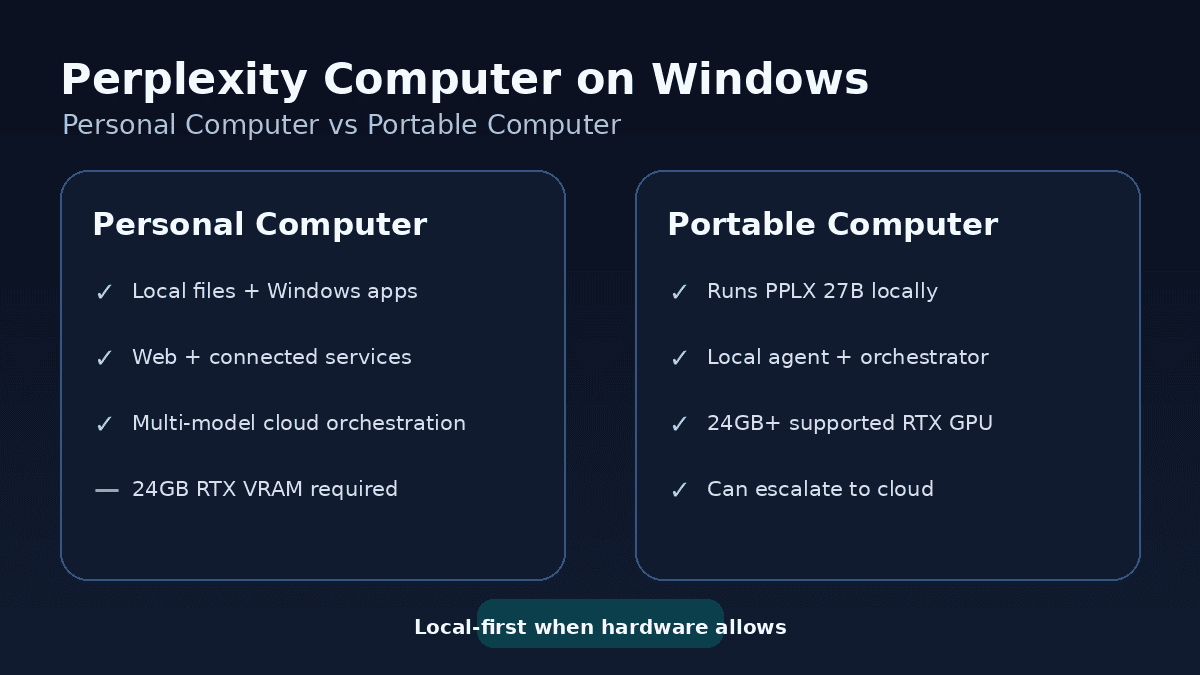
Perplexity Portable Computer vs Personal Computer sounds like a comparison between two unrelated apps, but the relationship is closer than that. Personal Computer is Perplexity’s Windows agent for working across approved local files, desktop apps, connected services and the web; Portable Computer adds supported local-model inference so much more of the agent can run on your own GPU.
The names are easy to misread. “Portable” does not simply mean a laptop edition, and Personal Computer does not mean that every AI model already runs locally. On Windows, Perplexity actually tells supported users to start with Personal Computer and then enable PPLX 27B local inference in Settings.
Perplexity Portable Computer vs Personal Computer
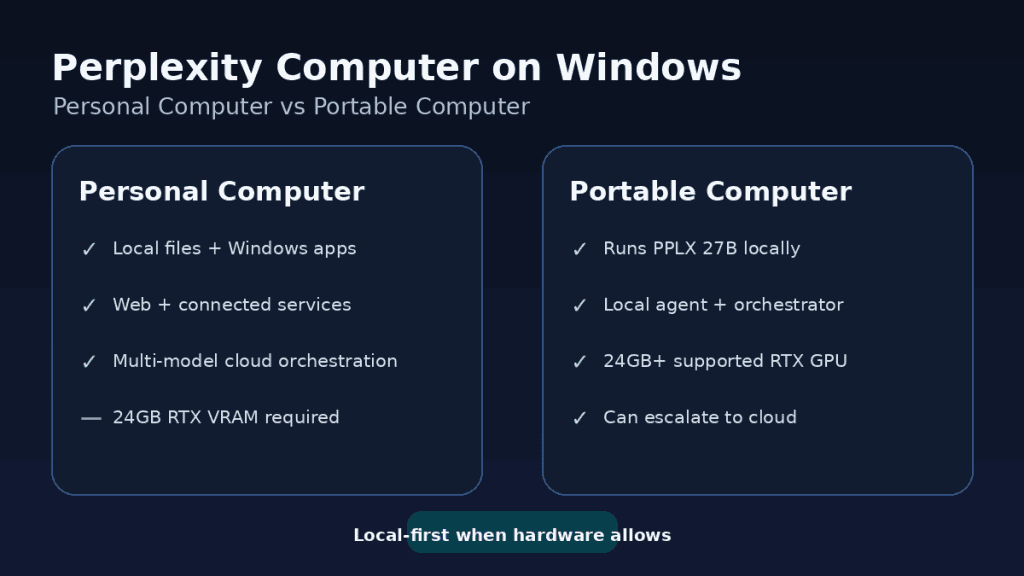
The clearest way to understand Perplexity Portable Computer vs Personal Computer is to separate local file access from local AI inference. Personal Computer can work directly with files and applications on your Windows machine, but its model orchestration can still use Perplexity’s cloud models. Portable Computer adds the local-first model layer on supported hardware.
| Feature | Personal Computer for Windows | Portable Computer on Windows |
|---|---|---|
| Works with approved local files | Yes | Yes |
| Works with Windows apps | Yes | Yes |
| Can use the web and connected services | Yes | Yes |
| Runs PPLX 27B locally | Not required | Yes, on supported RTX hardware |
| RTX 24GB VRAM minimum | No published 24GB requirement | Yes |
| Cloud model use | Part of normal orchestration | Used when needed, with approval for escalation |
| Local work without per-credit model charge | Not the defining feature | Yes, for work handled by local models |
| Current subscription access | Pro and Max rollout | Pro and Max |
What is Personal Computer for Windows?
Personal Computer for Windows is Perplexity’s desktop agent environment. The company says it runs natively on Windows and can search, read and write files in folders you approve. It can also work inside Microsoft Word, Excel, PowerPoint and Outlook, use connected services, control the Comet browser and coordinate work across more than 15 models.
Perplexity emphasises permission boundaries: Personal Computer only reads from approved folders, files and apps, and users can see and control the actions it takes. That local access is important, but it is different from saying the language model itself is running on your graphics card.
What changes with Portable Computer?
Portable Computer changes where more of the AI stack runs. On a supported Windows PC, Perplexity currently offers PPLX 27B for local inference. The company also says the orchestrator, planner, tool router, scheduler and local search components can run on device.
That is the key distinction in Perplexity Portable Computer vs Personal Computer: both can work with your PC, but Portable Computer is specifically designed to keep much more of the reasoning and agent execution local when the hardware can support it.
Is Portable Computer a separate Windows app?
Not in the simple sense implied by the name. Perplexity’s Windows setup instructions say to start with Personal Computer for Windows and then set up PPLX 27B local inference in Settings on a supported PC. Portable Computer is therefore better understood as the local-first capability layered into the Windows Computer experience rather than a completely separate everyday desktop app.
That relationship is why searches for Perplexity Portable Computer vs Personal Computer can be confusing: the products overlap in interface and agent features, while the decisive difference is whether supported local inference is enabled.
Which one needs an RTX GPU with 24GB of VRAM?
Portable Computer does. Perplexity currently requires a supported NVIDIA RTX GPU with at least 24GB of VRAM for local inference on Windows. The Personal Computer product page does not list that 24GB requirement for ordinary Windows use.
For a practical GPU-by-GPU breakdown, see our Perplexity Portable Computer requirements guide. It explains why cards such as the RTX 3090 and RTX 4090 clear the published VRAM floor while an RTX 5080 does not.
Does Personal Computer keep files local?
Personal Computer can read and edit files where they live on your Windows machine, inside folders and apps you approve. That does not mean every model interaction is local. The standard agent can still orchestrate cloud models and online tools as part of a task.
Portable Computer is designed to keep more of the task on the machine. Perplexity says local models can read files, search documents and code, take actions on the device and keep jobs running. When a step needs web access or stronger frontier reasoning, the system can ask for approval before escalating that step to a cloud model.
Do both versions need the internet?
Neither product should be treated as permanently offline. Personal Computer is built around local files, apps, connectors and web access, while Portable Computer can perform many tasks locally but still uses the network when the job requires current web information, cloud reasoning or connected services.
The useful distinction in Perplexity Portable Computer vs Personal Computer is therefore not “online versus offline”. It is ordinary cloud-assisted desktop orchestration versus a local-first setup that can keep far more inference and agent work on your own machine.
Do local Portable Computer jobs use Perplexity credits?
Perplexity says work handled by the local models has no per-credit charge. That matters for repetitive or high-volume tasks because the compute is being supplied by your own hardware rather than consumed entirely in Perplexity’s cloud.
Cloud escalation is different. If a task needs a web search or a frontier model, the local orchestrator can request approval and route that part externally. Subscription limits and cloud usage can therefore still matter even when Portable Computer is enabled.
Which should you use on a normal gaming PC?
If your PC does not have a supported RTX GPU with at least 24GB of VRAM, the Perplexity Portable Computer vs Personal Computer choice is effectively made for you: Personal Computer is the relevant Windows product, while local PPLX 27B inference is outside the current Portable Computer hardware requirement.
If you do have qualifying hardware and want more tasks processed locally, Portable Computer adds that local-first option without removing the wider Windows agent features. Check the Portable Computer product page and the Personal Computer for Windows page before setup, because availability and supported hardware can change as Perplexity expands the product.