
How Xbox Disc-to-Digital Works is surprisingly simple from the player side: insert a supported Xbox One or Xbox Series X game disc into an Xbox console with a disc drive, launch the game and claim the digital entitlement when the feature is available for that title. Microsoft began testing the system with Xbox Insiders on August 31, 2026, starting with thousands of supported games.
The interesting part of How Xbox Disc-to-Digital Works is what happens after that entitlement exists. Xbox says supported games can gain the conveniences normally associated with digital ownership, including Xbox Play Anywhere and Xbox Cloud Gaming where those services are supported. Your physical disc does not stop working, and Microsoft describes the feature as a way to carry physical libraries forward rather than replace them.
How Xbox Disc-to-Digital Works: Step by Step
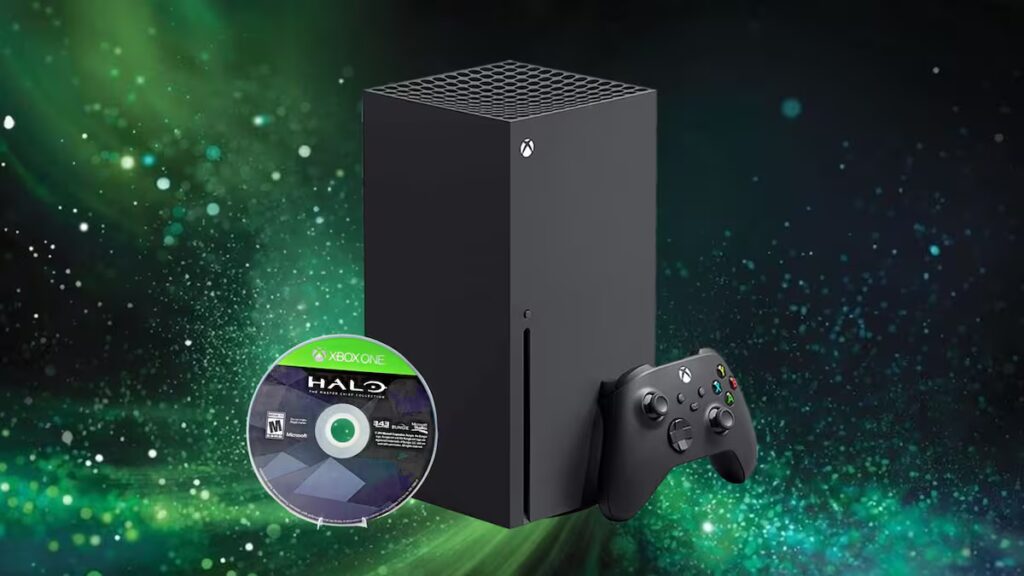
The basic process behind How Xbox Disc-to-Digital Works begins on hardware that can actually read the disc. You need an Xbox One or Xbox Series X console with a functioning optical drive, because the console has to recognise the physical game before it can offer the entitlement. A Series S cannot perform the initial disc check because it has no disc drive.
- Join the Xbox Insider preview while the feature remains in testing.
- Sign into the Xbox account you want to use.
- Insert a supported Xbox One or Xbox Series X game disc.
- Launch the game so Xbox can check whether that disc participates.
- Claim the digital entitlement when the option is presented.
- Use the resulting digital access on supported Xbox services and devices.
That is the core of How Xbox Disc-to-Digital Works. There is no trade-in, no need to mail the disc to Microsoft and no paid conversion fee in the official announcement. The physical copy remains usable, which is an important difference from old disc trade-in schemes that required players to surrender the original game.
What a Digital Entitlement Gives You
Understanding How Xbox Disc-to-Digital Works means separating the entitlement itself from the features a particular game supports. The entitlement can make a supported physical purchase behave more like a digital licence across the Xbox ecosystem, but it does not automatically turn every title into an Xbox Play Anywhere game or a cloud-streaming game.
| Feature | What disc-to-digital changes |
|---|---|
| Xbox console access | A supported disc can grant a digital entitlement. |
| Xbox Play Anywhere | Available only if that game already supports Play Anywhere. |
| Xbox Cloud Gaming | Available only where that game is cloud-playable and your account or service tier qualifies. |
| Physical disc | Continues to work normally. |
| Unsupported games | Remain normal physical-disc games unless support is added later. |
This is why How Xbox Disc-to-Digital Works matters most for games that already have a broad Xbox footprint. If a supported title also participates in Play Anywhere, the entitlement can help bridge a physical console purchase into PC or handheld play. If the game is cloud-enabled, it can also become easier to launch away from the console.
Do You Need to Keep the Disc?
Microsoft’s announcement about How Xbox Disc-to-Digital Works clearly says the physical disc continues to work exactly as it always has, but the short launch post does not spell out every edge case around resale, lending or entitlement transfer. While the feature is still in Insider testing, it is sensible to keep the disc and treat it as the physical proof behind the entitlement rather than assuming you can permanently separate the two.
That distinction is important because How Xbox Disc-to-Digital Works is designed around preserving physical libraries, not quietly turning used discs into free permanent second copies. Until Microsoft publishes fuller consumer-facing terms outside the Insider preview, owners should avoid selling or giving away a disc on the assumption that the digital entitlement can never change.
Which Consoles Can Claim the Entitlement?
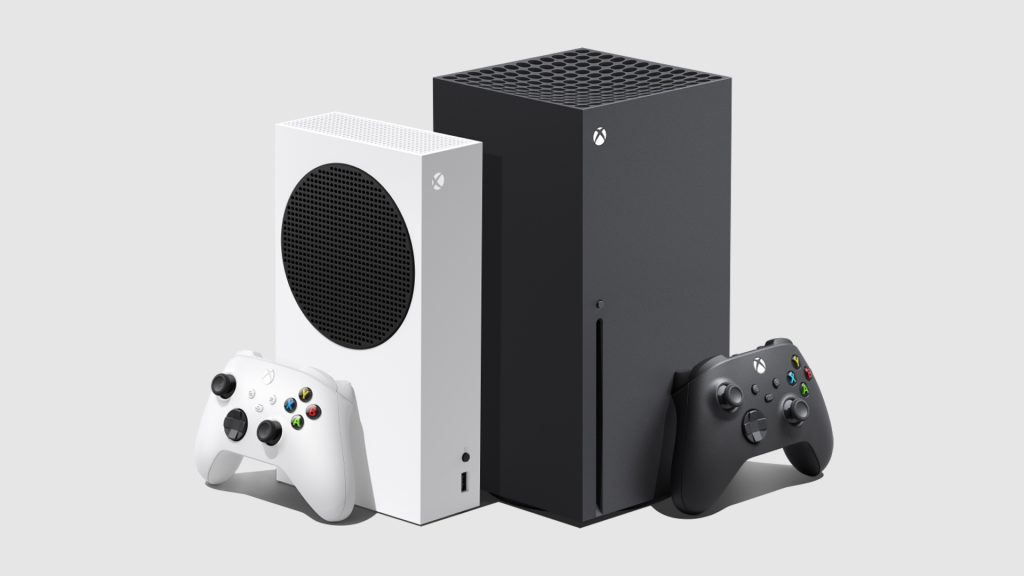
The official explanation of How Xbox Disc-to-Digital Works names Xbox One and Xbox Series X as the consoles used to insert supported discs and launch the game. Both families include hardware with optical drives. Xbox Series S is digital-only, so it cannot perform the physical-disc step itself.
After the entitlement is claimed, however, How Xbox Disc-to-Digital Works can extend beyond the original disc console where the game supports the relevant Xbox features. That is where Play Anywhere, Windows handhelds and cloud gaming become interesting: the physical disc can effectively become the starting point for a much more flexible digital library entry.
Does It Cost Anything?
Xbox has not announced a conversion fee as part of How Xbox Disc-to-Digital Works. The preview is presented as a feature for supported games owned on disc, and the process described by Microsoft is simply to insert the game and claim the entitlement. There is no official mention of buying the game again at a discount or paying a per-disc upgrade charge.
You may still need the usual subscriptions or service access for specific features. Cloud gaming, for example, depends on Xbox Cloud Gaming availability and the appropriate account plan. That is separate from How Xbox Disc-to-Digital Works itself and does not mean the digital entitlement has a purchase price.
Why Xbox Is Doing This Now
The wider reason behind How Xbox Disc-to-Digital Works is game preservation. Xbox says players have spent decades building mixed physical and digital libraries, and the company wants those libraries to move forward as hardware and distribution change. The program starts with thousands of titles and is expected to grow rather than remain a one-off compatibility experiment.
For anyone with a large shelf of Xbox One and Series X games, How Xbox Disc-to-Digital Works could remove one of the biggest disadvantages of buying physical: being tied to the disc drive every time you want access. The preview still has unanswered edge cases, but the basic idea is refreshingly straightforward.
Xbox explains the feature in its official disc-to-digital announcement, which is the best source for Microsoft’s own wording while the preview continues to expand.





