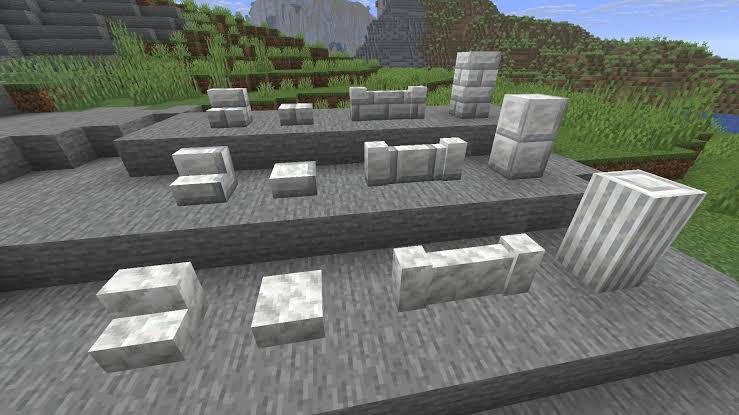
Minecraft Calcite Pillar can be crafted by stacking two Calcite blocks vertically in your crafting grid, giving you two pillars. The Stonecutter also makes one pillar from one Calcite block, so you can produce as many columns as you need without wasting any stone.
The latest Bedrock Preview also changes the tool requirement for collecting a placed pillar. If you’re experimenting with a large hall or rebuilding the entrance to your base, you’ll want a pickaxe handy so you can recover the blocks rather than lose them.
How to make a Minecraft Calcite Pillar
The two-block vertical recipe fits in your inventory’s small crafting grid. If you’re making a single pillar, put ordinary Calcite into a Stonecutter instead and select the pillar from the output menu. Both recipes are present in Java 26.4 Pre-Release 2, and neither requires Polished Calcite as an ingredient.
The pillar belongs to the ordinary Calcite family. Polished Calcite and Polished Calcite Bricks have their own slab, stair and wall sets, so look for the standard pillar rather than searching for a polished or brick pillar that isn’t part of the announced collection.
Where to gather Calcite for a Minecraft Calcite Pillar
Calcite already appears in the Overworld in amethyst geodes and Stony Peaks, while the new Ice Caves offer another source in supported test versions. If you’re gathering it specifically for a large building project, use a pickaxe and bring spare inventory slots.
An Ice Cave expedition combines material gathering with exploration, but keep an eye out for Frostbites, Brittle Ice and falling Icicles. You can also stick to existing sources of Calcite if you would rather avoid combat while gathering supplies.
Which tool recovers a Minecraft Calcite Pillar?
In Bedrock Preview 26.70.26, Calcite Pillar is one of four blocks that now only drop when mined with a pickaxe. The other three are Calcite Wall, Polished Calcite Wall and Polished Calcite Brick Wall. Breaking a finished pillar by hand in that build risks losing the material.
For the Bedrock build, use a pickaxe when moving a finished column. A misplaced pillar broken by hand will be lost.
Minecraft Calcite Pillar building ideas
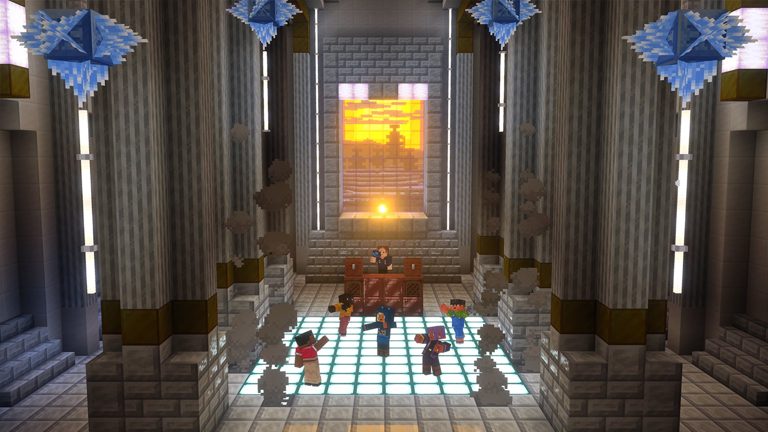
The textured column design works nicely in an entrance hall, particularly when the walls use the flatter Polished Calcite block. You can also use pillars at the corners of a building to break up a broad surface without introducing an entirely different colour.
For an icy palace, try surrounding a row of columns with Packed Ice Brick stairs or using Snow Bricks for the roof. Ordinary Calcite stairs and slabs make matching steps and ledges.
Why is the pillar missing from my Stonecutter?
The pillar arrived in Java 26.4 Snapshot 7 and Bedrock Preview 26.70.23. If you’re running an ordinary stable installation that predates the new blockset, the existing Calcite block will still be there, but the new output won’t appear.
Use a compatible development version to try the Minecraft Calcite Pillar before Deep Freeze launches. On Java, enable snapshots in the Launcher; on Bedrock, check the Preview or Beta version. Back up your world before testing the new building options.
Official source: Mojang Studios.
Minecraft Calcite Pillar: Related Guides
- Minecraft Polished Calcite: Crafting Recipe and Building Blocks
- Minecraft Polished Calcite Bricks: Recipe, Stonecutter and Variants
- Minecraft Preview 26.70.26: Off-Hand Parity, Frostbite and Calcite Changes
- Minecraft Chiseled Packed Ice: How to Craft and Use It
- Minecraft Calcite Blocks
- Minecraft Packed Ice Bricks
- Minecraft Snow Bricks
- Minecraft Ice Caves