Knowing how to open locked chests in Storage Hunter Simulator means you can find out whether the container you’ve bought holds something worth keeping. You have two options: take it to a locksmith or use the Lockpick Tool, which arrived in the April 2025 PC spring update.
Before taking a heavy chest across town, check the lock symbol on the container itself. Some chests are simply closed, while others need unlocking, and the ordinary opening interaction will save you a trip when the container isn’t actually locked.
How to Open Locked Chests in Storage Hunter Simulator
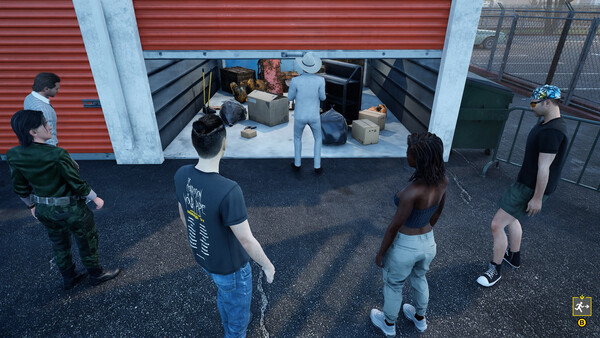
On PC, aim at the lid and press E to open an unlocked chest or safe. Once you can see inside, pick out the individual objects and identify anything unfamiliar before putting it with the rest of the goods you plan to sell.
If the lock is engaged and you don’t own a lockpick, carry the container to your truck and look for a padlock icon on the tablet map. The locksmith opens it for a fee, allowing you to get on with another auction while the work is being done.
How to Open Locked Chests in Storage Hunter Simulator With the Lockpick Tool
The Lockpick Tool is available alongside the verification and fixing upgrades in the tablet’s Tools menu. It gives you a chance to open locked containers at the auction site or back at your warehouse, although unsuccessful attempts can still leave you needing a locksmith.
On PC, aim at the actual lock symbol and hold the right mouse button. The indicator changes as the tool works; when the lock disappears, you can open the lid normally. A red lock indicates a failed attempt, in which case you’ll need the locksmith instead.
How to Open Locked Chests in Storage Hunter Simulator After a Failed Attempt
When working out how to open locked chests in Storage Hunter Simulator after a failed attempt, look at the colour of the lock. A red indicator means it’s time to take the container to the locksmith, where an unsuccessful attempt may also leave you paying a higher fee.
Collect the chest once the locksmith has finished, then check what’s inside and use your verifier on any unfamiliar objects. The service opens the lock, leaving you to decide which items are worth selling and which you’d rather keep.
What to Do With Empty Containers
Unopened containers take up space in the truck, so sorting them before you make your delivery can save a return journey. An open chest can also be useful for grouping smaller finds together while transporting a large haul.
Once the contents have been sorted, don’t overlook the chest itself as a handy way to transport small finds. Close the lid before lifting it into your vehicle, so the objects you’ve gathered together are easier to carry to your next destination.
Is the Lockpicking Tool Worth Buying?
If locked containers regularly take up space in your truck, compare the price of a lockpick upgrade with the money and time you’re spending on locksmith visits. The higher-level equipment is worth considering as your business grows, but keep the specialist in mind whenever a lock refuses to open.
Related Guides
- Storage Hunter Simulator Beginner Guide
- How to Appraise Items in Storage Hunter Simulator
- How to Find an Expert in Storage Hunter Simulator
- Storage Hunter Simulator Locksmith Location
- How to Repair Items in Storage Hunter Simulator
- How to Upgrade Your Verification Tool in Storage Hunter Simulator
- How to Upgrade Your Repair Tool in Storage Hunter Simulator
- How to Win Blind Auctions in Storage Hunter Simulator