
Knowing how to win blind auctions in Storage Hunter Simulator is useful when you want to stock your pawnshop with smaller finds in bulk. Instead of inspecting an open locker before bidding, you’ll buy a lot of boxes without knowing everything inside, so decide how much you’re willing to spend before the bidding starts.
Blind auctions can produce plenty of stock in a single visit, although not every lot will be profitable. A stronger verifier and fixing tool help you process the contents yourself, so it’s worth building up your equipment before relying on these auctions for your income.
How to Win Blind Auctions in Storage Hunter Simulator
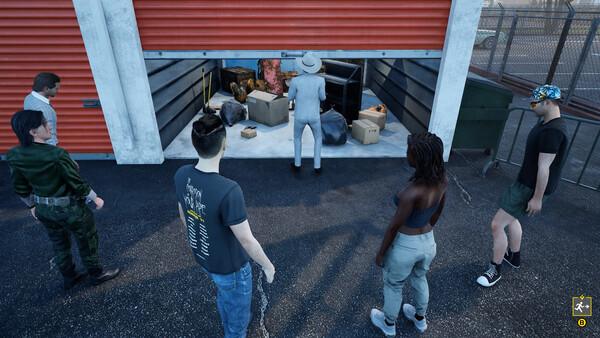
On PC, head to the Store Me Tender warehouse in the north of Black Elk, above the purchasable house in East Black Elk. Its auction symbol differs from the ordinary storage venues; once inside, interact with the whiteboard near the entrance to check the available lots.
Choose a lot from the board and register for the auction, then head to the corresponding bay and follow the bidding prompts. The highest bidder wins the contents, but because you can’t value everything before buying it, keep your maximum offer within a budget you can afford to lose.
How Much Should You Bid?
When deciding how to win blind auctions in Storage Hunter Simulator profitably, leave yourself enough money for another auction if the first lot turns out to be disappointing. Improving the condition of the contents can make a difference to their resale value, so having a decent fixing tool helps before you start bidding regularly.
Don’t let the NPCs dictate your budget. If the bidding reaches the point where you’re uncomfortable with the price, walk away and look at another listing rather than counting on a valuable item hidden somewhere in the boxes.
How to Win Blind Auctions in Storage Hunter Simulator Without Wasting Your Haul
After winning, open the boxes on the pallet and work through the individual contents with your tools. Set anything you can’t verify aside for an expert or a later upgrade, then consolidate the smaller goods into a cardboard box to make the trip back to your truck easier.
You can reuse an empty box for transport, opening it and gathering the small finds together inside. Close the flaps before carrying the box to your vehicle, since moving everything in a single container is much easier than making repeated trips for each individual object.
Blind Auction Rewards and Troubleshooting
On Steam, Blind your luck unlocks when you win a blind auction. If you’re also chasing cumulative auction milestones, concentrate on affordable lots while keeping enough stock moving through your pawnshop to fund the next day’s bidding.
PC patch 1.05, released on 29 January 2026, fixed a problem that prevented chests from opening after blind auction wins. If you’re experiencing that issue on PC, check that your game is updated before abandoning the goods you’ve paid for.
How to Win Blind Auctions in Storage Hunter Simulator: Finding More Lots
Once you know how to win blind auctions in Storage Hunter Simulator, check the warehouse board whenever you’re nearby. The post-release PC game offers blind lots through this separate venue, so there’s no need to spend the day refreshing the ordinary auction listings on your tablet looking for them.
Related Guides
- Storage Hunter Simulator Beginner Guide
- How to Win Storage Auctions in Storage Hunter Simulator
- How to Make Money Fast in Storage Hunter Simulator
- How to Repair Items in Storage Hunter Simulator
- How to Upgrade Your Verification Tool in Storage Hunter Simulator
- How to Open Locked Chests in Storage Hunter Simulator
- How to Automatically Sell Items in Storage Hunter Simulator
- How to Take Out a Loan in Storage Hunter Simulator