
Here’s how to repair items in Storage Hunter Simulator when your latest auction has left you with battered furniture and damaged collectibles. With the Fixing Tool, you can improve the condition of those finds before selling them, rather than accepting a lower price for goods you’ve already paid for.
You’ll also need the Verification Tool to identify your finds before selling them. The two tools deal with different problems: an identified item may still be in terrible condition, while repairing a rare find won’t necessarily make it eligible for sale if it hasn’t been verified.
How to Repair Items in Storage Hunter Simulator
Open the Tools app on your tablet and look for the Fixing Tool. The level-one tool costs $100 in PC patch 1.01, which corrected the launch pricing. Once you’ve bought it, you can begin working on damaged objects rather than selling them in their original condition.
On PC, aim at the damaged item and use the right mouse button, watching the condition shown as you work. You may need to repeat the interaction as you progress through the tool upgrades, particularly when restoring something that starts out broken.
Understanding the Condition Grades
Items can be in Broken, Bad, Normal, Good or Perfect condition. A low-level fixing tool won’t immediately turn everything into a pristine collectible, because improving condition beyond its capabilities requires another upgrade.
The first fixing upgrade lets you deal with broken finds, and level two can bring items up to Normal condition on PC. If the condition stops improving, check the limit of your current tool before investing more time in that item.
How to Repair Items in Storage Hunter Simulator Before Selling
If you have time after an auction, work through the items in the locker before loading your truck. That way, you can separate goods that are ready for sale from rarer finds that still need specialist attention, without sorting the entire haul again at the pawnshop.
A stronger fixer won’t identify an unfamiliar object, so set aside anything beyond your verifier’s rarity limit. Once you’ve had that item verified by the appropriate expert, you can prepare it for sale and check whether there’s still room to improve its condition.
Which Repairs Are Worth Doing?
Prioritise repairing the goods you intend to sell, particularly those that could fetch a decent price once restored. The more of your haul you can prepare yourself, the less time your auction winnings spend sitting in storage instead of generating income.
When deciding how to repair items in Storage Hunter Simulator profitably, look at the finds you’ve actually been bringing home. If they’re already identified but in poor condition, upgrading the fixer makes sense; if most of the warehouse is full of unidentified rarities, put some money towards the verifier instead.
In co-op, upgraded tools belong to the player who purchased them. If one person has a stronger fixing tool, let them prepare the company’s valuable stock while another player attends an auction or makes deliveries.
How to Repair Items in Storage Hunter Simulator From Your Warehouse
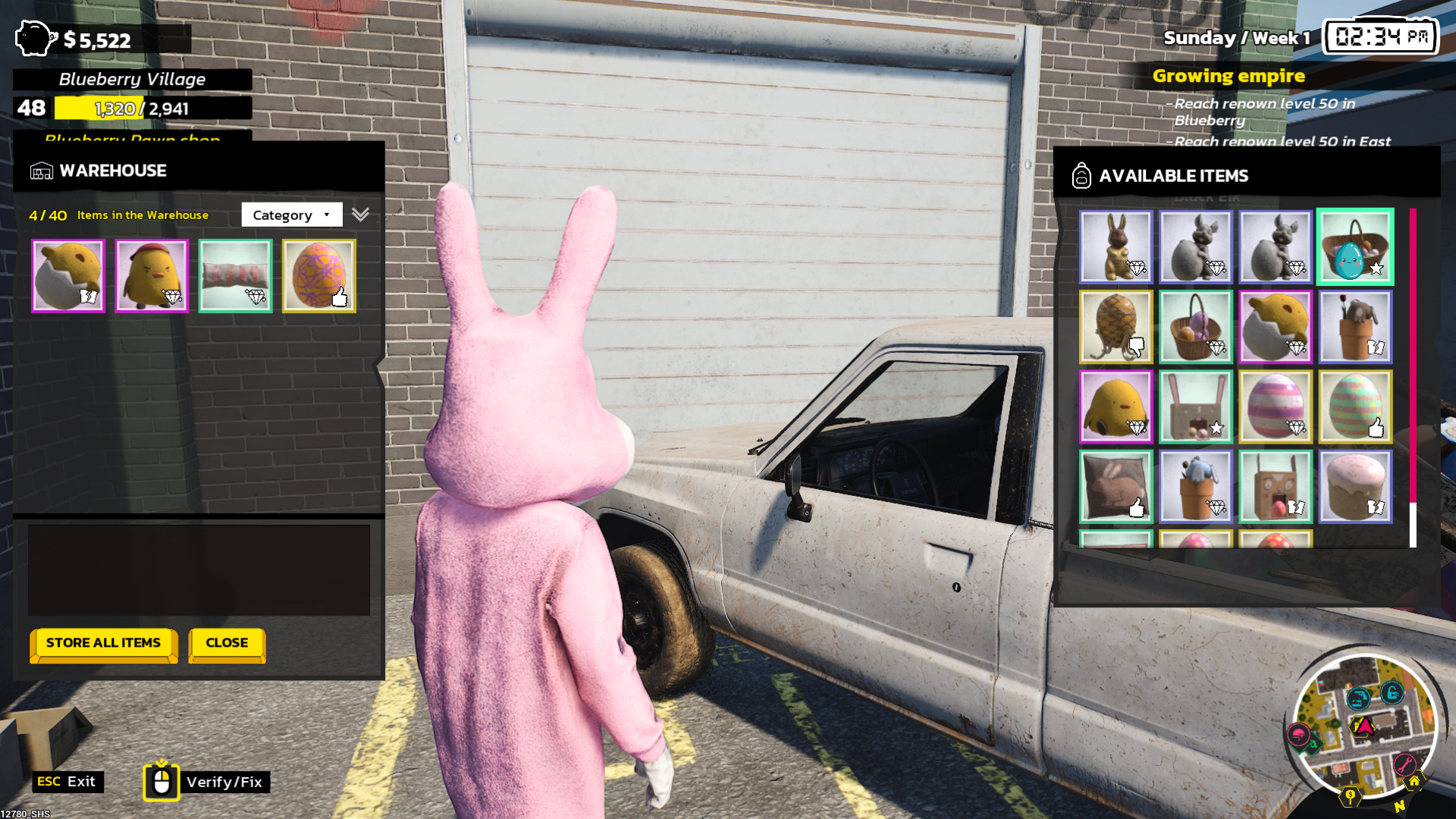
On PC, you can verify and fix stored items directly through the warehouse interface, a feature introduced in April 2025. That’s particularly useful after a big auction, when you’d otherwise have to pull every piece of furniture out of storage just to work on it.
Related Guides
- Storage Hunter Simulator Beginner Guide
- How to Appraise Items in Storage Hunter Simulator
- How to Sell Items in Storage Hunter Simulator
- How to Upgrade Your Verification Tool in Storage Hunter Simulator
- How to Upgrade Your Repair Tool in Storage Hunter Simulator
- How to Open Locked Chests in Storage Hunter Simulator
- How to Automatically Sell Items in Storage Hunter Simulator
- How to Upgrade Your Pawnshop in Storage Hunter Simulator