The Fortnite Slone Phone Lantern Landing quest takes you to Lantern Landing, the settlement near the middle of Crossbones Isle. The phone is reported inside one of the buildings around the centre of the POI. Find it and use the Answer interaction to earn 20,000 XP.
There’s an easy way to end up in the wrong place: Treasure Hunters already had a Slone Phone quest at Plunder Port. This Week 3 task is a new phone at Lantern Landing. If a guide sends you to the docks near a warehouse, it’s describing the older challenge.
Fortnite Slone Phone Lantern Landing: which part of the map?
Open the current Crossbones Isle map and look for Lantern Landing near the island’s centre. The location has been labelled differently on some older maps, including Lantern Lanes, so use the live POI name and your Week 3 quest marker rather than an image from season launch.
Current gameplay reporting places the phone inside a central building. I haven’t found a reliable screenshot proving the exact room or floor. That matters here: making up a doorway would be worse than telling you where the search area ends. Land in the middle of Lantern Landing and use the quest indicator to narrow down the building.
Once you’re close, watch for the white quest marker and the phone’s interaction prompt. Check the central rooms before heading off towards the outskirts. The object can be small, so it’s easy to run through a building without noticing it during a fight.
Fortnite Slone Phone Lantern Landing: how to answer it
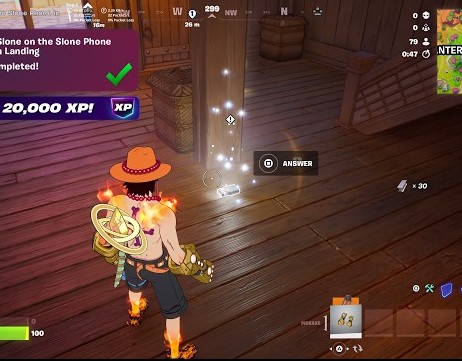
At the device, use the Answer prompt and finish the interaction. There is no Slone NPC to recruit and no fee to pay. The quest is complete once the game registers that you’ve contacted her through the phone.
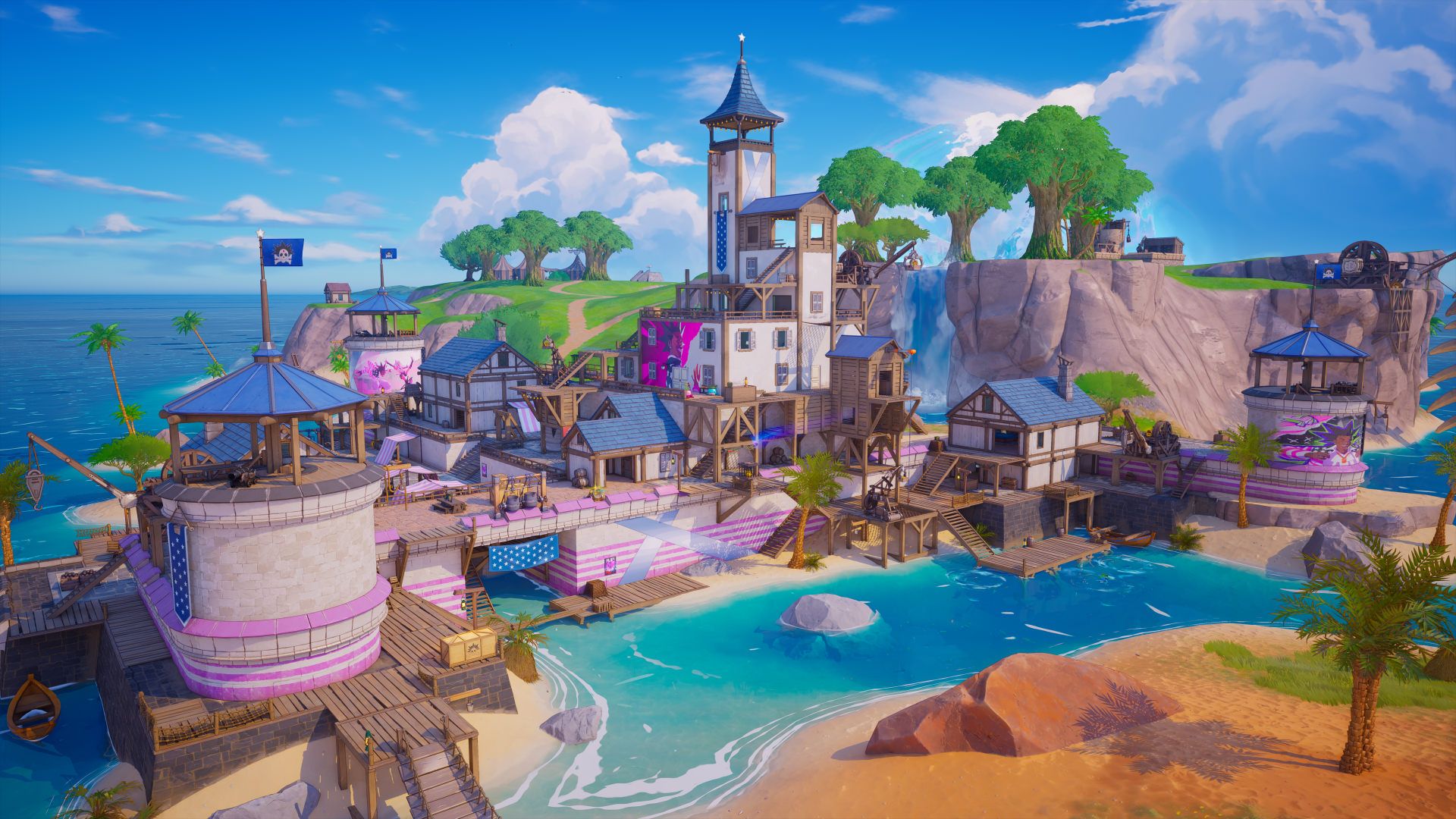
Lantern Landing can be busy because it sits along several island routes. If another squad drops nearby, grab a weapon first and approach the central buildings after the first fight has moved on. The phone interaction is short; getting there safely tends to be the harder part.
Is the Lantern Landing phone the one at Plunder Port?
The Fortnite Slone Phone Lantern Landing task is separate from the previous Plunder Port one. The older phone was inside a warehouse near the docks and a Slurp tank. Those details are useful only if you’re still completing that earlier objective.
Our Plunder Port Slone Phone guide covers the warehouse. This article is for the Week 3 phone at Lantern Landing, so don’t carry that route over to the new location.
Fortnite Slone Phone Lantern Landing not appearing?
If the Fortnite Slone Phone Lantern Landing marker isn’t showing, check that you’re tracking the Week 3 objective and have landed at Lantern Landing rather than Plunder Port. Move through the central buildings and get close enough for the quest prompt to appear.
If you can see the phone but the interaction won’t start, move right up to it and follow the displayed control. A fresh match is worth trying if the item appears missing entirely. Epic hasn’t published a specific fix for a permanently absent Lantern Landing phone.
Fortnite Slone Phone Lantern Landing: XP and reward
The reward is 20,000 XP and one more weekly quest towards Captain X’s milestone track. There’s no confirmed cosmetic or Sprite awarded directly for answering this phone.
For Fortnite Slone Phone Lantern Landing, the dependable information is the central POI and the Answer interaction. The precise room still needs a verified in-game image before this can become a proper room-by-room location guide, so use the quest marker to finish the last few steps.
Related Guides
- Fortnite Treasure Hunters Week 3 Quests
- Fortnite Drop Off Sprite at Friendship Villa
- Fortnite Survive Storm Phases Quest
- Fortnite Jam Track Player Containers Quest
- Fortnite Launch Into the Air From a Cannon
- Fortnite Jam Track Quest Not Counting
- How to Use Jam Track Player in Fortnite
- Fortnite Board a Ship With the Leekcapper
- Fortnite Treasure Hunters Map
Official source: Epic Games’ Treasure Hunters season information.